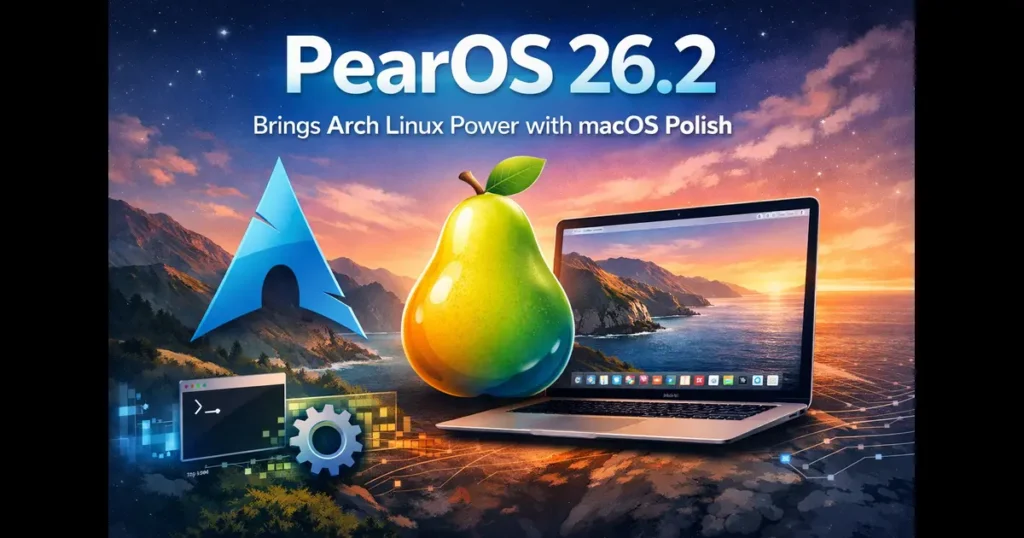
I’ve tested a lot of Linux distributions that claim they’re “just like macOS.” Most add a dock, throw in some Apple-looking icons, and hope you don’t notice it’s basically lipstick on a pig. pearOS 26.2 actually surprised me.
This distribution launched recently, and it’s doing something genuinely different. pearOS 26.2 brings Arch Linux power with macOS polish in a way that feels intentional rather than slapped together. We’re talking about a system running on Arch Linux (not Ubuntu like most Mac clones), using KDE Plasma 6.5.5, and featuring a design language called “Liquid Gel” that genuinely looks good. I booted it up expecting another cheap macOS knockoff. What I found was way more interesting.
Here’s why pearOS 26.2 brings Arch Linux power with macOS polish better than anything I’ve seen: it’s not just surface-level mimicry. They’re combining a true rolling-release system, access to the massive AUR repository, and modern design that actually works together. The result is a distribution that looks like it belongs on a $2,000 MacBook while running the powerhouse that is Arch Linux underneath. If you’re a Mac user sick of Apple’s prices or a Linux user who wants something that doesn’t look like it’s from 2005, keep reading.
The Resurrection of pearOS: A Brief History
Before we dive into what makes pearOS 26.2 special, it’s worth understanding where this project came from. The original Pear OS was created back in 2011 by French developer David Tavares. Built on Ubuntu and GNOME, it was one of the early attempts to bring that Apple aesthetic to Linux users. After going through several iterations and even a brief rebranding as Comice OS, the project was sold to an undisclosed company in 2014 and essentially vanished.
Fast forward to today, and Romanian developer Alexandru Bălan has breathed new life into the concept. But this isn’t just a nostalgic reboot. pearOS 26.2, built on what’s called the NiceC0re foundation, is a complete reimagining. The switch from Ubuntu to Arch Linux is bold—and frankly, brilliant. It shows this project is serious about delivering both aesthetics and substance.
Arch Linux Power: Why This Foundation Matters
Here’s where things get interesting. By choosing Arch Linux as its base, pearOS 26.2 gives you something Ubuntu-based distributions simply can’t match: a rolling release model powered by one of the most respected package management systems in the Linux world.
What does this mean in practical terms? You install pearOS once, and you’re done with major version upgrades forever. No more waiting for the next big release or dealing with the anxiety of a complete system overhaul. Your system continuously receives the latest software packages and security updates. It’s like having a car that automatically upgrades itself piece by piece rather than requiring you to buy a whole new model every two years.
The distribution ships with Linux kernel 6.17, which is impressively current. This means out-of-the-box support for modern hardware, including the latest CPUs, graphics cards, and peripherals. Whether you’re running an aging laptop you want to breathe new life into or a brand-new machine with cutting-edge components, pearOS 26.2 has you covered.
And then there’s the Arch User Repository (AUR). For those unfamiliar, the AUR is essentially a community-maintained software repository containing thousands upon thousands of packages. If there’s a piece of software you need—no matter how obscure—chances are excellent you’ll find it in the AUR. This gives pearOS users access to one of the most comprehensive software ecosystems in the entire Linux world.
The Liquid Gel Design: Where Aesthetics Meet Function
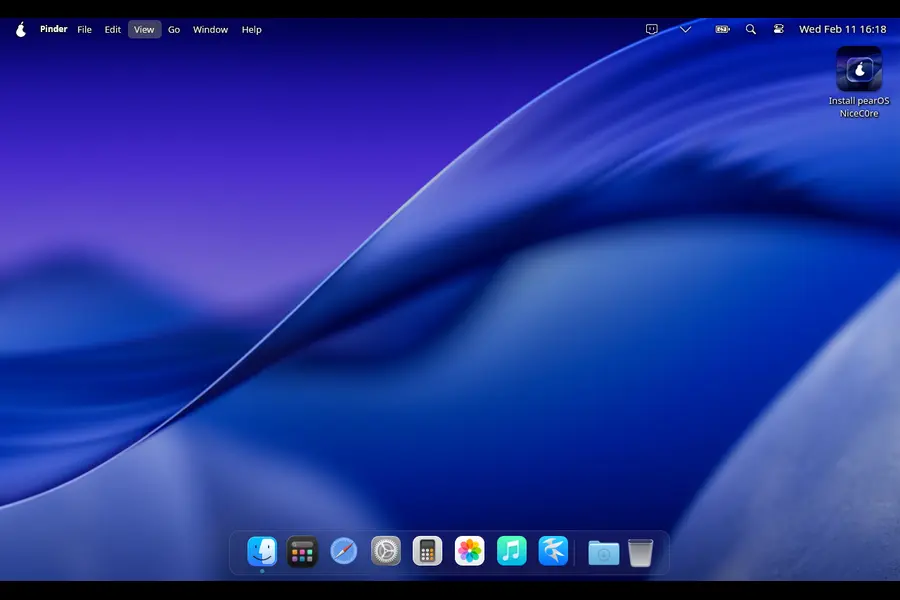
The centerpiece of pearOS 26.2 is undoubtedly its Liquid Gel design language. This isn’t just marketing speak—it represents a genuine evolution in how the desktop looks and feels.
The Liquid Gel aesthetic builds on current design trends while adding its own unique flavor. You get soft, translucent elements with smooth, fluid animations that make the interface feel alive. Windows have subtle shadows and gradients that create depth without overwhelming your eyes. The design uses what’s called glassmorphic effects—think translucent panels that blur the content behind them—to create a modern, cohesive look.
But here’s what I appreciate most: the design isn’t just pretty. The developers have actually thought about readability and reducing visual fatigue during extended use. The color palettes are refined, the typography is clean, and there’s a consistency across the entire interface that makes everything feel intentional rather than haphazardly cobbled together.
The redesigned dock and launchpad flow naturally with the rest of the interface. There’s this clever “arc” effect applied to system folders like Downloads that provides visual feedback without being distracting. Every animation feels smooth and purposeful, not just flashy for the sake of being flashy.
KDE Plasma 6.5.5: The Perfect Canvas
Under all that visual polish sits KDE Plasma 6.5.5, one of the most powerful and customizable desktop environments available. But again, this isn’t vanilla KDE. The pearOS team has meticulously customized virtually every aspect to create an experience that captures the essence of macOS without being a carbon copy.
There’s a working global menu bar—yes, actually working—with a pear menu sitting where the Apple menu would be. The Settings app adopts the single-column iOS-style layout that Apple introduced with macOS Ventura. It’s immediately familiar if you’re coming from a Mac, but it doesn’t feel like a knockoff.
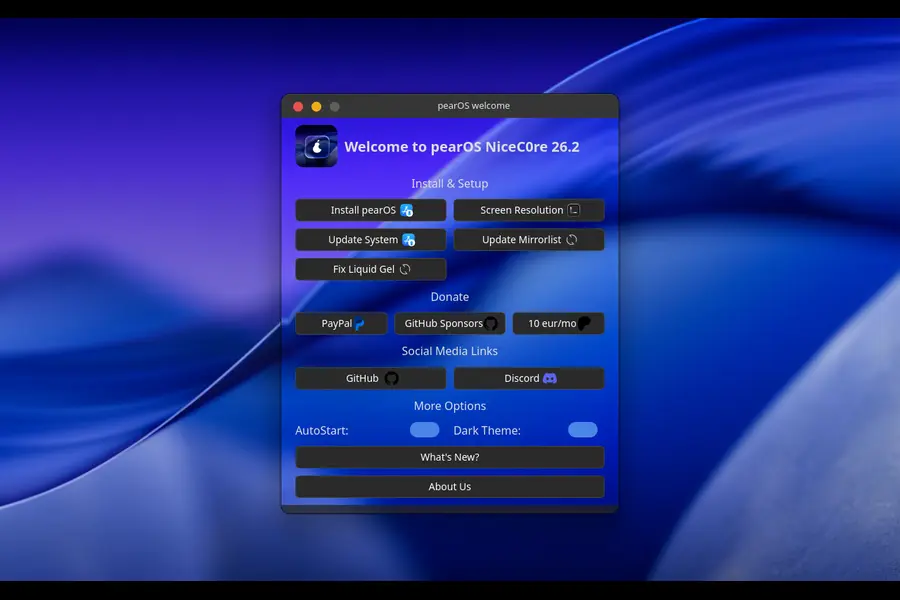
Now, I should mention that some features listed in the Control Center—like Focus Mode—display a “This feature is currently not available” message. This is a small-team project, and some features are still being developed. But the transparency about what’s available and what’s coming is refreshing. The core experience is solid, and the promised features give you something to look forward to.
Wayland by Default: Embracing the Future
pearOS 26.2 makes a significant technical decision that positions it firmly in the future of Linux desktop computing: it ships with Wayland as the default display server.
For years, the Linux desktop has relied on X11, a display protocol that’s served us well but is showing its age. Wayland represents a modern approach that offers several compelling advantages:
Better Security: Wayland isolates applications from direct hardware access, which means a compromised application can’t easily spy on what you’re doing in other programs or capture your keystrokes.
Improved Performance: Especially noticeable on modern graphics hardware, Wayland delivers smoother animations, reduced latency, and better multi-monitor support.
Power Efficiency: Laptop users will appreciate the reduced power consumption compared to X11, which can translate to tangibly better battery life.
Tear-Free Graphics: Say goodbye to screen tearing during video playback or when scrolling through long documents.
The pearOS team has done extensive work to ensure compatibility with popular applications. And if you absolutely need X11 for a specific legacy application, the option remains available—you’re not locked into one or the other.
The New Installer: First Impressions Matter
One of the most daunting aspects of trying new Linux distributions is the installation process. pearOS 26.2 addresses this head-on with a custom installer built using Electron and Node.js.
The goal here is simple: make installation as approachable as setting up a new Mac. While the installer is currently in beta and may have some rough edges, the direction is clear. This is about removing barriers and making Linux accessible to people who might be intimidated by traditional Linux installation processes.
Currently, there’s one significant limitation worth noting: the installer only allows you to select an entire drive for installation. If you want to dual-boot with another operating system, you’ll need two separate physical drives. This is admittedly restrictive compared to many other distributions, but it also simplifies the installation process considerably for newcomers who just want to wipe a machine and start fresh.
Pafari Browser and Piri Assistant: Custom Apps with Apple-Inspired Design
pearOS 26.2 includes some custom applications that further the macOS-like experience. Pafari is a web browser designed to mimic Safari’s look and feel. While it may not have the development resources of Firefox or Chrome, it demonstrates the attention to detail the pearOS team brings to the project.
Piri is positioned as an AI-style voice assistant, though it’s important to note it doesn’t currently use an actual AI model. Think of it more as a framework for what’s coming. It’s another example of features being built with an eye toward the future rather than rushed out half-baked.
Privacy Features That Actually Matter
In an era where privacy concerns are increasingly front and center, pearOS 26.2 includes some thoughtful features:
Privacy Bubbles: Visual indicators that notify you when your microphone is in use, when your webcam is enabled, or when your screen is being recorded. This simple feature provides transparency about what’s happening on your system.
Ring Light Mode: A clever feature that uses your display as a ring light during video calls in low-light conditions. It’s the kind of practical innovation that shows the developers are thinking about real-world use cases.
Hardware Support: From Legacy to Cutting-Edge
One of the pleasant surprises about pearOS 26.2 is its hardware compatibility range. The system requirements are surprisingly modest:
Minimum Specifications:
- 64-bit processor (dual-core 2 GHz or faster recommended)
- 4 GB RAM (8 GB recommended for optimal performance)
- 20 GB free disk space
- Graphics card supporting OpenGL 3.0 or higher
The ISO image supports both UEFI and BIOS systems, making it compatible with a wide range of hardware from older machines to brand-new computers. NVIDIA GPU support is included out of the box with proprietary drivers, while AMD users get FOSS graphics drivers.
This means you can resurrect that old laptop gathering dust in your closet and give it a genuinely premium-feeling operating system. Or you can install it on your latest hardware and take full advantage of modern capabilities. That flexibility is genuinely impressive.
Who Should Use pearOS 26.2?
After spending time researching this distribution, I can identify several groups who would find pearOS 26.2 particularly appealing:
Mac Refugees: If you love the Apple aesthetic and workflow but want to escape the walled garden, high prices, or simply want more control over your system, pearOS 26.2 offers a compelling alternative. You get the visual polish and thoughtful design language without Apple’s restrictions.
Arch Enthusiasts Who Value Time: Love the power and flexibility of Arch but don’t want to spend hours or days configuring a desktop environment from scratch? pearOS gives you Arch’s rolling release model and access to the AUR with a beautiful, pre-configured desktop that’s ready to use right out of the box.
Aesthetic Seekers: Some people genuinely care about how their desktop looks and feels. There’s nothing wrong with that. If you’re someone who appreciates pixel-perfect design and smooth animations, pearOS 26.2 delivers a desktop experience that looks like it belongs in 2026, not 2006.
Users Reviving Old Hardware: Got an older laptop that’s too slow for modern Windows or macOS? pearOS 26.2 can transform it into a sleek, modern machine. The performance optimizations mean it runs smoothly even on systems with limited resources.
Professionals Seeking Stability: The rolling release model might sound risky, but Arch Linux has proven remarkably stable for daily use. Combined with pearOS’s polish, you get a system suitable for actual work, not just tinkering.
The Reality Check: What You Should Know
Let’s be honest about some limitations and considerations:
It’s a Rolling Release: This means you’ll get continuous updates, which is great for having the latest software. However, it also means you need to pay attention when updates arrive. Unlike “set it and forget it” distributions like Ubuntu LTS, rolling releases require occasional maintenance and awareness.
Small Development Team: This is a passion project by a small team, not a corporate-backed distribution with massive resources. That means some features are still in development, bugs exist, and polish is continually improving. The “This feature is currently not available” messages in the Control Center are a reminder of this reality.
Arch Learning Curve: While pearOS makes Arch more accessible, you may still encounter situations requiring terminal knowledge, especially for troubleshooting or advanced customization. The Arch Wiki is excellent, but it assumes a certain level of technical knowledge.
Installation Limitations: The current requirement for a whole drive limits flexibility for dual-boot setups. If you need to run multiple operating systems from a single drive, you’ll need to wait for this limitation to be addressed or use a different distribution.Beta Status: The installer and some system components are explicitly still in beta. While the core experience is solid, you’re essentially helping test and refine the distribution by using it.
Performance in the Real World
Based on reports from users and reviewers, pearOS 26.2 delivers impressive performance across the board:
Boot Times: Faster than many competing distributions, with users reporting boot times under 15 seconds on modern SSDs.
Resource Usage: Despite the visual effects, memory management is efficient. The system runs well on 4 GB of RAM, though 8 GB provides a noticeably smoother experience.
Application Launch Speed: The combination of a modern kernel and optimized startup processes results in snappy application launches.
Older Hardware Performance: Perhaps most impressively, users report smooth performance on hardware that struggles with Windows 10 or recent macOS versions. This makes it genuinely useful for extending the life of older machines.
The Competition: How Does It Stack Up?
In the “macOS-like Linux distributions” space, pearOS 26.2 faces some competition. The most notable is Elementary OS, which has long been the go-to for users wanting a Mac-like experience on Linux. Another contender is the Hello System, which takes a different approach based on FreeBSD.
What sets pearOS 26.2 apart is its Arch foundation combined with the latest KDE Plasma. You get bleeding-edge software, extensive customization options, and access to the massive AUR repository. Elementary OS, while beautiful and polished, uses Ubuntu LTS as its base and has a more limited software selection. Hello System is interesting but far less mature and has significant installation limitations.
pearOS 26.2 strikes a balance between polish and power that’s genuinely unique in this space.
Looking Ahead: The Future of pearOS
The roadmap for pearOS suggests this is just the beginning. The development team is actively working on expanding features, improving stability, and addressing current limitations like the installation restrictions.
The fact that this is a community-driven project with active development is encouraging. Unlike the original Pear OS, which vanished when it was sold, this iteration appears to have staying power and a clear vision for the future.
Features currently showing “not available” messages are presumably under development, and the beta status of various components suggests rapid iteration and improvement are ongoing.
Making the Switch: Is pearOS 26.2 Right for You?
If you’re considering trying pearOS 26.2, here are some questions to ask yourself:
Do you value aesthetics? If a beautiful, cohesive desktop environment matters to you, pearOS delivers.
Are you comfortable with some technical challenges? The Arch foundation means you might occasionally need to dig into the terminal or consult documentation.
Do you want the latest software? Rolling releases mean you’re always current, but this comes with the responsibility of managing updates.
Are you escaping macOS? If you love how Macs look and work but want more freedom, this is probably the closest you’ll get on Linux.
Do you have older hardware to revive? pearOS can transform an aging laptop into a surprisingly capable machine.
If you answered yes to most of these questions, pearOS 26.2 deserves serious consideration.
How to Get Started
Ready to try pearOS 26.2? Visit the official website at pearos.xyz to download the latest ISO. The installation process, while currently limited to full-drive installs, is straightforward.
Before installing, back up any important data. While the Arch foundation is stable, you’re still working with a relatively young distribution. It’s always better to be cautious.
Consider testing it in a virtual machine first if you’re uncertain. This lets you explore the interface and features without committing your primary machine.
The Bottom Line: pearOS 26.2 Brings Arch Linux Power with macOS Polish
pearOS 26.2 represents something genuinely exciting in the Linux desktop landscape. It’s not perfect—the beta status, installation limitations, and work-in-progress features remind you this is still maturing. But the combination of Arch Linux’s power, KDE Plasma’s flexibility, and thoughtful design that captures the essence of macOS creates something special.
For Mac users tired of Apple’s restrictions and prices, for Linux enthusiasts who want beauty alongside functionality, and for anyone seeking to breathe new life into older hardware, pearOS 26.2 offers a compelling proposition.
The Liquid Gel design genuinely looks modern and feels premium. The Wayland implementation brings real technical advantages. The Arch foundation provides access to cutting-edge software and the incomparable AUR. And the attention to details like privacy bubbles and ring light mode shows a team thinking about actual user needs.
Is it ready to replace your current operating system for mission-critical work? That depends on your comfort level with beta software and rolling releases. Is it an exciting glimpse at what Linux desktops can achieve when aesthetics and substance come together? Absolutely.
pearOS 26.2 proves you don’t need Cupertino hardware to enjoy a world-class desktop experience. Whether you’re a Mac refugee, an Arch enthusiast, or simply someone who appreciates beautiful design, this distribution deserves a spot on your radar. The combination of Arch Linux power with macOS polish isn’t just marketing speak—it’s a genuine achievement that makes Linux more accessible and appealing to a broader audience.
Download it, try it, and see for yourself. The Linux desktop has never looked this good.
Frequently Asked Questions (FAQs)
Can I dual-boot pearOS 26.2 with Windows?
Not on the same drive right now. The installer only works with entire drives, so you’d need two separate physical drives for dual-booting. It’s one of the current limitations the team is working on.
Is pearOS 26.2 actually stable for daily use?
Yes. Despite being Arch-based, it’s stable enough for everyday work. Some features are still beta and show “not available” messages, but the core system runs reliably. Just stay on top of updates like any rolling release.
Will this work on my old computer?
Probably. It needs just 4 GB RAM and a dual-core processor. People report smooth performance on machines that struggle with Windows 10. Good option for reviving older hardware without buying new stuff.
How different is this from Elementary OS?
Main difference: pearOS uses Arch with rolling updates and AUR access (thousands more packages), while Elementary uses Ubuntu LTS (older but stable packages). pearOS also gives you KDE’s customization instead of Elementary’s locked-down Pantheon desktop.
Do I need to know Linux commands to use pearOS 26.2?
Not really for basic use—it works like macOS out of the box. But some troubleshooting or AUR installations might need terminal commands. If you’re comfortable with occasional command-line use, you’ll be fine.
Also Read
Best Linux Distros with Genuine Built-In AI in 2026