

There’s a weird thing that happens with certain Linux distributions. They burn bright, build a loyal following, and then quietly fade into the background — not because they got worse, but because the spotlight moved somewhere else. PCLinuxOS is one of those distros. And right now, in early 2026, it’s making a genuinely interesting comeback.
This PCLinuxOS review 2026 digs into what the distro actually feels like to use on a daily basis, where it holds up, where it falls short, and — the big question — whether it’s a realistic replacement for Windows in the current moment.
Spoiler: it’s better than you might expect.
A Quick Refresher on What PCLinuxOS Actually Is
PCLinuxOS (often shortened to PCLOS) started as a passion project by a packager named Bill Reynolds — better known in the community as “Texstar.” He forked Mandrake Linux back in 2003 because he wanted to build something without the organizational politics that tend to slow open-source projects down. That independent spirit still defines the project today.
The distro runs on a rolling-release model, which means you install it once and keep updating it over time — no big version upgrades, no reinstalls every couple of years. It supports 64-bit (x86-64) systems only, since Texstar officially dropped 32-bit support back in 2016. Three desktop environments are available out of the box: KDE Plasma, MATE, and XFCE. Community editions with LXQt, Openbox, and Trinity are also floating around.
What made PCLinuxOS stand out early on was its goal of being genuinely easy for Windows users. At a time when most Linux distros required terminal fluency just to get Wi-Fi working, PCLOS came with proprietary drivers, multimedia codecs, and a real graphical installer already included. For 2026, that philosophy hasn’t changed — but the competition has caught up in interesting ways.
Installation: Still One of the Easier Linux Setups
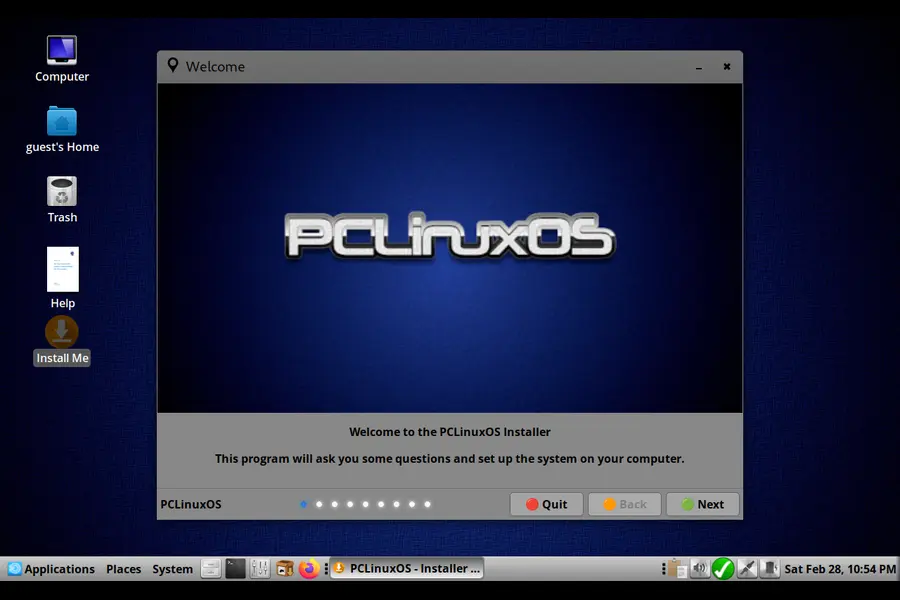
Setting up PCLinuxOS hasn’t gotten flashy, but it’s still clean and straightforward. The ISO boots into a live environment — meaning you can poke around the desktop before committing to anything. That’s a nice touch if you’re on the fence.
The graphical installer walks you through disk partitioning, time zone selection, and user account creation without dumping you into confusing technical decisions. Compared to something like Arch Linux, it’s night and day. Even compared to Ubuntu, the process feels slightly more guided and less corporate in tone.
Hardware detection has always been a strength here. On most modern laptops and desktops, wireless adapters, graphics cards, and audio devices get picked up automatically. NVIDIA drivers (including proprietary ones) are available through the package manager without needing to hunt down PPAs or third-party repositories. That single factor alone removes a massive headache for people coming from Windows who are used to drivers just working.
The live USB experience does require a bit of patience — boot times are not snappy. But once you’re in, everything loads reliably.
The Desktop Experience: Familiar Enough to Not Feel Foreign
PCLinuxOS ships with three main desktop flavors, and the choice genuinely matters depending on what you need.
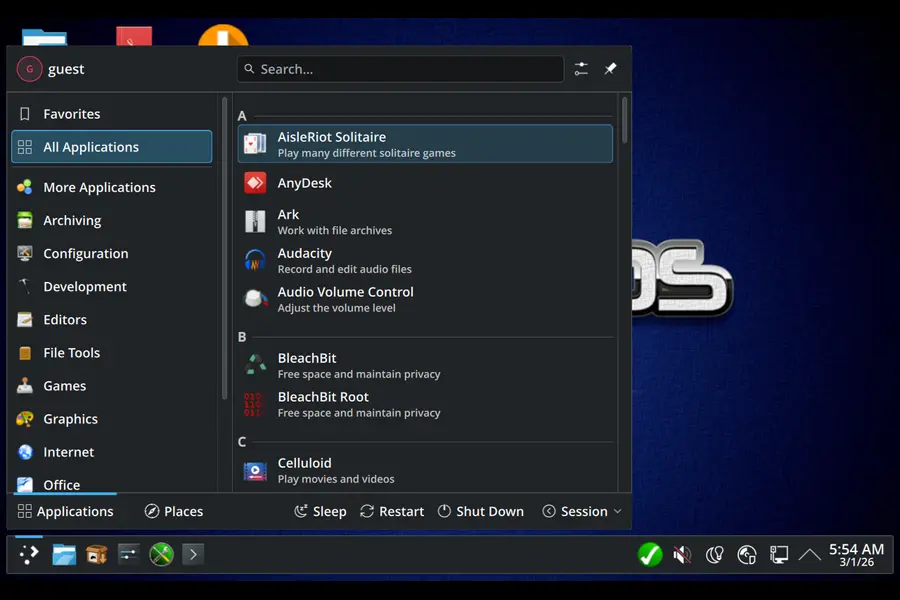
KDE Plasma is the flagship. It’s modern, feature-rich, and customizable to a degree that would make most Windows power users feel right at home. The taskbar sits at the bottom, there’s a start-menu-style application launcher, and the system tray behaves exactly as expected. KDE’s built-in settings panel covers nearly every preference you’d want to tweak — dark mode, font rendering, display scaling, keyboard shortcuts — without needing to open a terminal. As of early 2026, KDE 6.x is the version shipping with PCLOS, bringing improved Wayland support and cleaner multi-monitor handling.
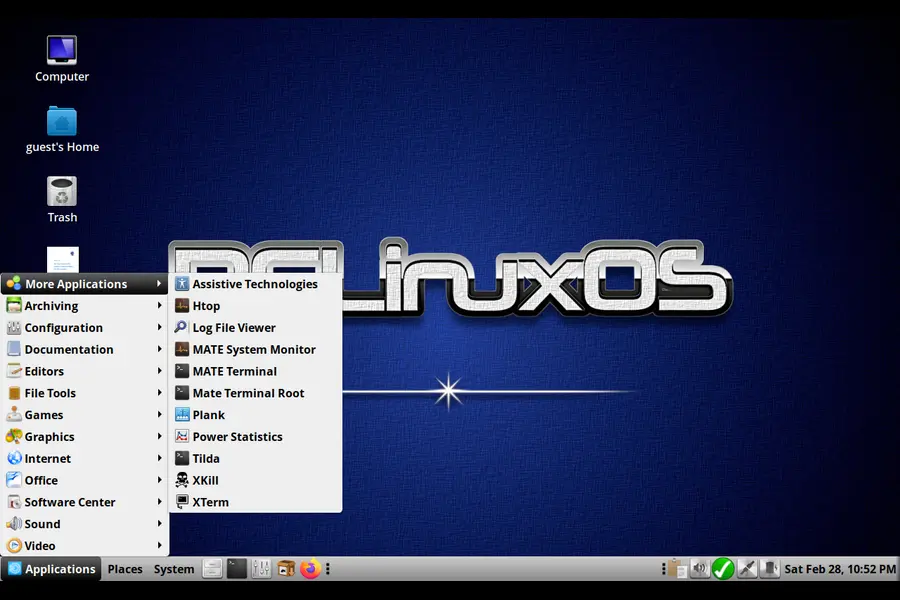
MATE is the choice if you want something lighter and more stable. It’s essentially a continuation of the old GNOME 2 desktop, which has aged remarkably well. If you’re migrating from Windows XP or 7 — yes, people still are, especially on older business hardware — MATE’s layout will feel immediately familiar: taskbar on top, applications on the left, places and system on the right.
XFCE is the lightest of the three. It’s ideal for older machines or anyone who just wants the OS to stay out of the way. It’s not as visually polished as KDE, but it’s fast and dependable.
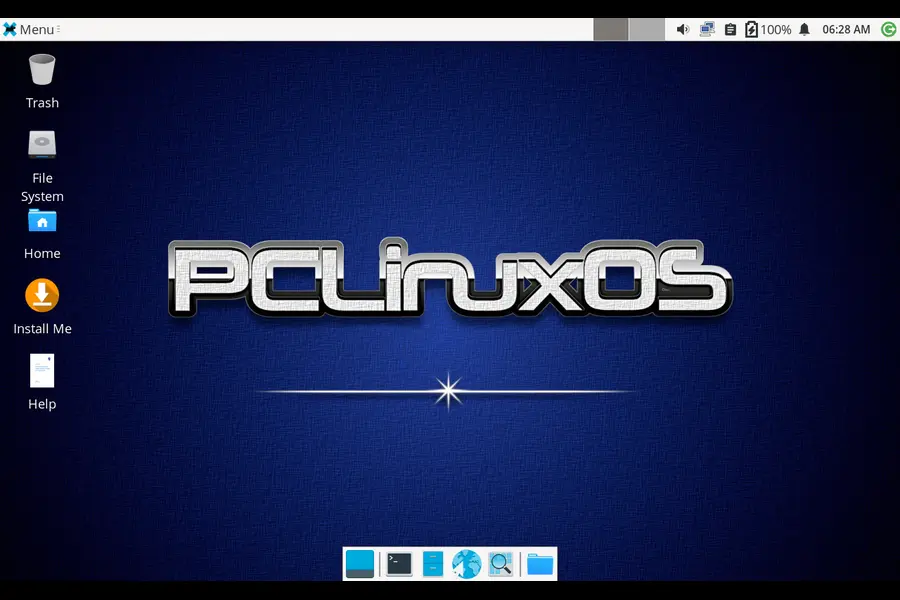
All three environments come with a software center GUI, so installing apps never requires opening a terminal. That’s important for the audience PCLOS is targeting.
Software and Package Management: Practical and Well-Stocked
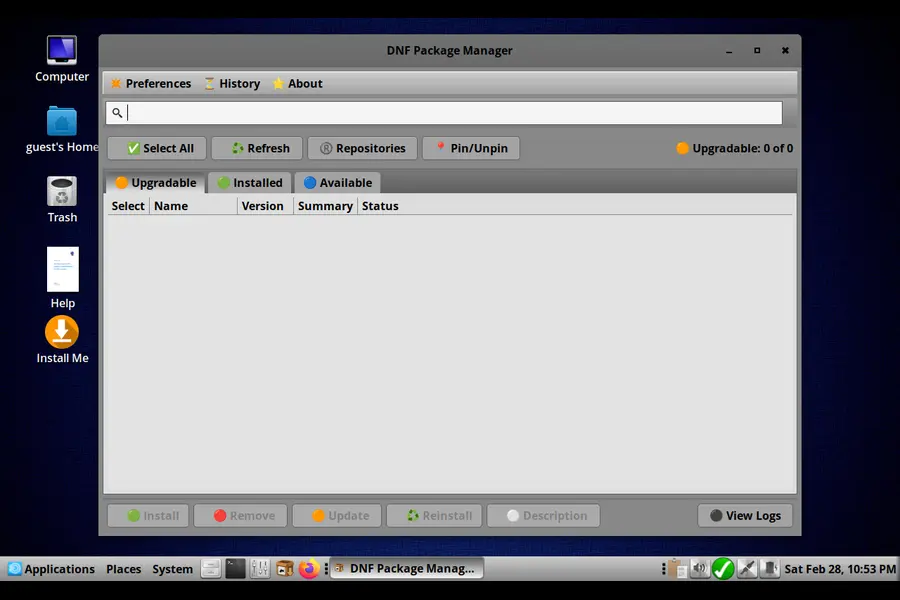
PCLinuxOS uses its own package manager called Synaptic, backed by APT-like functionality through RPM packages — a legacy of its Mandrake roots. The graphical interface is functional rather than pretty, but it works well once you get used to it.
The repositories are well-maintained and cover the everyday essentials. Firefox, LibreOffice, GIMP, VLC, Thunderbird — all there, all current. As of February 2026, the community magazine confirmed that recent software versions including Git 2.53 and LibreOffice 26.2.1 are available in the repos, which shows the packages are being kept genuinely up to date.
One honest limitation: niche software sometimes lags behind. If you rely on cutting-edge developer tools or very specific professional applications, you might find version numbers a few months behind what’s available elsewhere. The PCLOS team prioritizes stability over being first, so they hold back updates until things are tested. For most users that’s actually a positive. For developers living on the bleeding edge, it can be frustrating.
Flatpak support is available as a workaround for apps not in the native repos. It’s not enabled by default, but adding it is a simple one-time step.
Performance: Light Enough to Revive Old Hardware
This is one of PCLinuxOS’s underrated selling points in 2026. Windows 11 requires TPM 2.0, Secure Boot, and a reasonably modern CPU — leaving millions of perfectly usable computers out in the cold. PCLinuxOS runs comfortably on machines that Windows 11 refuses to touch.
On a machine with 4GB of RAM, the MATE edition runs smoothly with room to spare. KDE Plasma needs a bit more — 6-8GB RAM is where it feels genuinely comfortable — but even that’s achievable on 8-year-old hardware without issues.
Boot times on an SSD come in around 20-25 seconds from POST to desktop, which is perfectly acceptable. On a spinning hard drive it’s slower, obviously, but still usable.
Memory usage at idle sits around 800MB-1GB on MATE, and around 1.2-1.5GB on KDE. By comparison, Windows 11 idles at 3-4GB on the same hardware. That difference is meaningful if you’re working with limited RAM.
PCLinuxOS vs. Windows: The Honest Comparison
Let’s actually address the question at the heart of this review.
For basic daily use — web browsing, email, document editing, video calls, media playback — PCLinuxOS handles everything Windows does. LibreOffice opens and saves .docx and .xlsx files with reasonable fidelity. Firefox and Chrome are both available. Zoom and Microsoft Teams work through their Linux builds. Spotify has a Linux app. The gap between “things you can do on Windows” and “things you can do on PCLinuxOS” for a typical home or office user has narrowed considerably.
The places where Windows still wins are predictable: gaming (though Steam and Proton have improved things substantially), proprietary professional software like Adobe Photoshop or Premiere, and any software that only exists as a Windows executable with no Linux alternative. If your workflow is built around those tools, PCLinuxOS isn’t your answer — at least not as a primary OS.
Where PCLinuxOS genuinely beats Windows: no license fees, no telemetry running in the background, no forced updates that restart your machine mid-project, and no gradual slowdowns from bloatware accumulation. The system runs the same on day 1,000 as it did on day 1.
Security is a non-trivial point too. Linux’s permission model and much smaller attack surface mean you’re not running antivirus software constantly chewing through your CPU. There are essentially no viruses targeting PCLinuxOS in the wild.
PCLinuxOS vs. Windows 11 vs. Linux Mint: Quick Comparison
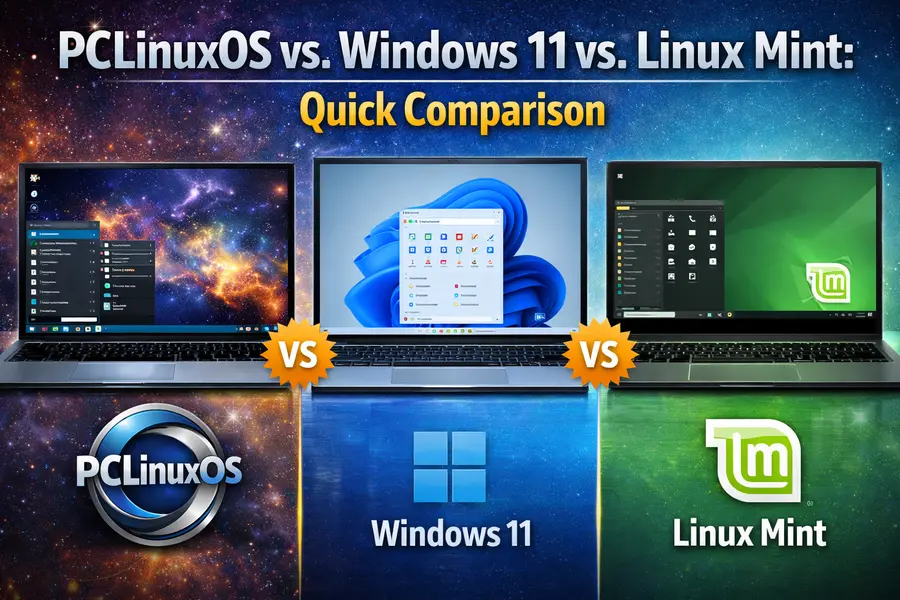
If you’re trying to choose between these three, here’s how they stack up across the factors that actually matter for everyday users:
| Feature | PCLinuxOS 2026 | Windows 11 | Linux Mint 22 |
|---|---|---|---|
| Cost | Free | $139+ License | Free |
| Hardware Requirements | Low (2GB RAM min) | High (TPM 2.0, 4GB RAM) | Low (2GB RAM min) |
| Release Model | Rolling (No Reinstalls) | Feature Updates | Fixed LTS Releases |
| Out-of-Box Codecs | ✔ Included | ✔ Included | ✔ Included |
| Proprietary Driver Support | ✔ Via Package Manager | ✔ Built-in | ✔ Driver Manager Tool |
| Default Office Suite | LibreOffice | Microsoft 365 (Subscription) | LibreOffice |
| Idle RAM Usage | ~800MB – 1.5GB | ~3 – 4GB | ~700MB – 1.2GB |
| Gaming (Steam/Proton) | ✔ Available | ✔ Native | ✔ Available |
| Telemetry / Data Collection | No | Extensive | No |
| Forced Updates | User Controlled | Can Restart System | User Controlled |
| Community Size | Small, Tight-Knit | Massive | Large, Active |
| Beginner Friendliness | ★★★★☆ | ★★★★★ | ★★★★★ |
| Long-term Stability | ★★★★☆ | ★★★★☆ | ★★★★★ |
| Software Availability | ★★★★☆ | ★★★★★ | ★★★★★ |
The takeaway from this table is pretty clear. PCLinuxOS wins on resource efficiency, privacy, and long-term stability. Windows 11 wins on software breadth and raw familiarity. Linux Mint sits in the middle — arguably the easiest Linux transition for total newcomers, but without the rolling-release convenience that PCLOS offers.
PCLinuxOS vs. Linux Mint: The Real Competition
If you’re specifically shopping for a Windows-friendly Linux distro in 2026, the honest comparison isn’t with Windows — it’s with Linux Mint.
Linux Mint has a larger community, more polished documentation, better out-of-box Flatpak integration, and arguably the most refined newcomer experience in the Linux world. It’s based on Ubuntu LTS, which means vast package availability and commercial support for the underlying infrastructure.
PCLinuxOS offers a different set of trade-offs. The rolling release model means no major version upgrades — you never have that “should I upgrade from Mint 21 to 22” moment. The community is smaller but notably tight-knit and helpful. The PCLinuxOS Magazine, which has been published monthly since September 2006 and released its February 2026 issue recently, is a genuinely useful resource that reflects an active and caring community. Not many distros can say they’ve had a community magazine running for nearly 20 years.
The independence angle also matters to some users. PCLinuxOS isn’t backed by a corporation, doesn’t push Snap packages, and doesn’t have commercial interests shaping what gets included. It’s maintained by enthusiasts for enthusiasts, and that shows in the experience.
For a pure newcomer, Linux Mint might be the slightly easier first step. For someone who’s dabbled in Linux before and wants something stable and community-driven without constant drama, PCLinuxOS is the better long-term home.
Community and Support in 2026
The PCLinuxOS community forums took a hit after a fire damaged the server infrastructure a while back, but the community rallied and rebuilt. As of now, the forums are active, the monthly magazine is shipping regularly, and the volunteer-driven nature of the project remains intact.
The February 2026 magazine issue covered topics from KDE 6.x customization tips to setting up a DIY NAS with OpenMediaVault — practical, community-contributed content that reflects real users solving real problems. That kind of organic knowledge-sharing is hard to find with corporate-backed distros.
For new users, the forum community is generally welcoming and patient. It’s not the fastest support channel if you need something fixed in the next hour, but for most questions, someone who knows the answer will show up.
Who Should Actually Use PCLinuxOS in 2026?
This distro makes the most sense for a few specific groups.
Older hardware users whose machines don’t meet Windows 11 requirements — but are still perfectly capable computers — will find PCLinuxOS gives them years of useful life without spending money on a new system. XFCE or MATE on a 2013 laptop with 4GB of RAM runs better than Windows 10 did on the same machine, let alone Windows 11.
Privacy-conscious users who want out of the Windows telemetry ecosystem entirely will appreciate a system that literally doesn’t know what you’re doing and doesn’t report home.
People who are tired of reinstalling their OS every few years will appreciate the rolling model. Install PCLinuxOS once, keep it updated, and it stays current indefinitely.
Home and small office users who mostly need a web browser, email client, and document software will find everything they need pre-installed and ready to go on day one.
Final Verdict
PCLinuxOS in 2026 is a quiet, capable operating system that’s been doing its thing consistently for over two decades. It doesn’t have flashy marketing or a corporate sponsor pushing it into tech headlines. What it has is a well-maintained rolling release, solid hardware support, three good desktop environments, and a community that genuinely cares about the project.
Is it a perfect Windows alternative? For a lot of people — yes, actually. The gap between what PCLinuxOS offers and what Windows 11 delivers for everyday computing is genuinely small. And PCLinuxOS doesn’t spy on you, doesn’t cost anything, and won’t demand you buy new hardware just to stay supported.
If you’ve been on the fence about trying Linux, PCLinuxOS is one of the more low-drama entry points available. Give it a try in the live environment first. You might be surprised how little you miss.
Disclaimer
This review reflects the author’s personal experience and research as of early 2026. Software versions, system requirements, and repository availability may change over time as PCLinuxOS is a rolling-release distribution. The performance benchmarks and RAM usage figures mentioned are approximate and may vary depending on your specific hardware configuration.
This post is not affiliated with, sponsored by, or officially endorsed by the PCLinuxOS project or any related organization. All product names and trademarks mentioned — including Windows, Linux Mint, KDE, and others — belong to their respective owners. Nothing in this article should be taken as professional IT or migration advice; always test any new operating system in a live environment before committing to a full installation.
Also Read
Why Linux Is the Privacy Enthusiast’s Best Friend



Long ago, PCLinuxOS was one of my early GUI favorites. (I installed a non-GUI Redhat mailserver in the 1990s.)
I was going to try out the KDE Darkstar version until I noticed that it does not use modern SystemD.
Linux Distros that cling to older non-standard tech like SysVinit and X11 appeal to fewer experienced Linux users.
Even MX KDE Linux reluctantly moved to Wayland and SystemD.
They do have Wayland, just not systemd. PCLinuxOS has been around since 2003–it’s actually older than Ubuntu–and adopts new technologies on what it perceives as their merit. Sysvinit is still actively maintained and perfectly functional as an init, and their continued use of it rendered PCLOS immune from a couple of very ugly bugs in the past few years, including the xz-utils backdoor in 2024.
There is one thing that has changed from what this article says, though, and I’m surprised they missed it because they actually showed a screenshot of the new graphical front end. They dropped apt-rpm and Synaptic about six months ago in favor of using dnf as the package manager, with the in-house front end shown in the screenshot.
The assessment of “For someone who’s dabbled in Linux before and wants something stable and community-driven without constant drama, PCLinuxOS is the better long-term home.” is absolutely correct. I’ve run it off and on for 17 years and as my sole OS since 2019.