


If you’ve been curious about Linux for writers and content creators, 2026 might just be the year you finally make the switch — and actually stick with it. The old narrative of Linux being a playground exclusively for developers and sysadmins is long gone. Today, Linux is a genuinely compelling platform for novelists, bloggers, journalists, YouTubers, podcasters, and digital artists who want a stable, distraction-free, and cost-effective creative environment.
With Ubuntu 26.04 LTS “Resolute Raccoon” landing on April 23, 2026, and Ubuntu Studio 26.04 LTS following shortly after on April 17, 2026, the timing couldn’t be better to revisit what Linux actually looks like for people who create content for a living — or just love doing it.
This guide is honest, detailed, and built for people who need real answers, not just a list of bullet points that tell you “LibreOffice is free!” You probably already know that. What you need to know is whether Linux will actually work for your specific workflow. Let’s dig in.
Why Writers and Content Creators Are Moving to Linux in 2026
The frustrations that push people toward Linux are pretty consistent: Windows bloat, macOS subscription fatigue, rising software costs, and privacy concerns. But what’s keeping writers on Linux now — rather than just dabbling — is that the software ecosystem has genuinely matured.
A few things have changed in recent years that make Linux increasingly attractive:
- Flatpak and Snap adoption has made installing software dramatically easier, even for non-technical users. You don’t need to touch a terminal to install most popular writing apps anymore.
- AI writing tools like Claude, ChatGPT, and Notion AI all run in a browser, meaning Linux users have full access to the same AI-assisted writing workflows as anyone on Windows or Mac.
- Obsidian, Typora, and other Markdown-first tools now have solid Linux builds and are updated regularly.
- The hardware landscape has improved. Framework laptops, System76 machines, and even standard Lenovo ThinkPads run Linux beautifully out of the box in 2026.
For writers specifically, the biggest draw is often focus. Linux, particularly with a lightweight desktop environment, gives you a machine that does exactly what you tell it to do — no background updates interrupting a flow state, no telemetry processes competing for RAM, no bloatware eating your SSD.
Best Linux Distros for Writers and Content Creators in 2026
Not all Linux distributions are created equal, and the right choice depends heavily on your comfort level with technology and the kind of content you create.
Ubuntu 26.04 LTS “Resolute Raccoon” — Best for Beginners
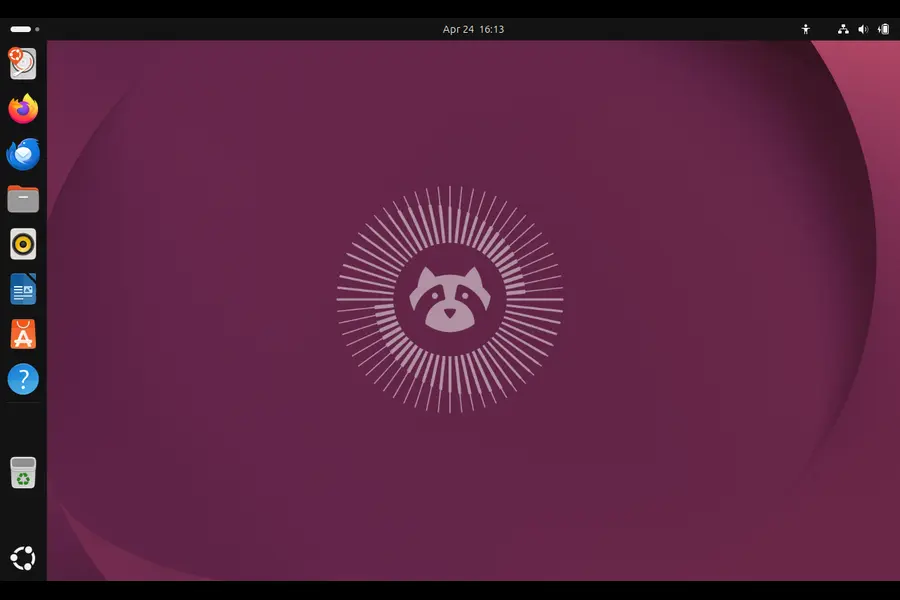
Released on April 23, 2026, Ubuntu 26.04 LTS is the most approachable entry point for anyone new to Linux. It ships with GNOME 50, the first GNOME release to go fully Wayland-only (though XWayland remains for legacy apps), and Linux kernel 7.0. The minimum requirement is a dual-core 2 GHz processor, 6 GB RAM, and 25 GB of storage.
For writers, the key strengths are stability and software availability. Ubuntu’s repository is enormous, and Flatpak support means you can install virtually any creative tool in minutes. The new default App Center unifies software management in a way that genuinely feels close to the Mac App Store experience.
If you’ve never used Linux before, Ubuntu is the right starting point. It’s well-documented, the community is massive, and if something breaks, someone online has already fixed it and written about it.
Ubuntu Studio 26.04 LTS “Resolute Raccoon” — Best for Multimedia Content Creators
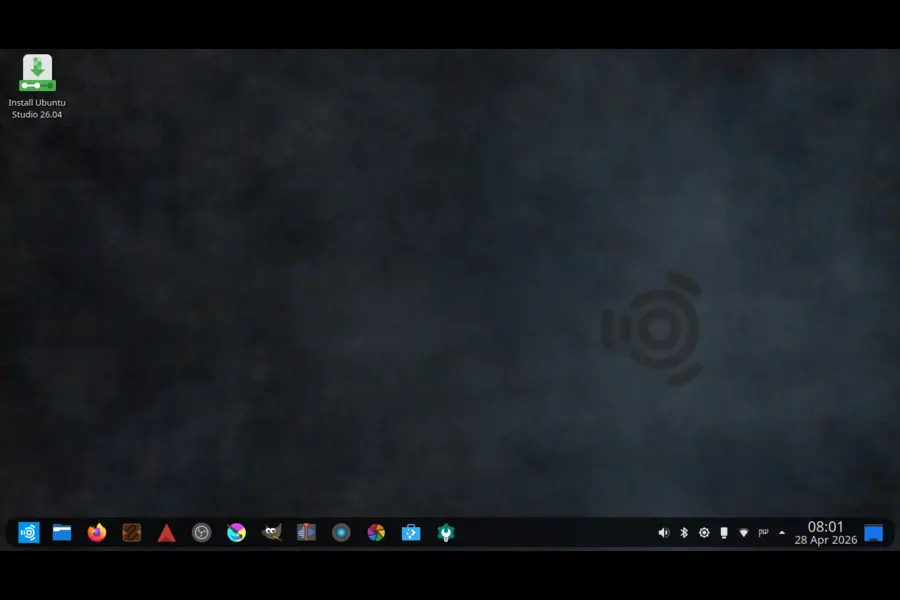
Ubuntu Studio 26.04 LTS is specifically designed for creative professionals, and this April 2026 release is arguably the most polished version yet. It’s a Long-Term Support release, supported through April 2029, making it a serious option for anyone who wants stability without constant reinstalls.
What’s new and genuinely useful in this release:
- Three selectable desktop layouts: A traditional Ubuntu Studio top panel, a macOS-inspired layout with a global menu and bottom dock, and a Windows 10-style bottom panel. The community voted for the bottom panel as the default, making it feel immediately familiar to switchers.
- Completely rewritten installer tools: The Ubuntu Studio Installer and Audio Configuration were rebuilt from scratch in Python with dual GTK4 and Qt6 frontends — meaning they automatically adapt to your desktop environment. They now support 21 languages.
- Minimal install option: Rather than dumping every creative application on your system at once, you can now choose a lean base and add only the workflows you actually use — audio, graphics, video, photography, or publishing — à la carte.
- Updated creative apps: Including OBS Studio 32.1.0, Blender 5.0.1, FreeShow 1.5.9, and QPrompt 2.0.1.
For YouTubers, podcasters, and anyone who straddles writing with audio/video production, Ubuntu Studio 26.04 is the strongest all-in-one option available on Linux today.
Pop!_OS — Best for a Polished, Modern Experience
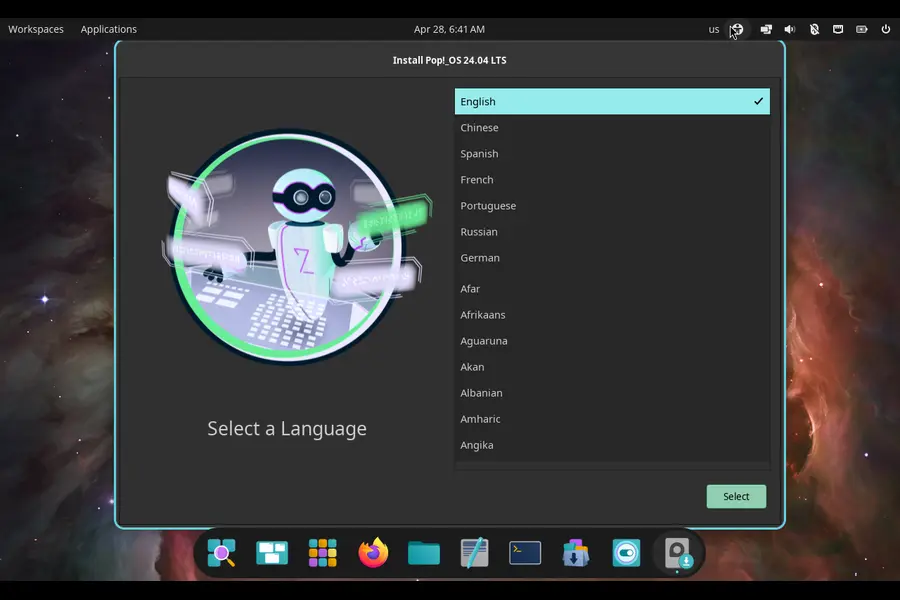
System76’s Pop!_OS has built a devoted following among creators who want something that feels curated. Its auto-tiling window manager is particularly useful for writers who like keeping a research browser window open alongside a writing app without constantly managing window sizes. The Pop!_Shop gives you access to both Ubuntu’s repositories and Flatpak in one place.
It’s worth noting that Pop!_OS skipped an LTS cycle in 2026, so check the current release status before committing. That said, it remains one of the most polished out-of-the-box Linux experiences available.
Linux Mint — Best for Writers Who Want Zero Fuss
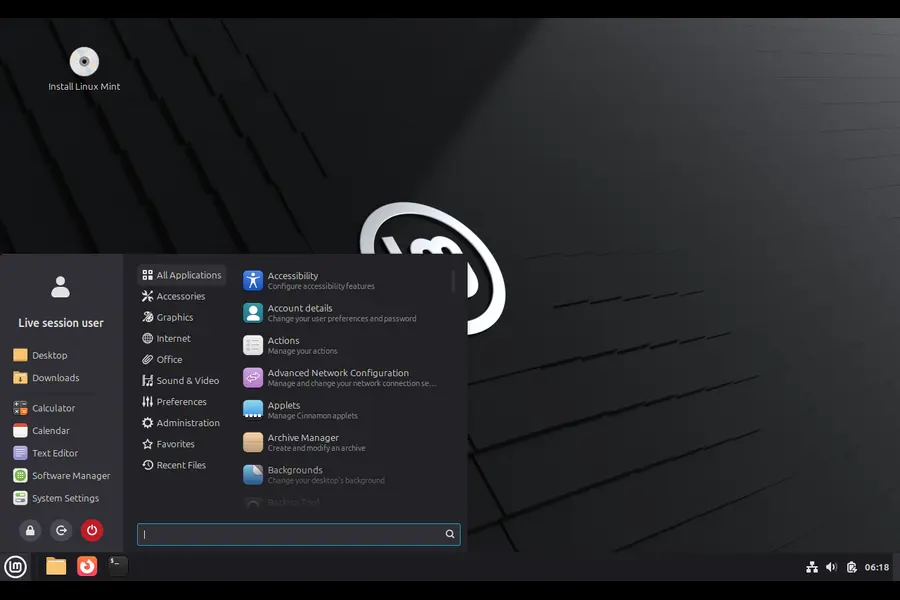
If you just want something that works quietly in the background while you write, Linux Mint is hard to beat. Based on Ubuntu, it uses the Cinnamon desktop environment (version 6.4 as of 2026), which is clean, fast, and undemanding on resources. It doesn’t try to innovate aggressively, which is actually a feature if you’re the kind of person who wants to open your laptop and write without thinking about your operating system.
Mint is particularly good on older hardware. If you’re running a five-year-old laptop that’s slowing down on Windows, Mint will likely give it a new lease on life.
Fedora Workstation — Best for Writers Who Want Cutting-Edge Stability
Fedora sits between the bleeding-edge Arch-based distros and the stability-first Ubuntu LTS model. It gets new software faster than Ubuntu but is more curated and stable than something like Manjaro. For writers who want the latest version of their tools without chasing rolling releases, Fedora is worth considering.
The Best Writing Apps on Linux in 2026
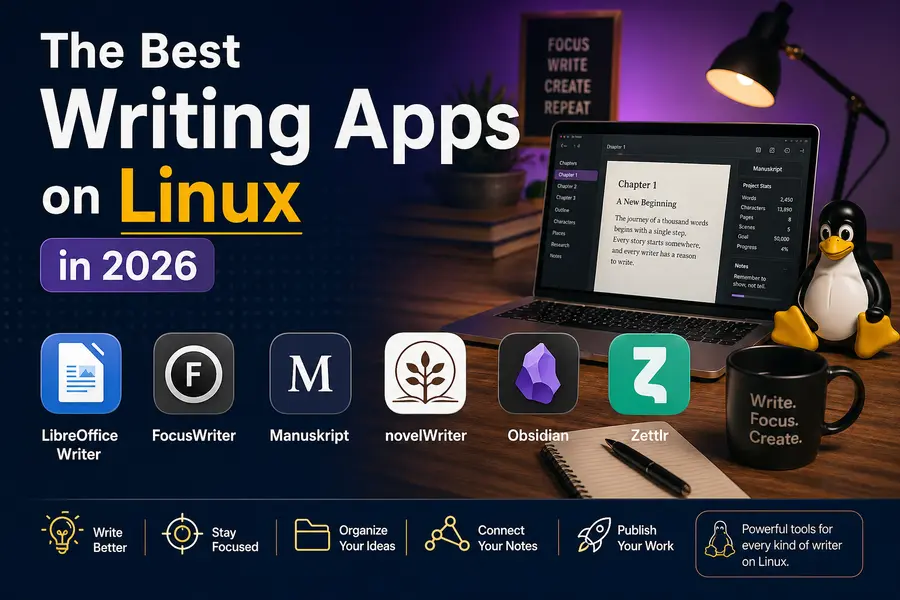
This is where a lot of guides fall flat, so let’s be specific about what each app is actually good for.
LibreOffice Writer — The Workhorse
LibreOffice Writer remains the most capable free word processor on any platform. It handles .docx files reliably, supports master documents for splitting large manuscripts across multiple files, has solid spell-checking and grammar tools, and exports cleanly to PDF. For anyone submitting manuscripts to publishers, drafting long-form journalism, or writing academic papers, it’s the first tool to install.
Its weaknesses are real, though. The interface hasn’t caught up aesthetically with Google Docs or even Microsoft Word’s web version. There’s no built-in AI-assisted editing or predictive text. And managing very large documents can sometimes feel clunky compared to purpose-built tools like Scrivener.
FocusWriter — Best for Daily Writing Sessions
FocusWriter is a distraction-free editor that hides its interface entirely while you write, revealing it only when you move your cursor to the screen’s edges. It supports TXT, RTF, and ODT formats, and includes features that matter to consistent writers: daily word count goals, timers, and alarms. It also supports typewriter sound effects if you’re into that sort of thing. Multiple themes make it customizable without feeling complicated.
For writers who struggle with distraction or need help establishing a daily writing habit, FocusWriter is genuinely one of the most useful applications on any platform.
Manuskript — Best Scrivener Alternative for Novelists
Manuskript is the closest thing Linux has to Scrivener. You can organize projects into parts, chapters, and scenes. There’s a corkboard-style view for seeing chapter summaries at a glance. Character sheets, world-building notes, and plot tracking are all built in. There’s even a full-screen focus mode built on FocusWriter’s engine.
The downsides are worth knowing upfront. The interface adapts to your system theme, which means switching between light and dark mode requires changing your whole desktop theme. Some users report crashes when rearranging large manuscripts. And exporting can be confusing. But if you’re writing a novel and want a Scrivener-like experience without the cost or the Windows/Mac dependency, Manuskript is the most developed option.
novelWriter — Best for Markdown-Loving Fiction Writers
novelWriter blends Markdown editing with Scrivener-style organization. You can categorize documents as novel content, characters, locations, or archived notes. It has multiple built-in themes including the popular “Dracula” colorway, a focus mode, and a session timer. It works particularly well for writers who are already comfortable writing in Markdown and want organizational features on top of that.
Obsidian — Best for Research-Heavy Writing and Blogging
Obsidian isn’t a traditional word processor. It’s a local, Markdown-based note system built around the concept of a second brain. For writers doing research-heavy work — journalists, nonfiction authors, content strategists — the bi-directional linking between notes and graph visualization of how ideas connect is genuinely powerful. The plugin ecosystem is extensive, covering everything from citation management to daily reviews.
All your notes live as plain text files on your own machine. No subscription, no cloud dependency, no risk of a company folding and taking your notes with it.
Zettlr — Best for Academic Writers
Zettlr is built around the Zettelkasten method of note-taking, making it ideal for academics and researchers. It integrates natively with Zotero for citation management, supports Pandoc export to dozens of formats, and has solid Markdown editing. If you’re writing a dissertation, research paper, or long-form nonfiction with citations, Zettlr is worth your time.
Writing App Comparison Table
| App | Best For | Format Support | Offline | Free | Novel / Long-form | Markdown |
|---|---|---|---|---|---|---|
| LibreOffice Writer | General writing, manuscripts | DOCX, ODT, PDF | ✅ | ✅ | ✅ | ❌ |
| FocusWriter | Daily drafting, habit building | TXT, RTF, ODT | ✅ | ✅ | ⚠️ Limited | ❌ |
| Manuskript | Novel writing, outlining | DOCX, ODT, PDF, EPUB | ✅ | ✅ | ✅ | ✅ |
| novelWriter | Fiction, Markdown writers | Custom + Pandoc export | ✅ | ✅ | ✅ | ✅ |
| Obsidian | Research, blogging, PKM | Markdown (.md) | ✅ | ✅* | ⚠️ Limited | ✅ |
| Zettlr | Academic, citation-heavy | Markdown, Pandoc | ✅ | ✅ | ⚠️ Limited | ✅ |
| Typora | Clean Markdown editing | Markdown, DOCX, PDF | ✅ | ❌ ($15) | ⚠️ Limited | ✅ |
* Obsidian is free for personal use; paid plans apply for commercial use and sync features.
Content Creation Beyond Writing: Linux for YouTubers and Podcasters
Linux for writers and content creators covers more than just text. If you’re producing video or audio content alongside your writing, Linux has strong options.
For video editing, DaVinci Resolve has a free Linux version that is genuinely professional-grade. Kdenlive is a solid open-source alternative for simpler projects. OBS Studio 32.1.0, included in Ubuntu Studio 26.04, is the gold standard for screen recording and live streaming on any platform.
For podcasting, Audacity remains the most accessible audio editor, now maintained by the Tenacity fork community following the earlier ownership controversy. Ardour is a professional-grade DAW for more complex audio production.
For graphic design and visual content, GIMP 3.2 is now included as a default in Ubuntu 26.04, Inkscape handles vector work, and Scribus is the go-to for print-ready layout and publishing. If you need a Canva-like experience in the browser, Canva itself runs perfectly on any Linux browser.
What Linux Can’t Do for Writers (Yet)
Honesty matters here. There are genuine gaps.
Adobe Creative Cloud doesn’t run natively on Linux. If your workflow depends on InDesign for publishing or Premiere Pro for video, Linux will require workarounds. Some users run Adobe apps in a Windows virtual machine or through compatibility layers like Bottles, but the experience is inconsistent.
Scrivener technically has a Linux version, but it’s been in unsupported beta for years and is not actively maintained. If Scrivener is core to your process, you’re better off running the Windows version in a VM or using Manuskript as a native alternative.
Microsoft Word doesn’t have a native Linux client. LibreOffice handles .docx files well in practice, but there are occasional formatting inconsistencies on complex documents. Google Docs in a browser is a cleaner workaround for collaboration.
Setting Up Your Linux Writing Environment: Practical Tips
Getting productive on Linux as a writer doesn’t require technical expertise, but a few setup choices will make a significant difference.
Choose Flatpak for most apps. Flatpak packages are sandboxed, update reliably, and work across distros. Most major writing apps including LibreOffice, Obsidian, and Apostrophe are available on Flathub.
Set up automatic cloud backup. Use Syncthing for a self-hosted, peer-to-peer file sync that works without any cloud subscription. Or use the native clients for Dropbox, Nextcloud, or Google Drive via browser access and rclone for command-line sync.
Configure your terminal once, then forget it. Linux has a reputation for requiring terminal fluency, but for writers, you can install everything you need through graphical interfaces. The terminal is a tool you’ll reach for occasionally, not one you’ll live in.
Pick a single primary writing app and stick with it for 30 days. The biggest productivity killer when switching to Linux is app-hopping. Choose FocusWriter or LibreOffice Writer for drafting, get comfortable, then layer in additional tools as needs emerge.
| Your Situation | Best Distro |
|---|---|
| First time on Linux, primarily writing | Ubuntu 26.04 LTS |
| Podcasting + video + writing combined | Ubuntu Studio 26.04 LTS |
| Older hardware, want simplicity | Linux Mint |
| Want a polished, modern desktop | Pop!_OS |
| Academic writing, want latest software | Fedora Workstation |
| Comfortable with Linux, want cutting-edge | Arch / EndeavourOS |
The Real Verdict: Is Linux Worth It for Writers in 2026?
The honest answer is: it depends on what you’re willing to adapt.
If your entire workflow lives in Google Docs, Notion, and browser-based tools, Linux will feel completely seamless from day one. Literally nothing changes except the operating system underneath.
If you’re a novelist working in Scrivener with a decade of project files, the transition requires more planning. Manuskript and novelWriter are genuine alternatives, but they’re different enough that there’s a learning curve.
If you produce YouTube content, stream, or podcast, Ubuntu Studio 26.04 LTS gives you a production environment that rivals anything on Windows or Mac — with OBS Studio, Blender 5.0, and DaVinci Resolve all running natively.
What Linux for writers and content creators offers in 2026 is something increasingly rare: a platform that gets out of your way. No mandatory updates during a writing session. No subscription fatigue. No advertising ecosystem tracking your work. Just a fast, stable machine and a blank page.
For a lot of writers, that’s exactly what they’ve been looking for.
Getting Started: Your First Steps
- Download Ubuntu 26.04 LTS from ubuntu.com and create a bootable USB drive using Balena Etcher.
- Try it live before installing — boot from USB and test your hardware compatibility without committing.
- Install via the guided installer — it’s as straightforward as any OS install in 2026.
- Open the App Center and install LibreOffice (if not already present), FocusWriter, and Obsidian from Flathub.
- Set up Syncthing to keep your writing folders synced across devices.
- Write something. The best way to evaluate any creative tool is to use it for actual work, not to spend three weeks configuring it.
Conclusion
Linux has quietly grown into one of the most writer-friendly operating systems available — not because it’s perfect, but because it prioritizes what writers actually need: stability, focus, and control over your own creative environment. Whether you’re a novelist looking for a Scrivener alternative, a blogger building a Markdown-based workflow, or a content creator juggling writing with podcasting and video production, there’s a Linux setup in 2026 that fits the way you work.
The barrier to entry has never been lower. With Ubuntu 26.04 LTS and Ubuntu Studio 26.04 LTS both landing this April, the timing is genuinely good to give it a real try. Start with a live USB session, spend an afternoon with FocusWriter or LibreOffice Writer, and see how it feels. Most writers who make the switch don’t go back — not because Linux is flawless, but because the tradeoffs are finally worth it.
Your writing deserves a platform that respects your time and attention. In 2026, Linux does that better than ever.
Disclaimer
The information provided in this guide is for general informational purposes only. Software features, release dates, system requirements, and application availability are subject to change without notice. While every effort has been made to ensure accuracy based on official sources as of April 2026, we recommend verifying details directly with the respective project websites before making any software or hardware decisions. We are not affiliated with, endorsed by, or sponsored by any of the Linux distributions, software applications, or hardware brands mentioned in this article. Any third-party trademarks or product names are the property of their respective owners.


