

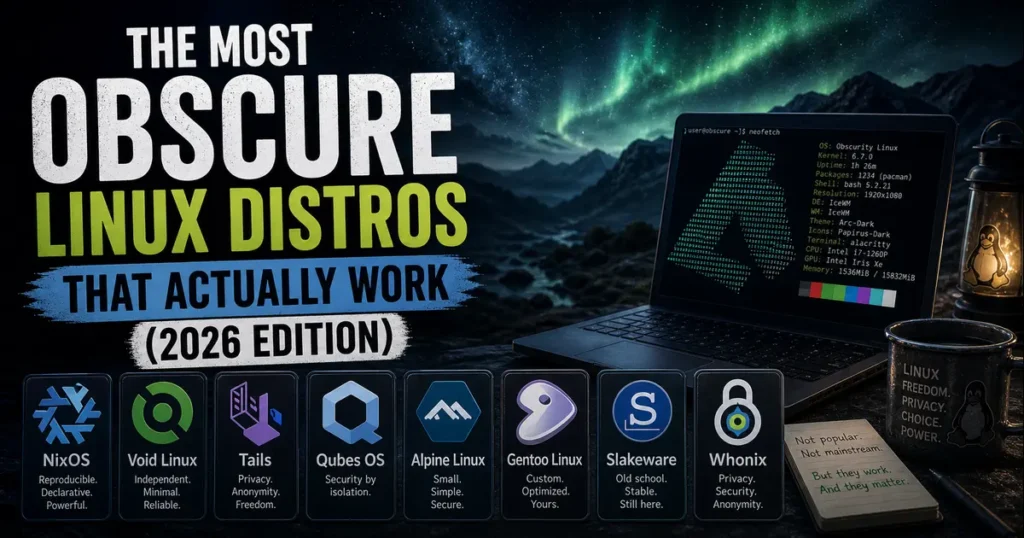
Most people who dip their toes into Linux land on the usual suspects — Ubuntu, Fedora, Mint. And honestly, those are great. But if you’ve been around long enough to feel like the mainstream distros are too opinionated, too heavy, or just not your thing, you might be ready to go a little further off the beaten path.
The most obscure Linux distros that actually work are the hidden gems of the open-source world — distros that don’t make splashy headlines but are actively maintained, receive regular security updates in 2026, and deliver something genuinely different from the pack. This isn’t a list of novelty projects or half-finished experiments. Every distro covered here is alive, updated, and worth your attention.
Let’s get into it.
What Makes a Distro “Obscure But Functional”?
Before diving in, it’s worth being clear about what “actually works” means in this context. A lot of lesser-known Linux projects are abandoned — no commits in years, broken installers, outdated kernels. That’s not what this list covers.
For a distro to make this cut, it needs to:
- Have received official updates or security patches in 2025–2026
- Have an active development team or community maintaining packages
- Solve a real problem or cater to a specific use case better than mainstream options
- Be installable and usable by a reasonably experienced Linux user today
With that standard in mind, here are eight obscure Linux distributions that genuinely deliver.
1. NixOS — The Distro That Treats Your Entire System as Code
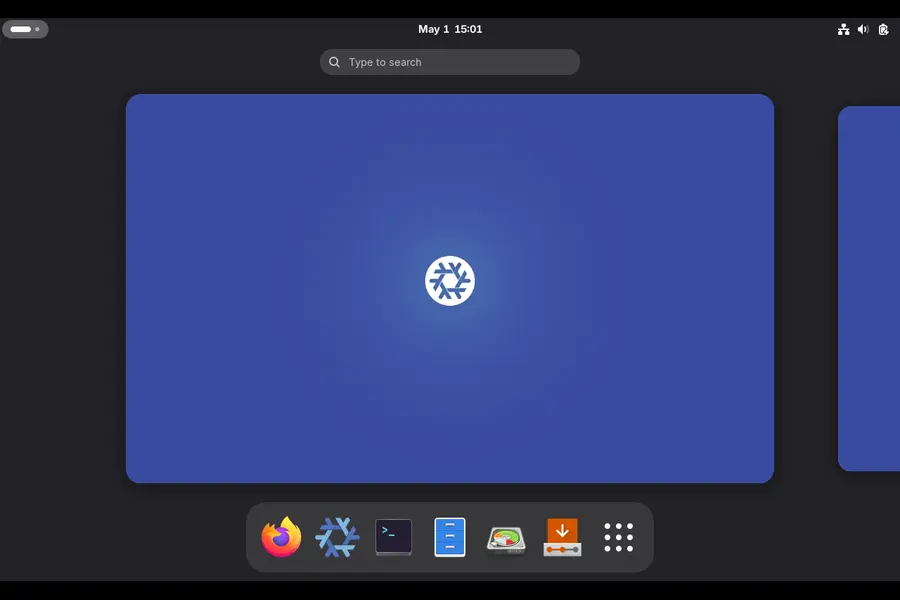
Base: Independent | Package Manager: Nix | Desktop: Multiple | Kernel: 6.12+ (6.18 in unstable)
If you’ve ever spent a weekend recovering a broken system after a bad apt upgrade, NixOS will feel like a revelation. The entire premise is different from any other Linux distribution: instead of running commands to install software, you describe your system in a configuration file, and NixOS builds it for you.
Every change is a new “generation.” If something breaks after an update, you reboot and select the previous generation from the GRUB menu. The system snaps back instantly. This isn’t a backup tool — it’s the way the system works by design.
NixOS 25.11 “Xantusia” is the current stable release as of early 2026, and it will receive bugfixes and security patches through June 2026. The project is clearly accelerating — the NixOS Foundation formalized a hardware partnership with Framework laptops in April 2025, and the nixpkgs repository now carries over 24,400 GitHub stars with one of the most active maintainer communities in Linux.
Why it stands out:
- Atomic updates — every change either succeeds fully or gets rolled back, no half-applied upgrades
- Reproducible builds — a system configured on one machine can be replicated exactly on another
- Home Manager — manage your dotfiles, shell aliases, and user environment declaratively
- Development shells — create isolated per-project environments that vanish when you’re done
Who should use it:
Developers who manage multiple machines, infrastructure engineers, or anyone who’s tired of “it worked on my machine” problems. The learning curve is real — you’ll need to spend time with Nix expressions and the NixOS wiki — but the payoff is significant.
Minimum requirements: 64-bit CPU, 4 GB RAM (8+ recommended), 20 GB storage
2. Void Linux — Independent, Fast, and Built Around Simplicity
Base: Independent | Package Manager: XBPS | Desktop: Xfce (default) | Init: runit
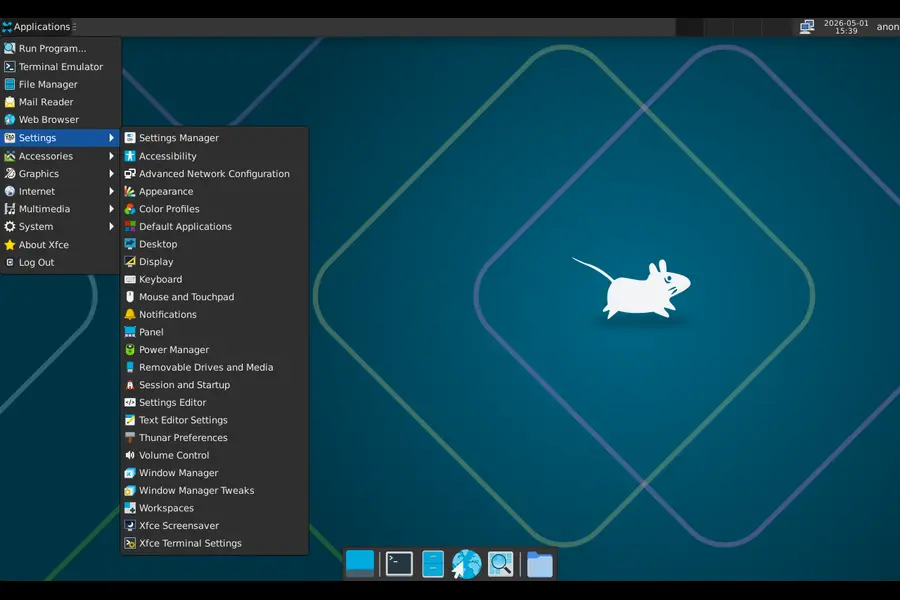
Void Linux is one of a very small number of major Linux distributions that isn’t derived from Debian, Arch, or Red Hat. It was built from scratch, and it shows — in a good way.
The XBPS package manager is fast and lightweight. The runit init system replaces systemd entirely, which means dramatically simpler service management and faster boot times. Void is also one of the few distros that offers a musl libc build alongside the standard glibc version, making it interesting for embedded and low-resource use cases.
As of March 2026, Void pushed a firmware update addressing linux-firmware compression changes that required manual intervention for some users running older kernels — a sign that the project is actively maintaining its package tree. Earlier in 2025, the team released updated ARM64 images with Raspberry Pi 500 and CM5 support, and Flatpak support was formally added to the ecosystem. Void also recently transitioned its main NVIDIA package to open DKMS kernel modules starting with the 595.xx driver series — keeping it current with upstream changes.
Why it stands out:
- No systemd, making it leaner and more transparent at the service layer
- Rolling release without the bleeding-edge instability of Arch
- Both glibc and musl variants available
- Strong support for ARM architectures, including modern Raspberry Pi hardware
Who should use it:
People who want Arch-like control and rolling releases but prefer a non-systemd environment, or those building minimal systems where every service counts.
Minimum requirements: 96 MB RAM (base install), Pentium 4 or AMD equivalent, any storage
3. Tails — The Amnesic OS That Leaves No Trace
Base: Debian | Desktop: GNOME | Focus: Privacy and anonymity | Latest: 7.7.1 (April 30, 2026)
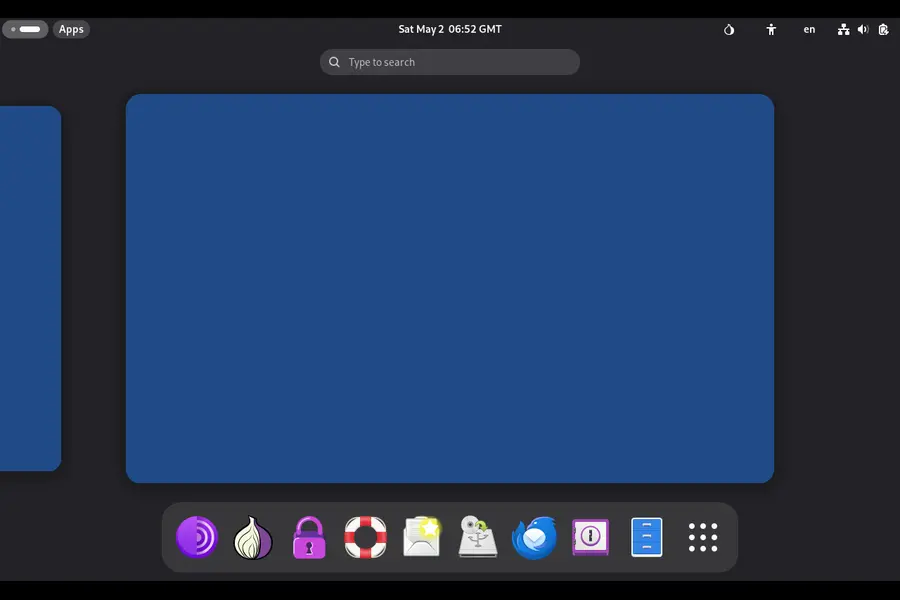
Tails is not a traditional operating system — it runs entirely from a USB stick and leaves absolutely nothing on the computer you use it on. Every session starts fresh. No files, no browsing history, no passwords stored anywhere. When you shut it down, it’s as if you were never there.
Every bit of internet traffic routes through the Tor network by default. The project is backed by a dedicated security team that issues updates at an impressive pace. In April 2026 alone, Tails pushed multiple releases: 7.6.1 as an emergency patch for Tor Browser vulnerabilities, 7.6.2 to close a critical sandbox escape bug (CVE-2026-34078) in the Flatpak layer, 7.7 with automatic Tor bridge detection for censored regions, and 7.7.1 fixing further holes in Tor Browser and Thunderbird.
Earlier in March 2026, Tails 7.6 introduced automatic Tor bridge detection using the Moat API — a significant privacy improvement that lets users in censored regions connect to Tor without manual configuration. The update also replaced KeePassXC with a new password manager called Secrets that restored screen reader support.
Why it stands out:
- Zero persistence by default — no digital footprint
- Automatic Tor routing for all traffic, including DNS
- Pre-configured for journalists, activists, and anyone needing real anonymity
- Highly active security team with frequent emergency patches
Who should use it:
Anyone who needs genuine anonymity for sensitive work — journalists, whistleblowers, privacy advocates, or people operating under surveillance. Not a daily driver, but unmatched for what it does.
Minimum requirements: 64-bit CPU, 2 GB RAM, USB 3.0 drive (8 GB minimum)
4. Qubes OS — Security Through Compartmentalization
Base: Fedora (Dom0), Multiple (VMs) | Hypervisor: Xen 4.19 | Latest: 4.3.0 (December 2025)
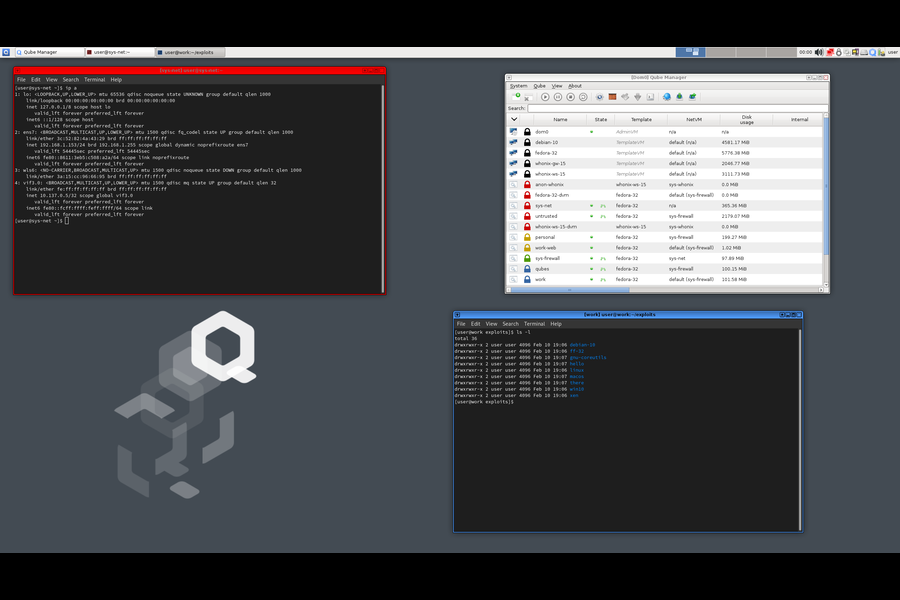
Qubes OS takes a fundamentally different approach to security: instead of trying to make one secure environment, it assumes you’ll get compromised somewhere, and builds a system where each compromise is contained. Every application or task runs in its own isolated virtual machine called a “qube.” Your work email lives in one qube. Your online banking in another. Random browsing in a throwaway disposable qube that disappears when you close the browser.
Qubes OS 4.3.0 shipped in December 2025 with Fedora 41 for Dom0, Xen Hypervisor 4.19, default Debian 13 and Fedora 42 templates, and a redesigned device management API. The new flat icon set and improved AppMenu make it noticeably more polished. Qubes 4.2 reaches end-of-life on June 21, 2026 — users on that version have a narrow window to migrate to 4.3 before security updates stop.
In April 2026, Qubes pushed security bulletin 110 addressing a use-after-free vulnerability (XSA-480) in EPT paging structures, showing the team’s continued vigilance on hypervisor-level threats.
Why it stands out:
- Security by compartmentalization — a compromised browser can’t access your banking data
- Supports Fedora, Debian, Whonix, and even Windows as templates
- Disposable qubes for risky activities that leave no persistent traces
- Serious choice used by security researchers and journalists
Who should use it:
Security-conscious users with capable hardware. Qubes is resource-heavy by necessity — 16 GB RAM is a practical minimum for comfortable daily use, and 32 GB is better. But for a genuine high-threat security model, nothing else compares.
Minimum requirements: 64-bit CPU with VT-x/VT-d (Intel recommended), 16 GB RAM, 128 GB SSD
5. Alpine Linux — Tiny, Secure, and Everywhere
Base: Independent (musl + BusyBox) | Package Manager: apk | Size: ~5 MB (container) / ~130 MB (install)
Alpine Linux has two parallel lives. In the container world, it’s enormously popular — the go-to base image for Docker containers because of its tiny footprint. On the desktop and server side, it’s much less known, which is a shame because it’s a genuinely capable and extremely well-maintained system.
Alpine uses musl libc instead of glibc, which makes binaries lean and the system fast. The apk package manager is one of the quickest around. The project maintains an active repository with thousands of packages and pushes security updates consistently — April 2026 security roundups confirm ongoing Alpine patches alongside the major distributions.
Alpine’s security model is strong by default: it disables unnecessary services, uses position-independent executables and stack-smashing protection across all packages, and ships with minimal attack surface out of the box.
Why it stands out:
- Genuinely tiny — minimal install fits in 130 MB, container image under 5 MB
- Excellent for building custom servers, routers, firewalls, or embedded appliances
- Fast package management with apk
- Security-hardened build flags across the entire package ecosystem
Who should use it:
System administrators building minimal servers, anyone doing container work who wants to understand their base image, or hobbyists setting up lightweight home servers on older hardware.
Minimum requirements: 128 MB RAM (CLI), 256 MB RAM (install), 700 MB storage
6. Gentoo Linux — Build Everything From Source, Your Way
Base: Independent | Package Manager: Portage (source-based) | Init: OpenRC or systemd | Arch: Multiple
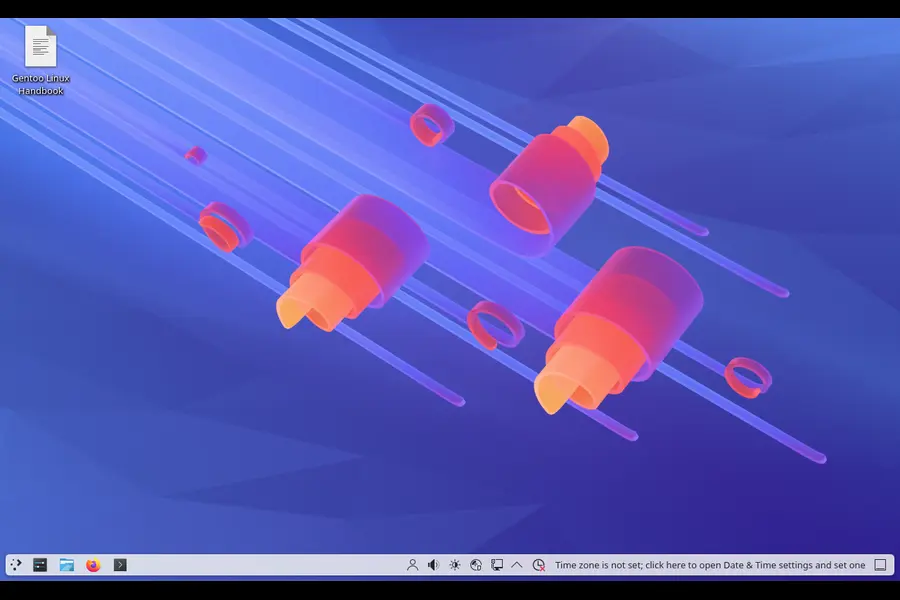
Gentoo is probably the most famous distro on this list in certain circles, but it remains genuinely obscure compared to mainstream Linux. It’s a source-based distribution — you compile most packages from scratch. That sounds masochistic, but there’s a real benefit: every package is optimized for your exact hardware, and you control exactly which features get compiled in.
The Portage package manager uses USE flags to let you enable or disable individual features per package. Want Firefox without telemetry, with Wayland support, and without the bundled PDF reader? There’s a USE flag configuration for that. No binary distribution can offer that level of customization.
Gentoo is actively maintained with regular security updates. April 2026 security roundups confirm Gentoo pushed fixes for systemd, sudo, and FUSE vulnerabilities alongside the major distributions. The Gentoo Linux subreddit and IRC channels remain active, and the Gentoo Handbook continues to be one of the most thorough pieces of Linux documentation online.
Why it stands out:
- Maximum compile-time customization with USE flags
- Deep understanding of Linux internals comes naturally after using Gentoo
- Rolling release with binary packages available for some components (including a binary kernel option)
- Supports an unusually wide range of architectures
Who should use it:
Experienced Linux users who want to go deep, learn how the system works, and optimize for specific hardware. Not a daily-driver recommendation for anyone new to Linux.
Minimum requirements: Any x86_64 CPU (though initial compilation is slow on weak hardware), 4 GB RAM, 20 GB storage
7. Slackware — The Oldest Surviving Linux Distribution
Base: Independent | Package Manager: pkgtool | Init: BSD-style | Latest: Slackware 15.0 + -current
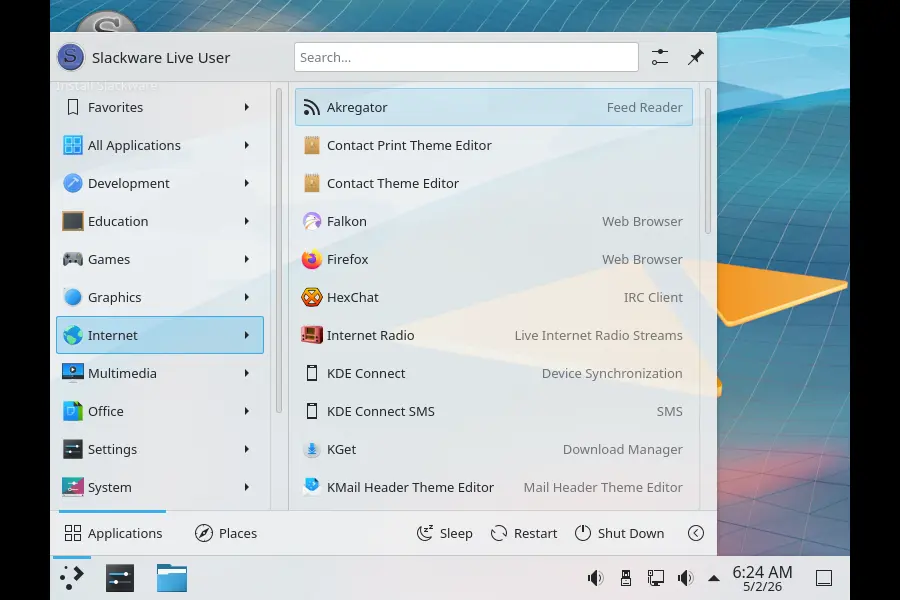
Slackware is not just old — it’s the oldest surviving Linux distribution, predating even Debian. Patrick Volkerding has maintained it since 1993, and the project shows no signs of slowing down. Slackware 15.0 (released in 2022) is the current stable version, and the -current rolling branch receives regular updates.
In early 2026, Slackware received security patches for gnupg2 (CVE-2025-68973, CVE-2025-68972), libpcap, and SeaMonkey. The project continues pushing packages for both Slackware 15.0 and -current, confirming ongoing active maintenance.
Slackware has no dependency resolution in its package manager by default. You install what you need, manually. This sounds like a disadvantage, but it produces a system you understand completely — every installed component was put there by you, for a reason.
Why it stands out:
- Minimalist philosophy — installs what you ask for, no more
- Extremely stable and predictable behavior
- Highly educational — you understand your system because you built it
- Strong BSD-like init and clean system organization
Who should use it:
Linux veterans who value simplicity, predictability, and the satisfaction of running a system with zero mystery packages. Not for anyone expecting a modern graphical installer or guided setup.
Minimum requirements: Any x86 or x86_64 processor, 512 MB RAM, 5+ GB storage
8. Whonix — Tor-based Privacy Without the Amnesic Trade-off
Base: Debian | Architecture: Dual-VM (Gateway + Workstation) | Network: Tor-only | Latest: Whonix 17
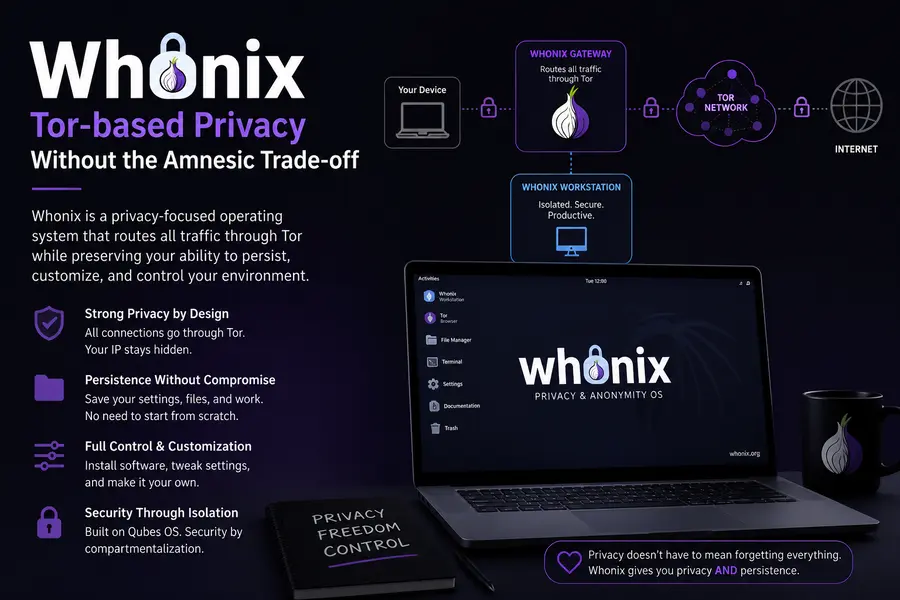
Whonix solves the same anonymity problem as Tails but in a completely different way. Instead of running from a USB stick, it uses two virtual machines: a Gateway that handles all Tor routing, and a Workstation where you actually do your work. The Workstation has no direct internet access — everything routes through the Gateway.
Because it runs as a VM, Whonix is persistent. Software you install stays installed. Files you save stay saved. This makes it usable as a more full-featured privacy-focused desktop compared to Tails, at the cost of requiring a host system and virtualization software like VirtualBox.
The architecture is clever: even if the Workstation VM is fully compromised by malware, that malware can’t discover your real IP address. It can only see the internal IP of the Gateway, which leads back to Tor.
Whonix 17 (based on Debian Bookworm) is actively maintained with regular security updates throughout 2025 and into 2026. It’s also supported as an official template in Qubes OS 4.3, making the two distros a natural pairing for maximum isolation.
Why it stands out:
- Persistent privacy — unlike Tails, your data survives reboots
- IP leak protection even against compromised applications
- Full Debian ecosystem inside the Workstation VM
- Works inside Qubes OS for layered security
Who should use it:
Users who need ongoing privacy rather than one-off anonymity sessions — researchers, investigators, or anyone who wants a daily-driver-capable privacy OS without surrendering Tor protection.
Minimum requirements: Host system with 4 GB RAM free (8 GB recommended for smooth VM performance), 20 GB storage
How to Choose Between These Distros
There’s no universal answer here. The right pick depends entirely on what you’re trying to accomplish:
- For development and reproducibility → NixOS
- For minimal, systemd-free computing → Void Linux
- For one-time anonymous sessions → Tails
- For ongoing full-time privacy with Tor → Whonix
- For maximum security compartmentalization → Qubes OS
- For containers and lean servers → Alpine Linux
- For deep hardware optimization → Gentoo
- For classic Unix philosophy and stability → Slackware
A few of these pair well together. Qubes + Whonix is a classic combination used by security professionals. NixOS pairs naturally with Home Manager for developers who want reproducible environments across work and personal machines.
Things to Keep in Mind Before Switching
Hardware compatibility matters more on obscure distros. Void Linux and Alpine don’t have the massive hardware-testing infrastructure Ubuntu does. Newer NVIDIA GPUs, certain Wi-Fi chipsets, and proprietary hardware can require extra work. Check the project forums before installing on your primary machine.
Community support is smaller but often deeper. You won’t find Reddit megathreads with fifty quick answers. But the people who do hang around in Gentoo forums or the Void Linux IRC channels tend to know their systems extremely well. Questions get thorough answers.
Rolling distros need attention. Void, NixOS (unstable channel), and Gentoo are rolling releases. That means continuous updates — which is great for freshness, but a package update can occasionally break something. Having a rollback strategy (which NixOS provides natively) is valuable.
Final Thoughts
The Linux ecosystem has thousands of distributions, but most of them are either forks of forks or novelty projects that haven’t seen a commit since 2018. The most obscure Linux distros that actually work are a much smaller group — distros with genuine technical identity, active maintenance, and real-world use cases that mainstream options can’t cover.
Whether you’re chasing reproducibility with NixOS, anonymity with Tails, security compartmentalization with Qubes, or just the satisfaction of a lean systemd-free system with Void, there’s something on this list worth exploring. None of these will hold your hand quite like Ubuntu does, and that’s actually the point.
Start with one. Read the documentation. Break something. Fix it. That’s the Linux experience these distros were built for.
Disclaimer
The information provided in this blog post is for educational and informational purposes only. While every effort has been made to ensure accuracy based on data available as of April–May 2026, software versions, system requirements, and project statuses can change. Always verify the latest release information on each distribution’s official website before installing or migrating systems. The author is not responsible for any data loss, system issues, or compatibility problems that may arise from using any of the distributions mentioned. Some distros covered here (such as Qubes OS and Tails) are advanced tools — use them appropriately and within the bounds of applicable laws and regulations in your region.
🔥 Related Articles You Should Read


