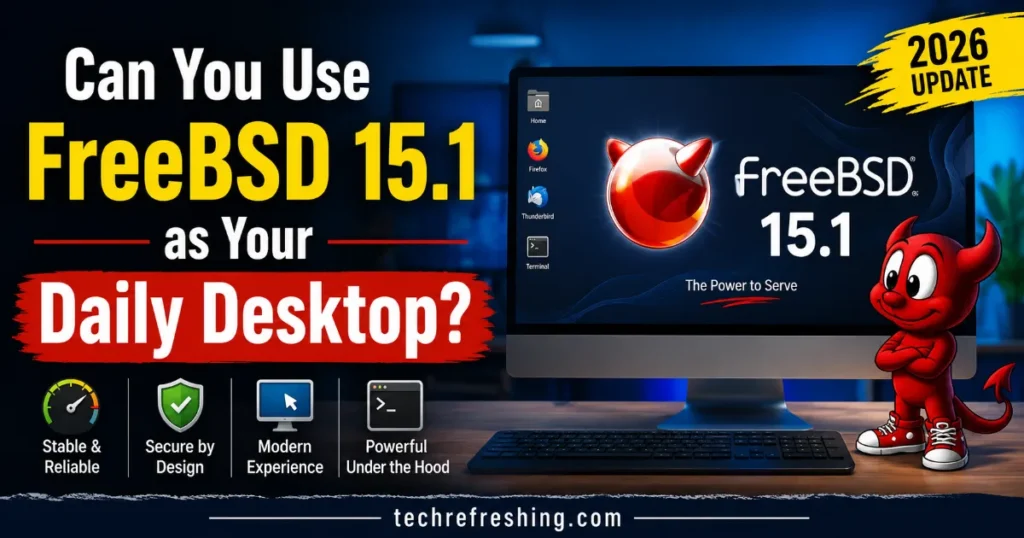
FreeBSD has a reputation for powering servers, routers, and storage appliances quietly in the background while Linux and Windows get all the desktop attention. But with FreeBSD 15.1-RELEASE now out in the wild (released June 16, 2026), a lot of curious Unix fans are asking the same question: can you use FreeBSD 15.1 as your daily desktop, or is it still strictly a server operating system dressed up with a window manager?
I’ve spent time digging into what actually changed in 15.1, what still needs manual setup, and how it compares to running Linux or macOS day to day. Short answer: yes, you can use FreeBSD 15.1 as a daily desktop, but it’s a “yes, with conditions” kind of answer — closer to a rewarding hobbyist project than a plug-and-play experience. Let’s get into the details.
What’s New in FreeBSD 15.1 (And Why It Matters for Desktop Use)
FreeBSD 15.1 is the second point release in the stable/15 branch, following FreeBSD 15.0 from December 2025. It’s a maintenance-focused release rather than a ground-up rework, but a few changes have real consequences for anyone thinking about daily-driving it on a laptop or desktop.
Wireless networking got a meaningful upgrade. The iwlwifi driver and other LinuxKPI-based wireless networking drivers are now built on the Linux v7.0 driver base. If you own a laptop with an Intel Wi-Fi chip, this is genuinely good news — wireless has historically been one of FreeBSD’s weakest desktop links, and pulling in a newer upstream driver base closes some of that gap.
Better C23 support. FreeBSD has made significant progress toward full support for the C23 standard in its base toolchain. This mostly matters to developers and porters, but it also means the ecosystem of software you can compile natively keeps getting more current.
Unicode 17.0.0 and CLDR 48. Text rendering, locale handling, and font shaping all benefit from this, adding thousands of new characters and improved internationalization — a small but real quality-of-life bump if you work across multiple languages.
Cloud images now ship with pkg(8) built in, supporting automatic base-system package updates on first boot. That’s aimed at cloud deployments, but it hints at where FreeBSD’s packaging philosophy is heading.
A new kernel scheduler tunable (kern.sched.name) lets you pick the kernel scheduler at boot time, which is a nice option for people tuning responsiveness on interactive desktop workloads versus throughput-heavy server workloads.
One thing worth being upfront about: FreeBSD 15.1 still does not ship a graphical installer or a desktop environment out of the box. As The Register noted in its coverage of the release, laptop support is improving, but you still have to draw your own GUI. If you want KDE Plasma offered during installation, that feature was originally planned for 15.1 but got pushed to FreeBSD 15.2. So the “batteries included” desktop experience Linux distros like Fedora or Ubuntu offer just isn’t part of the FreeBSD philosophy — you build the desktop yourself, package by package.
For the full technical rundown straight from the source, the official FreeBSD 15.1-RELEASE announcement and the 15.1 release notes are worth bookmarking — they’re the most accurate reference for exactly what changed under the hood.
Installing FreeBSD 15.1: What to Expect
If you’ve never touched FreeBSD before, the base installer (bsdinstall) is text-based and menu-driven. It’s not intimidating once you’ve done it a couple of times, but it’s a different mental model than clicking through a graphical Ubuntu or Fedora installer.
After the base install, you’re dropped into a command-line system with no graphical environment at all. From there, setting up a usable desktop means:
- Installing the Xorg or Wayland stack via
pkg install - Choosing and installing a desktop environment or window manager (Xfce, KDE Plasma, GNOME, i3, Sway, and others are all available as packages)
- Configuring a display manager like SDDM or LightDM if you want a graphical login screen
- Setting up audio (usually via
sndioor PulseAudio/PipeWire ports) - Installing and configuring graphics drivers, especially for AMD or Intel GPUs
None of this is exotic if you’ve configured a minimal Arch Linux install before — the process feels similar in spirit. But it’s a real time investment, typically an afternoon rather than twenty minutes, and it assumes you’re comfortable editing config files and reading documentation.
Hardware Compatibility in 2026
This is where most daily-desktop plans succeed or fail. FreeBSD’s hardware support has always trailed Linux, mostly because the pool of contributors writing and maintaining drivers is smaller, and many vendors don’t provide FreeBSD-specific drivers or documentation.
Wi-Fi and networking: With the Linux v7.0-based iwlwifi driver update in 15.1, modern Intel wireless chipsets are noticeably better supported than they were even a year ago. Broadcom and Qualcomm wireless chips remain trickier, and if you’re buying new hardware specifically to run FreeBSD, Intel wireless is still the safest bet.
Graphics: AMD GPUs generally have the best open-source support on FreeBSD thanks to shared code with the Linux kernel graphics stack (via the DRM compatibility layer). Intel integrated graphics work reasonably well too. NVIDIA is the weak point — the proprietary driver situation on FreeBSD lags well behind what NVIDIA offers on Linux, and if you’re gaming or doing GPU compute work, this is a real limitation.
Laptops specifically: Suspend/resume, backlight control, and battery reporting have improved release over release, but they’re still hit-or-miss depending on the exact model. Business laptops from Lenovo (ThinkPad line) and Dell tend to have the best track record in the FreeBSD community because they use fairly standard components and have years of accumulated user reports.
Peripherals: USB devices, printers via CUPS, and external storage generally work fine. Bluetooth support exists but is less polished than on Linux.
If you’re picking hardware with FreeBSD in mind, checking the official Hardware Compatibility List for the 15.1 release before buying anything is not optional — it’s the single best way to avoid a frustrating first week.
FreeBSD 15.1 vs Linux Distros for Desktop Use
Here’s a practical side-by-side to help frame the decision:
| Factor | FreeBSD 15.1 | Typical Linux Desktop Distro |
|---|---|---|
| Graphical installer | No (text-based bsdinstall) | Yes, on most major distros |
| Desktop environment out of the box | No, manual setup required | Yes, pre-configured |
| Wi-Fi driver support | Improved in 15.1, still narrower than Linux | Broad, mature support |
| NVIDIA GPU support | Weak, limited proprietary driver options | Strong, official NVIDIA drivers available |
| Package ecosystem | pkg + Ports Collection, tens of thousands of packages | Distro repos + Flatpak/Snap, generally larger |
| Filesystem | ZFS as a first-class citizen | ZFS possible but usually bolted on |
| System stability/predictability | Very high, changes are deliberate and documented | Varies widely by distro |
| Learning curve | Steeper, especially for GUI setup | Gentler, especially for beginner-friendly distros |
| Gaming support | Limited, Linux compatibility layers are inconsistent | Strong, especially with Proton/Steam Deck ecosystem |
| Documentation quality | Excellent (FreeBSD Handbook) | Varies by distro |
| Long-term support window | 15.1 supported until March 31, 2027; branch until Dec 31, 2029 | Varies, often 2-5 years for LTS releases |
The big philosophical difference is this: Linux distributions optimize for getting you to a working desktop fast. FreeBSD optimizes for giving you full control and a coherent, well-documented base system, and leaves the desktop assembly to you. Neither approach is wrong — they’re built for different kinds of users.
Why Some People Genuinely Prefer FreeBSD as a Desktop
It’s easy to frame this whole topic around what FreeBSD lacks, but there are real reasons people choose it deliberately.
ZFS integration is first-class, not an afterthought. Snapshots, boot environments, and data integrity checking are baked into the base system. If you’ve ever broken a Linux system with a bad update and wished you could just roll back instantly, FreeBSD’s boot environments (via bectl) make that trivial.
The base system and the Ports/package system are cleanly separated. You always know what’s “FreeBSD” and what’s a third-party package. There’s less of the sprawl you sometimes get on Linux distros where system tools, distro patches, and upstream software blur together.
Documentation is unusually good. The FreeBSD Handbook is comprehensive, consistently maintained, and written for humans rather than assuming prior expertise. For a self-taught path into Unix systems, it’s hard to beat.
Licensing. The BSD license appeals to people who prefer permissive licensing over the GPL, whether for philosophical reasons or because they want to build on the code without copyleft obligations.
Stability through restraint. FreeBSD doesn’t chase every new feature immediately. Changes go through a deliberate process, which means fewer surprises after an update — a trait desktop users who’ve been burned by rolling-release Linux breakage tend to appreciate.
Jails. FreeBSD’s jail system offers lightweight OS-level virtualization that predates Linux containers by years and remains simpler to reason about for many sysadmins who also want a capable desktop on the same machine.
The Honest Downsides
No out-of-the-box desktop. This bears repeating because it’s the single biggest barrier to adoption. Every desktop environment, display manager, and piece of desktop polish has to be added manually.
Software availability gaps. While the Ports Collection is large, mainstream commercial software (Adobe products, many DRM-locked streaming apps, some proprietary communication tools) either doesn’t exist for FreeBSD or requires workarounds like the Linux binary compatibility layer, which works well for many CLI and even some GUI applications but isn’t a guarantee.
Gaming is limited. Native game support is minimal, and while some Linux compatibility layers can run certain Windows games through translation layers, it’s nowhere near as smooth or broadly compatible as Proton on Linux. If gaming matters to you, FreeBSD should not be your only OS.
Smaller community for desktop-specific troubleshooting. Server and networking topics dominate FreeBSD forums and mailing lists. Desktop-specific issues, especially laptop quirks, sometimes get thinner coverage than the equivalent Linux distro subreddit or forum thread would.
Driver lag for brand-new hardware. If you buy a laptop the week it launches, don’t expect FreeBSD support on day one. The community typically catches up, but it takes time.
Who Should Actually Try FreeBSD 15.1 as a Daily Desktop
Based on what 15.1 delivers, here’s a realistic breakdown of who this makes sense for right now:
Good fit:
- Developers and sysadmins who already work with FreeBSD servers and want a consistent environment
- Unix enthusiasts who enjoy building their system from the ground up
- People who value ZFS snapshots and boot environments for peace of mind
- Users with AMD or Intel graphics and Intel wireless hardware
- Anyone prioritizing stability and predictability over cutting-edge features
Probably not a good fit (yet):
- Gamers who need broad title compatibility
- People who need specific proprietary software with no FreeBSD or Linux-compatible equivalent
- Users who want a desktop working within the hour, with minimal configuration
- Owners of very new or unusual laptop hardware, especially with NVIDIA GPUs or Broadcom Wi-Fi
Practical Tips If You Decide to Try It
If you’re leaning toward giving FreeBSD 15.1 a shot on real hardware, a few practical steps will save you frustration:
- Check the official Hardware Compatibility List for 15.1 before installing on unfamiliar hardware
- Consider testing in a virtual machine first to get comfortable with the installer and package management before committing a physical machine
- Start with a lightweight desktop environment like Xfce rather than a heavier one, since it’s easier to troubleshoot when something goes wrong
- Read the release notes and errata for 15.1 directly — there’s one known NFS client issue documented in the errata that’s worth knowing about if you use network filesystems
- Join the FreeBSD Forums or the freebsd-questions mailing list early; the community is small but genuinely helpful
- Keep a Linux live USB handy as a fallback while you’re getting your FreeBSD setup dialed in
Final Verdict
So, can you use FreeBSD 15.1 as your daily desktop? Yes — but go in with the right expectations. FreeBSD 15.1 is a genuinely solid, well-engineered release with real improvements to wireless driver support, C23 compatibility, and Unicode handling, and it inherits the platform’s long-standing strengths in ZFS integration, documentation, and system stability. What it still doesn’t offer is the convenience layer Linux desktop distros have spent two decades polishing: no graphical installer, no bundled desktop environment, and patchier hardware support, especially for NVIDIA graphics and gaming.
If you’re the kind of person who enjoys assembling a system piece by piece and values control and predictability over convenience, FreeBSD 15.1 can absolutely become your daily desktop, and a rewarding one at that. If you just want something that works immediately out of the box with minimal fuss, a mainstream Linux distribution is still the more practical daily driver in 2026. Either way, FreeBSD 15.1 shows a project that’s slowly but steadily narrowing the desktop gap, one release at a time.
Disclaimer
This article reflects the state of FreeBSD 15.1 as of July 2026 based on official FreeBSD Project release notes and announcements. Hardware compatibility, driver support, and software availability can vary depending on your specific device and change as new updates are released. Always check the official FreeBSD Hardware Compatibility List and release notes before installing on your own hardware.
Continue Reading
Looking for more Linux guides? These hand-picked articles will help you choose the right distribution, improve Linux audio performance, and find the best distro for the latest AMD Ryzen AI laptops.
11 Lightweight Linux Distros That Run Smoothly on 4GB RAM (2026)
Compare RAM usage, performance, pros, cons, and hardware requirements to revive an older PC.
Read Guide →PipeWire vs PulseAudio in 2026: Which Audio System Is Better?
Discover differences in latency, Bluetooth support, gaming, music production, and desktop performance.
Compare Now →Best Linux Distro for Ryzen AI 400 Series Laptops
See which Linux distributions offer the best driver support, AI acceleration, Wayland experience, and battery life.
Explore →