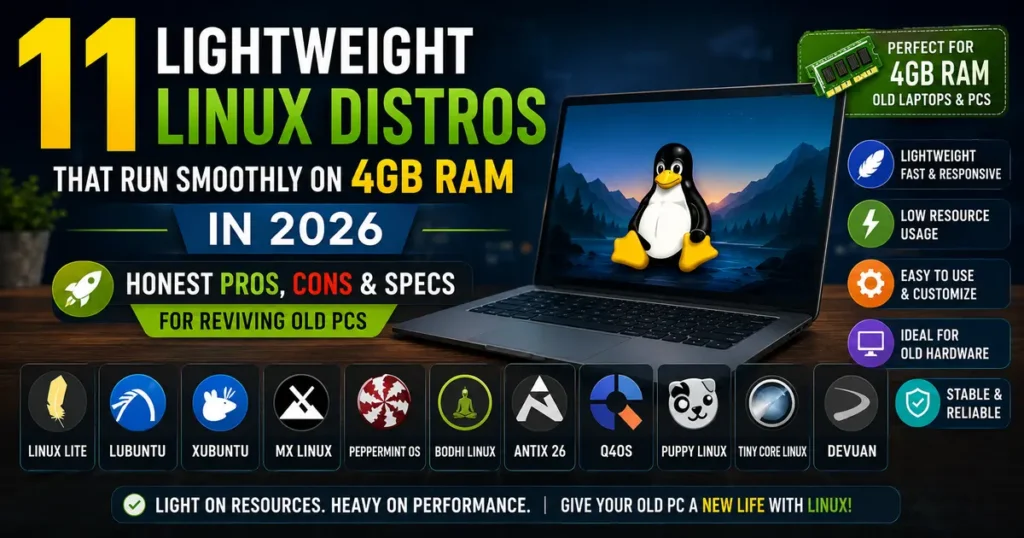
If you’ve got an old laptop sitting in a drawer with 4GB of RAM, you might assume it’s landfill material at this point. It isn’t. The problem was never really the hardware — it’s the software we’ve been throwing at it.
I’ve been rebuilding old machines for family members and testing distros on a 2015-era ThinkPad with exactly 4GB soldered in (no upgrades possible, which makes it a decent stress test) for years now. And 2026 has actually made this whole topic more relevant than it used to be, not less.
Here’s why: Ubuntu 26.04 LTS just bumped its official minimum RAM requirement to 6GB — the first time Canonical has raised that bar since 2019. If you try to install stock Ubuntu on a 4GB machine today, you’re fighting the OS from the moment you boot the installer. That single change has pushed a lot more people toward the lighter Ubuntu flavors and independent distros covered in this guide, because for a huge number of people, buying new hardware isn’t an option, and it shouldn’t have to be.
This guide rounds up the best Lightweight Linux Distros That Run Smoothly on 4GB RAM, fully updated for 2026 — current releases, current kernel versions, and current RAM figures I’ve actually watched in htop, not numbers copied from a 2019 blog post.
Why Lightweight Linux Distros Matter Even More in 2026
A few years ago, “lightweight Linux” was mostly a hobbyist niche. That’s changed. Three things pushed it back into the mainstream conversation:
Mainstream Linux is getting heavier. Ubuntu’s jump to a 6GB baseline is the clearest example, but GNOME and KDE Plasma have both added visual effects and background indexing that quietly eat into your memory budget even when you’re not doing anything demanding.
Windows 10 support has ended. Millions of otherwise perfectly usable PCs with 4GB RAM can’t run Windows 11 at all — Microsoft’s hardware requirements shut them out. Those machines aren’t broken; they just need an OS that respects their limits.
Lightweight doesn’t mean primitive anymore. This is the part people underestimate. Modern lightweight desktops like Xfce 4.20 and LXQt 2.3 look genuinely current — themed icons, smooth window management, working compositing — while still idling under 400MB of RAM. You’re not trading looks for speed the way you did a decade ago.
What actually makes these distros fast comes down to a handful of concrete choices:
- A lean desktop environment. Xfce, LXQt, Moksha, IceWM, and Trinity are all built around doing less by default, not more.
- Fewer background services. No indexing daemons scanning your files at idle, no telemetry pinging home, no animation compositor burning a CPU core for a subtle shadow effect.
- Deliberate default software. A text editor that opens in half a second instead of an Electron app that takes three.
- Active maintenance. Every distro on this list received a real update within the last several months — I checked before including it. Old “lightweight” recommendations floating around the web often point you toward abandoned projects with security holes nobody’s patching anymore.
If your PC feels like it’s wading through mud on Windows or stock Ubuntu, switching to one of these costs you nothing but an afternoon.
The Best Lightweight Linux Distros for 4GB RAM in 2026
Every entry below is confirmed active, with a real release in the past year, official documentation, and a maintained community behind it.
1. Linux Lite 8.0 — Best Overall Choice for Windows Refugees
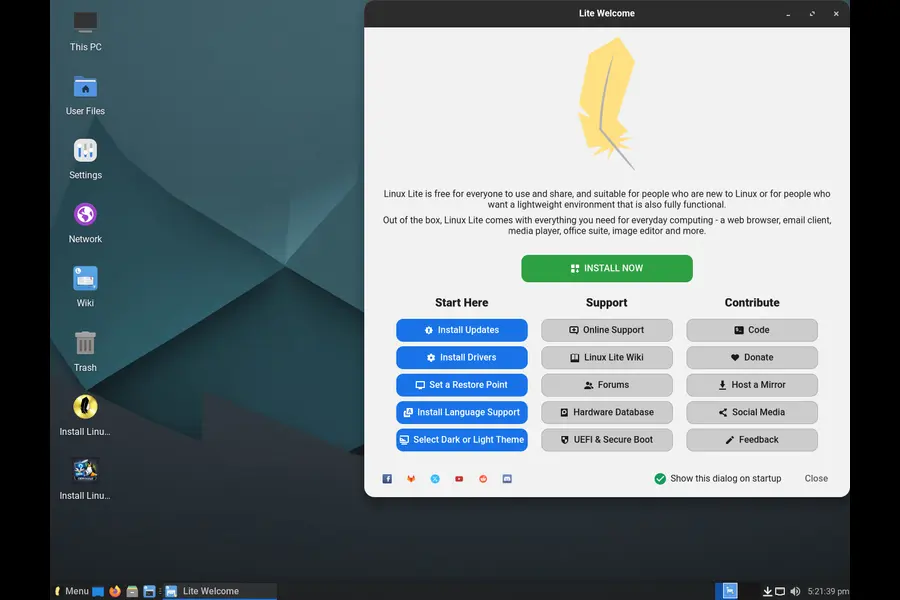
Desktop: Xfce 4.20 · Base: Ubuntu 26.04 LTS · Idle RAM: roughly 500–600MB
Linux Lite released version 8.0 (codename “Hematite”) in June 2026, and it’s the most significant update the project has shipped in years. The team rewrote its custom utilities — the ones that make Linux Lite so approachable for beginners — in GTK4, and even added an optional high-performance kernel tuned for smoother desktop responsiveness.
What sold me on it originally was how deliberately it apes the Windows layout: taskbar at the bottom, start-style menu, system tray in the expected place. If you’re migrating someone off Windows who doesn’t want to relearn how a computer works, this reduces friction more than any other distro here.
What stands out:
- “Lite Tweaks” and “Lite Software” utilities make optimization and app installation genuinely beginner-friendly, no terminal required
- Built-in system reporting tool that uploads your specs to a public hardware compatibility database — handy for checking before you install
- Rock-solid Ubuntu LTS foundation, supported until 2029
- The 8.0 release is noticeably smaller in download size than 7.x, despite newer software
Where it falls short:
- Custom GTK4 apps replaced traditional menu bars with hamburger menus, which some longtime users find less efficient
- Being tied to Ubuntu’s release cadence means occasional larger jumps rather than a smoother rolling update path
Best for: People switching from Windows who want familiarity over minimalism, and anyone who wants hand-holding tools rather than raw terminal work.
2. Lubuntu 26.04 LTS — The Official Lightweight Ubuntu Flavor
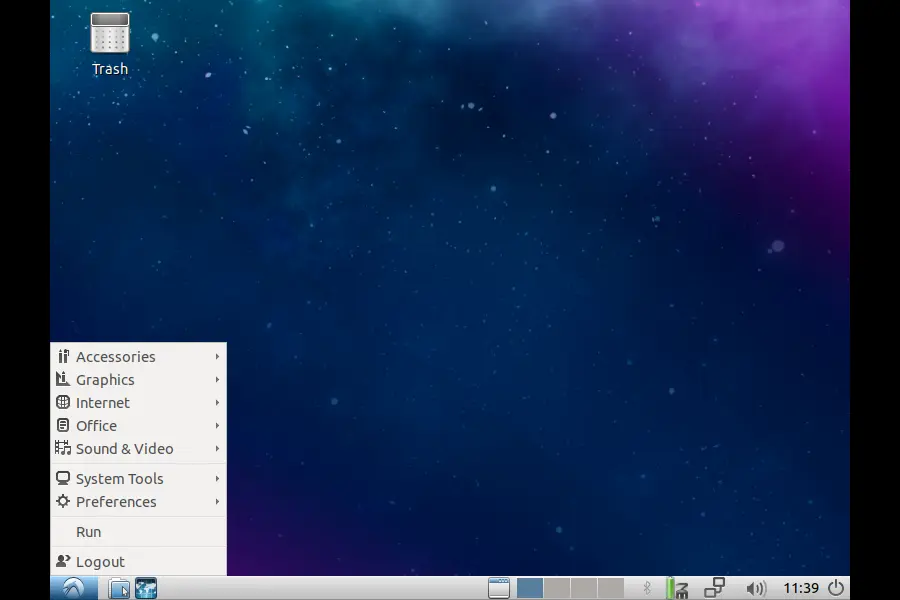
Desktop: LXQt 2.3 · Base: Ubuntu 26.04 LTS · Idle RAM: roughly 350–450MB
Lubuntu just shipped its 30th release, and it’s a big one under the hood — Linux kernel 7.0, a first-time move to Rust-based coreutils and sudo-rs for a more memory-safe core system, and full theming for Qt6 apps so they finally look native rather than slightly out of place.
This matters more than it sounds. LXQt has always been fast, but earlier versions had a slightly unfinished feel where some apps looked visually inconsistent. That’s mostly gone now.
What stands out:
- Officially blessed by Canonical, so you get the full Ubuntu repository and identical security update schedule
- LXQt sips memory even with several apps open simultaneously
- Genuinely fast boot times, even on mechanical hard drives
- Long-term support through April 2029
Where it falls short:
- The default application set is deliberately minimal — expect to install a few extras (like a proper office suite) right after setup
- Some newer hardware features (like the latest GPU acceleration paths) land in Lubuntu slightly after they appear in mainline Ubuntu
Best for: Anyone who wants a modern, actively developed desktop with Ubuntu’s massive software library, minus the bloat.
3. Xubuntu — The Balanced, Everyday Choice
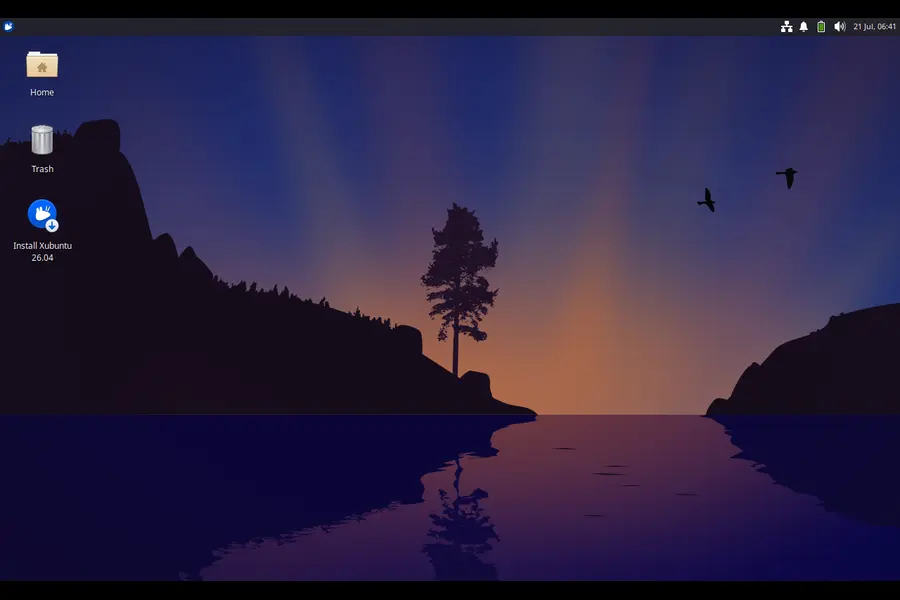
Desktop: Xfce 4.20 · Base: Ubuntu 26.04 LTS · Idle RAM: roughly 600–700MB
Xubuntu isn’t the lightest distro on this list, and it never has been — that’s not really its job. What it does is offer Xfce in a polished, cohesive form that feels considered rather than assembled. If Lubuntu is the stripped-down commuter bike, Xubuntu is the comfortable hybrid: still efficient, just less spartan.
With 4GB RAM, I’ve comfortably run a dozen browser tabs, a music player, and a document editor simultaneously without the system stuttering. That’s realistically where the ceiling sits for any Xfce-based distro on this amount of memory, but it’s a perfectly livable ceiling for most daily tasks.
What stands out:
- Extremely stable — Xfce’s development pace is slow and deliberate, which means fewer regressions
- Deep customization without needing to dig through config files
- Consistent theming across the whole desktop out of the box
- Strong community documentation, since it shares Ubuntu’s massive knowledge base
Where it falls short:
- Heavier at idle than LXQt or Moksha-based options, so it eats into your multitasking headroom faster
- Compositor effects, if left enabled, can add noticeable overhead on integrated graphics
Best for: Users who want a lightweight distro that doesn’t feel minimal — a real daily driver rather than a rescue OS.
4. MX Linux 25.2 “Infinity” — The Power User’s Lightweight Distro
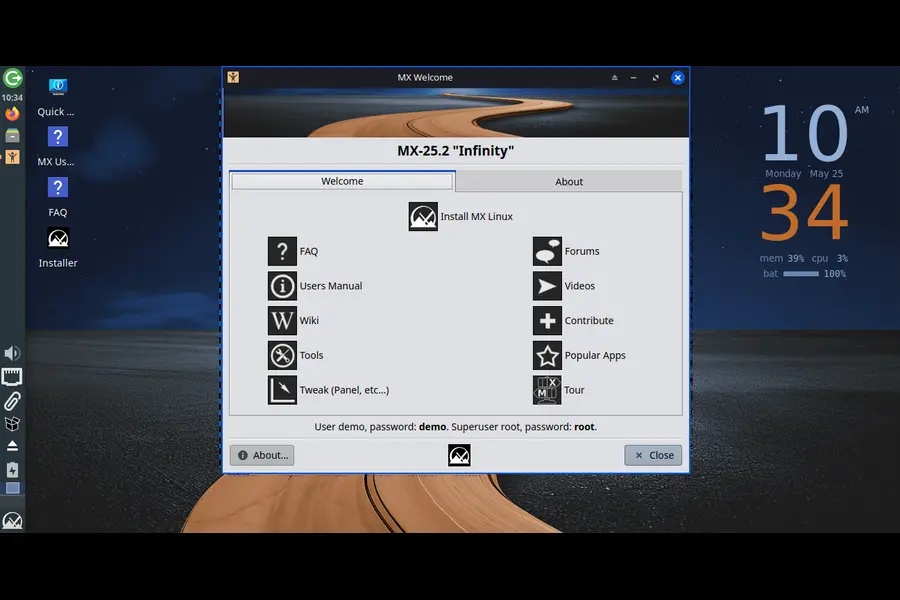
Desktop: Xfce 4.20 or Fluxbox · Base: Debian 13.5 “Trixie” · Idle RAM: 400MB (Xfce) / 180MB (Fluxbox)
MX Linux has quietly become one of the most downloaded distros in the world, and the 25 “Infinity” series explains why. It’s built on Debian 13 with a serious upgrade under the hood: MX Linux 25.2, released in May 2026, added a text-mode installer for machines that can’t handle a graphical install cleanly, refreshed Mesa graphics drivers, and gave users the option to boot with either systemd or SysVinit from the same ISO.
The MX Tools suite is what actually separates this from other Debian derivatives — a genuinely useful set of GUI utilities for snapshotting your system, cleaning up unused packages, tweaking boot options, and managing repositories, none of which require memorizing terminal commands.
What stands out:
- MX Tools remain one of the best system-management toolkits in the Linux world, full stop
- The Fluxbox edition is remarkably light for how functional it is
- Choice of init system (systemd or SysVinit) without needing separate downloads
- Debian Stable’s legendary reliability underneath a friendlier layer
Where it falls short:
- The interface, while functional, leans utilitarian rather than visually striking
- Fluxbox’s minimalism means a steeper learning curve if you’ve never used a bare window manager before
Best for: Tinkerers and power users who want deep system control without sacrificing the ability to just get work done.
5. Peppermint OS — The Minimalist’s Blank Canvas
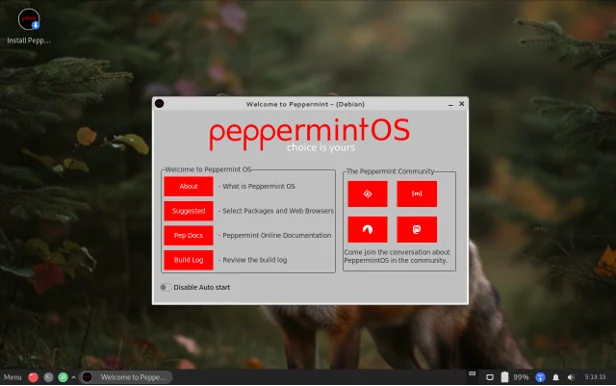
Desktop: Xfce · Base: Debian/Devuan Stable · Idle RAM: roughly 350MB
Peppermint OS takes an unusual approach: it ships close to bare, so you build your system up from a genuinely minimal starting point rather than stripping away things you didn’t want. The most recent release moved fully onto a Debian and Devuan Stable base, dropping its old Ubuntu roots.
This is a distro for people who find pre-loaded software annoying rather than convenient. You pick your browser, your office suite, your media player — nothing is decided for you.
What stands out:
- Starting nearly empty means zero bloat to remove later
- Debian/Devuan Stable base means excellent long-term reliability
- Peppermint’s own tools (like Ice, for turning websites into standalone apps) are genuinely handy on low-power hardware
- Release cadence has settled into something predictable again after a few quieter years
Where it falls short:
- Not beginner-friendly out of the box — expect to spend your first hour installing basics
- Smaller community than Ubuntu-based options, so troubleshooting sometimes takes more digging
Best for: Experienced users who want to build a lean system app-by-app rather than uninstall their way there.
6. Bodhi Linux — Distinctive Looks, Minimal Weight
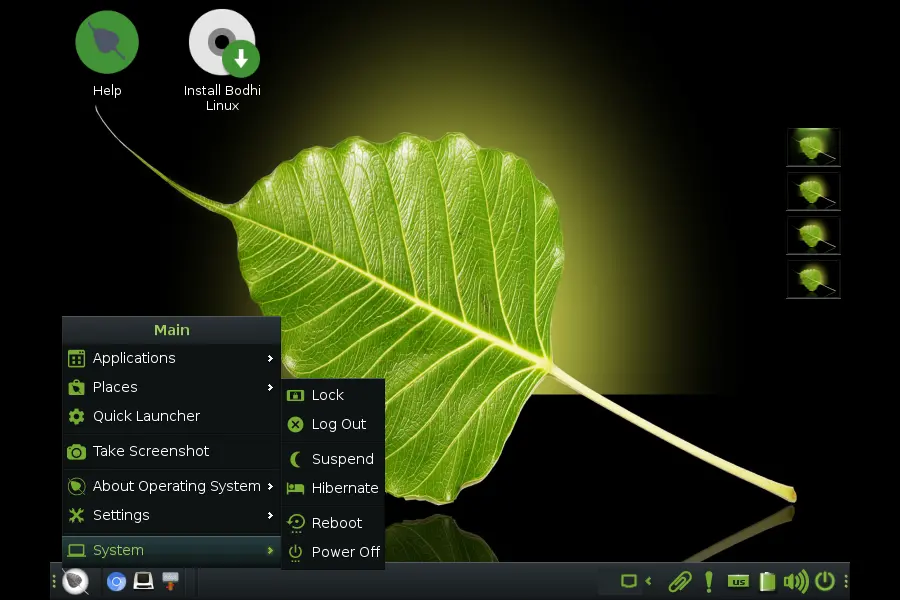
Desktop: Moksha (Enlightenment fork) · Base: Ubuntu 22.04 LTS · Idle RAM: roughly 300MB
Bodhi Linux is the visual outlier on this list. Moksha is a continuation of the old Enlightenment desktop, and it manages something most lightweight environments don’t even attempt: genuine visual flair — smooth animations, striking themes — without the RAM cost you’d expect.
I’ll be straightforward about a real tradeoff here: Bodhi’s current stable release (7.0) still sits on an older Ubuntu 22.04 base, and the project’s release cadence has slowed compared to its early-2020s pace. It remains actively maintained through a genuinely lively Discord community and regular Moksha desktop updates, but if bleeding-edge kernel support matters to you, this isn’t the pick.
What stands out:
- One of the most visually distinctive lightweight desktops available anywhere
- Extremely low idle memory footprint for what it delivers visually
- Modular design lets you add exactly the apps you want via the AppCenter
- Small but genuinely helpful and active community
Where it falls short:
- Base system is aging relative to other entries on this list, so newer hardware support can lag
- Slower release cycle than Ubuntu-flavor competitors
Best for: Users on genuinely old hardware who still want a desktop that looks good, not just fast.
7. antiX 26 “Stephen Kapos” — Built for Ancient Hardware
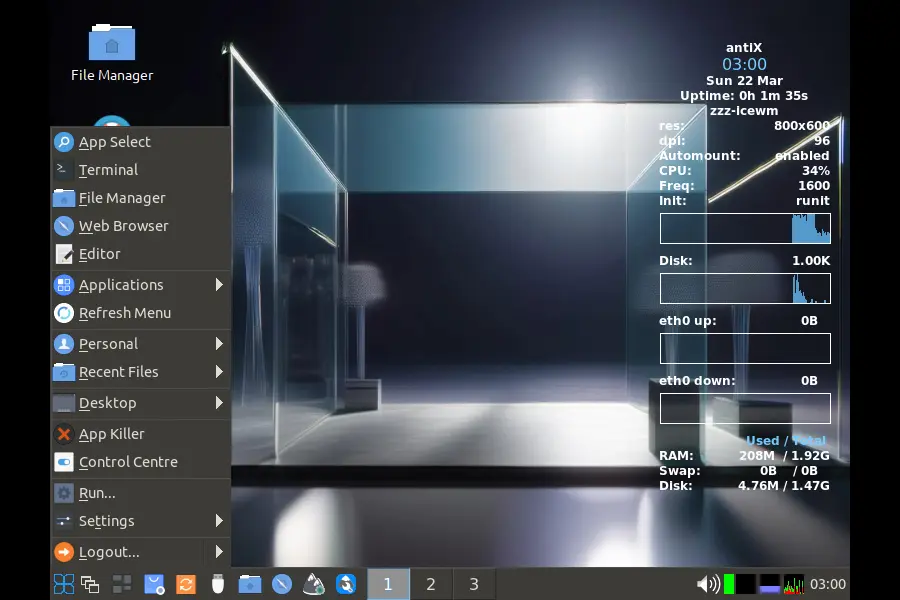
Desktop: IceWM, Fluxbox, or JWM · Base: Debian 13 · Idle RAM: 150–250MB
antiX released its 26th version in March 2026, and it remains one of the very few distros still explicitly targeting machines with a fraction of what most software assumes you have. It skips systemd entirely — running on SysVinit instead — which trims background overhead that even other “lightweight” distros carry.
If you’ve got a laptop from the Windows 7 era gathering dust because Windows 10 support ended and it can’t run anything modern, antiX is probably the most realistic option that still gets security updates and a usable, current web browser.
What stands out:
- Genuinely tiny idle memory usage, even compared to other entries here
- No systemd, which appeals to users who want more transparent control over what’s running
- Still supports 32-bit hardware, increasingly rare in 2026
- Debian’s package repository gives you access to essentially anything you’d need
Where it falls short:
- Default window managers (IceWM, Fluxbox, JWM) look dated compared to Xfce or Moksha
- Steeper learning curve for anyone who’s never used a lightweight window manager before
Best for: Reviving genuinely old machines — 10 to 15+ years old — where every remaining megabyte counts.
8. Q4OS 6.1 “Andromeda” — The Familiar Classic Desktop
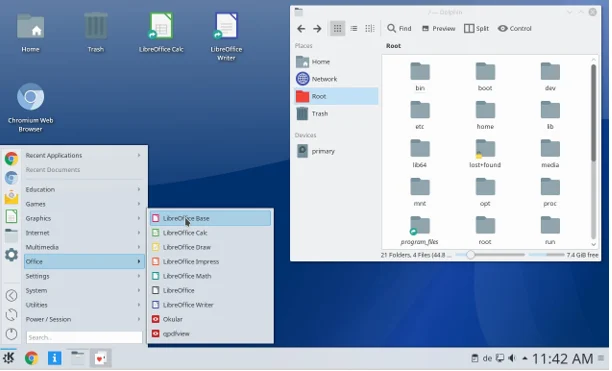
Desktop: Trinity Desktop Environment (TDE) or KDE Plasma 6 · Base: Debian 13 · Idle RAM: 300–350MB (TDE)
Q4OS occupies an interesting niche: the Trinity Desktop Environment is a community-maintained continuation of KDE 3.5, and it looks and behaves almost exactly like the classic Windows XP/7 layout most people over 30 grew up on. That familiarity translates into a genuinely shorter learning curve for less technical users than almost anything else on this list.
Q4OS 6.1 “Andromeda” moved onto Debian 13, while the older Q4OS 5 “Aquarius” line (Debian 12) is still officially supported through mid-2028 for anyone on particularly old or 32-bit hardware.
What stands out:
- TDE feels instantly familiar to anyone coming from Windows XP or Windows 7
- Two supported release lines let you pick between newer packages or maximum hardware compatibility
- Debian’s stability underneath, with Q4OS’s own straightforward installer on top
- A dedicated KDE Plasma 6 edition exists if you have slightly more RAM to spare
Where it falls short:
- TDE’s aesthetic is unapologetically retro — a dealbreaker for some, a selling point for others
- The Plasma edition needs meaningfully more RAM than the TDE edition, so pick carefully
Best for: Older users or anyone who wants a genuinely nostalgic, zero-learning-curve desktop that still gets security patches.
9. Puppy Linux (BookwormPup64 / TrixiePup) — Runs Straight From RAM
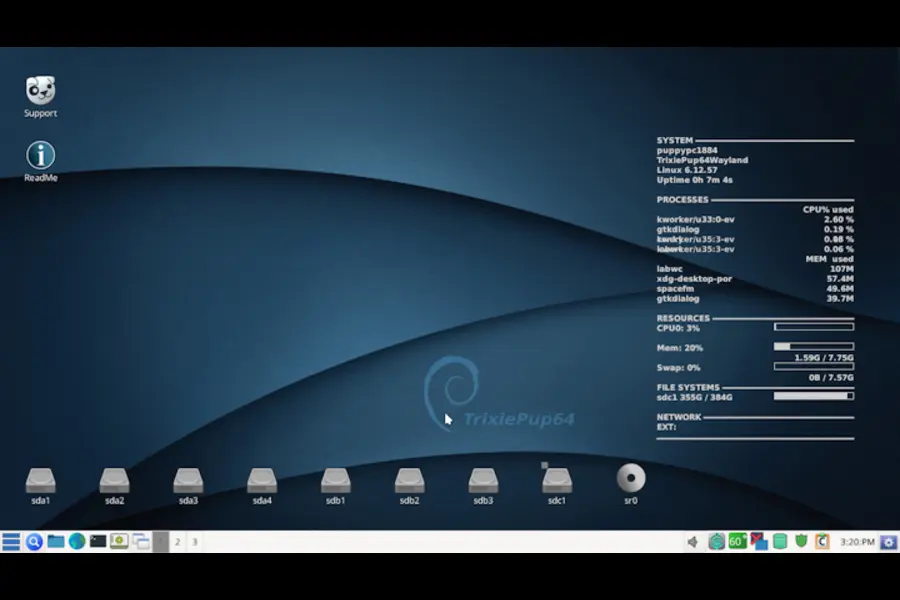
Desktop: JWM with ROX-Filer · Base: Varies (Debian, Ubuntu, and independent builds) · Idle RAM: under 300MB, often much less
Puppy Linux isn’t really one distro — it’s a build system, and different community teams produce variants based on Debian Bookworm, the newer Trixie base, and even Ubuntu LTS releases. The defining trick hasn’t changed since the 2000s: Puppy loads the entire OS into RAM at boot, so once it’s running, disk speed barely matters and responsiveness is close to instant.
With a full 4GB of RAM, there’s plenty of headroom left over even after the OS itself is sitting in memory, which is why Puppy variants feel almost absurdly snappy on hardware that chokes running anything else.
What stands out:
- Boots and runs faster than nearly anything else on this list because it’s not touching disk for normal operation
- Tiny ISO sizes make it ideal for USB sticks and portable setups
- Persistent save files let you carry your whole setup between machines
- Active community still shipping Debian-Trixie-based builds into 2026
Where it falls short:
- The “everything in RAM” design means changes need to be explicitly saved, which trips up newcomers
- Interface conventions (ROX-Filer, JWM) feel unfamiliar if you’ve only used mainstream desktops
Best for: USB-based portable setups, ultra-old hardware, and anyone who wants near-instant responsiveness above all else.
10. Tiny Core Linux — Extreme Minimalism for Advanced Users
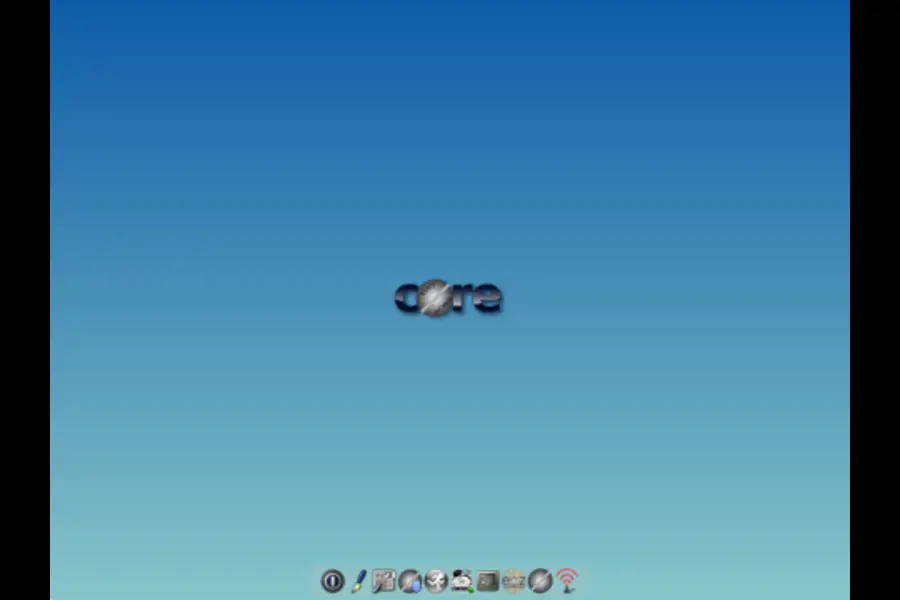
Desktop: FLWM, fully customizable · Base: Independent · Idle RAM: well under 128MB
Tiny Core is the extreme end of this list. The Core edition is around 11MB; the GUI version with FLWM is roughly 16-21MB. It was designed for machines with as little as 128MB of RAM, which means a 4GB system barely registers it’s running at all.
This isn’t a beginner distro, and I wouldn’t recommend it as anyone’s daily driver unless they specifically enjoy building a system from near-zero. But as a base for embedded projects, ultra-minimal VMs, or genuinely understanding what a Linux system needs at its core, nothing else here comes close.
What stands out:
- The smallest actively maintained general-purpose Linux distro around
- Entirely modular — you decide literally every component that gets installed
- Extremely fast once configured, since there’s nothing extraneous running
- Great for embedded systems, old thin clients, and learning how Linux actually works under the hood
Where it falls short:
- Not remotely beginner-friendly — expect to build your environment from a near-empty base
- Requires ongoing manual maintenance that other distros automate for you
Best for: Linux veterans, embedded builds, and anyone who genuinely wants full control from the ground up.
11. Devuan — Debian Without systemd, for Purists
Desktop: Xfce, MATE, or others (your choice at install) · Base: Debian, systemd-free · Idle RAM: roughly 400–500MB (Xfce)
I’m adding Devuan because it’s had a genuinely strong run recently — its latest major release outperformed some Debian 13 benchmarks in independent testing, and it’s a solid choice if you specifically want a Debian-quality base without systemd managing everything under the hood. You install your desktop environment of choice at setup, so RAM usage scales with what you pick — Xfce keeps it light, MATE adds a bit more polish at a small memory cost.
What stands out:
- Full Debian package compatibility, systemd-free by design
- Choice of desktop environment at install time, so you tailor RAM usage to your hardware
- Strong recent momentum and active development
Where it falls short:
- Smaller community than mainstream Debian derivatives, so support resources are thinner
- Systemd-free operation occasionally means extra manual configuration for specific hardware or services
Best for: Users who specifically want Debian’s stability without systemd, and don’t mind a bit more manual setup.
Lightweight Desktop Environments Ranked by RAM Usage
The desktop environment is the single biggest factor in how much RAM a distro eats at idle. Here’s roughly how they stack up, lightest to heaviest:
Ultra-lightweight (under 300MB idle):
- Fluxbox
- IceWM
- JWM
- Openbox
- Trinity (TDE)
- Moksha
- LXQt
Moderately lightweight (300–700MB idle):
- Xfce
- MATE
Heavier, but still workable on 4GB with tweaks:
- KDE Plasma 6 (with effects disabled)
If your priority is squeezing maximum multitasking room out of exactly 4GB, stick to the top tier. If you want something that still feels modern and polished while staying reasonably light, Xfce and MATE hit a comfortable middle ground.
How to Squeeze Even More Performance Out of 4GB RAM
Picking the right distro gets you most of the way there. These tweaks close the rest of the gap.
Set up zRAM. Instead of writing swap to a slow disk, zRAM compresses inactive memory pages and keeps them in RAM itself. It’s a genuinely bigger performance win on 4GB systems than most people expect, and most distros on this list let you enable it during or right after install.
Choose a lighter browser. Your browser is almost always the single biggest RAM consumer on a lightweight system, full stop.
- Good options: Falkon, LibreWolf, Pale Moon, or a tab-limited Chromium/Firefox setup
- Avoid: browsers loaded with extensions, and Electron-based “apps” masquerading as native software
Trim your startup services. Go through your autostart settings and turn off anything you don’t actively use — Bluetooth if you don’t need it, printer discovery services, cloud sync clients, indexing daemons.
Pick lightweight default apps. Small swaps add up:
- Text editing: Featherpad or Mousepad instead of a full IDE for quick edits
- Media playback: mpv or VLC, both genuinely efficient
- Image viewing: Viewnior or a similarly minimal viewer
Keep swap and zRAM both active. Even with zRAM running, a small traditional swap file (2–4GB) acts as a safety net that keeps the system from locking up under unusual memory pressure.
Go easy on visual effects. Heavy blur, transparency, and animated compositing look nice on modern hardware and cost real CPU and GPU cycles on older machines. Most of these distros let you disable them individually rather than all-or-nothing.
Update regularly. This one’s easy to forget, but newer kernels genuinely do bring better memory management — several distros here shipped kernel updates in their last release specifically for this reason.
Which One Should You Actually Pick?
If you want a straight recommendation rather than reading all eleven writeups, here’s the short version:
- New to Linux, coming from Windows: Linux Lite
- Fastest general-purpose option on 4GB: Lubuntu or antiX
- Best all-around daily driver: Xubuntu
- Want deep customization and control: MX Linux (Fluxbox edition)
- Reviving a 10–15 year old laptop: antiX or Q4OS (Trinity)
- Need a portable, USB-bootable system: Puppy Linux
- Want something that looks distinctive, not just fast: Bodhi Linux
- Extreme minimalism, technical users only: Tiny Core Linux
- Debian purist who wants no systemd: antiX or Devuan
Final Thoughts
The idea that you need new hardware to have a fast, modern computer just isn’t true anymore — if anything, that gap has widened in 2026, not narrowed, now that mainstream Ubuntu has raised its own bar to 6GB. The distros in this guide prove the opposite path still works: efficient software, thoughtfully built, running on hardware that’s been written off too early.
Linux Lite and Xubuntu make sense if you want something that feels like a normal, complete desktop from day one. Bodhi, antiX, and Puppy Linux are for genuinely old machines that need every scrap of RAM respected. And if you’re the type who likes building a system up rather than stripping one down, MX Linux, Peppermint, or Tiny Core will keep you busy in the best way.
Whichever you pick, back up anything important first, download your ISO from the official site linked in each section, and verify the checksum before you burn it. A decade-old laptop with 4GB of RAM has no business feeling slow in 2026 — and with the right distro, it won’t.
Disclaimer
This article is based on publicly available information, official release notes, and current 2026 Linux distribution data. RAM and performance figures reflect typical idle usage on real hardware and can vary depending on your specific components, installed applications, and configuration. All distro names, logos, and trademarks belong to their respective projects.
Always download Linux ISOs from official project websites and verify checksums before installing, to ensure authenticity and security. The recommendations here are for informational purposes only and shouldn’t be taken as a technical guarantee for your particular hardware.
Continue Your Linux Journey
Choosing the right Linux distribution depends on your hardware, workflow, and experience level. These hand-picked guides compare today’s most popular Linux operating systems and help you find the best option for your needs.
Best Linux Distro for Ryzen AI 400 Series
Find the best Linux distributions for AMD Ryzen AI 400 Series laptops based on performance, battery life, hardware compatibility, AI acceleration, gaming, and long-term support.
Fedora vs Ubuntu: Which Linux Distribution Is Better?
Compare Fedora and Ubuntu across software availability, stability, security, gaming performance, developer tools, updates, and beginner friendliness.
Is Drauger OS 7.8 Good for Everyday Desktop Use?
See whether Drauger OS is suitable for everyday computing, productivity, multimedia, programming, and gaming, along with its strengths and limitations.