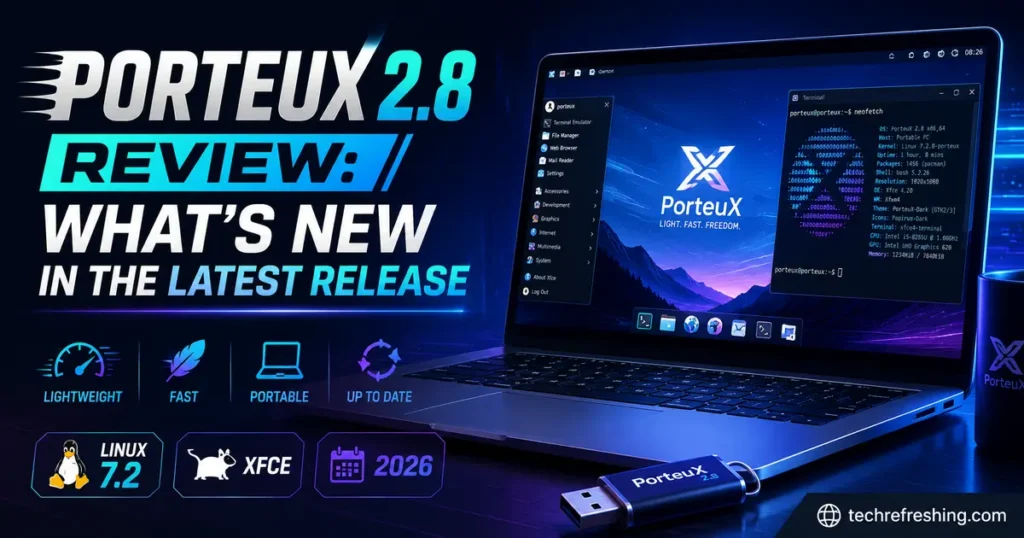
If you’ve been keeping an eye on the lightweight Linux scene, you’ve probably heard the buzz around the latest build. This PorteuX 2.8 review breaks down everything that changed, what it means for real-world use, and whether it’s worth downloading over the previous 2.7 release. PorteuX has quietly built a reputation as one of the fastest, most modular Slackware-based distros out there, and version 2.8 pushes that reputation even further with a brand-new filesystem, faster graphics on Xfce, and a long list of under-the-hood fixes.
I’ve spent time running PorteuX on both a USB stick and a bare-metal install, and this release feels less like a routine update and more like a foundational shift for the project. Let’s get into the details.
A Quick Refresher: What Exactly Is PorteuX?
For anyone new to the name, PorteuX is a Slackware-based Linux distribution that draws inspiration from Slax and the original Porteus project. It’s built around a simple idea: a fast, modular, portable operating system that can run entirely from RAM, boot from a USB drive, or live on your hard disk as a full install — your choice.
Instead of installing every package into one giant filesystem, PorteuX uses compressed modules (.xzm files) that get layered together at boot using a union filesystem. Want a different desktop environment? Swap the module. Want to add LibreOffice without touching your base system? Activate a module. This modular approach is what makes PorteuX genuinely different from mainstream distros like Ubuntu or Fedora, and it’s why sysadmins, developers, and Linux hobbyists keep it in their USB toolkit.
PorteuX 2.8: The Headline Changes
Released in the third week of August 2026, PorteuX 2.8 arrives roughly two months after 2.7, according to the official PorteuX 2.8 changelog on GitHub, and it’s built around two new in-house engineering projects rather than just a routine package bump. The team calls out two flagship additions specifically: aufs-ng, a rewritten union filesystem, and xfwm4-gl, a fork of the Xfce window manager with OpenGL compositing.
Both of these are significant because they’re not upstream imports — they’re original work from the PorteuX developers, which says something about the project’s technical depth and long-term commitment rather than just repackaging other people’s software.
aufs-ng: A Union Filesystem Built From Scratch
PorteuX has relied on aufs (Another Union File System) since its very first release. It’s the technology that lets the distro stack read-only modules on top of a writable layer, which is the whole trick behind running a full desktop from a compressed, portable image.
With 2.8, the team replaced it entirely with aufs-ng, written from the ground up. A few things stand out:
- Massive code reduction — aufs-ng comes in at roughly 5,000 lines of code compared to aufs’s 28,000, making it far easier to audit and maintain.
- Modern I/O passthrough — it uses the kernel’s newer I/O handling, cutting down on filesystem-wide locking that used to cause slowdowns under heavy multitasking.
- Faster copy-up operations — file copy-up now uses in-kernel splice instead of the old page-by-page buffering method, which speeds up write operations noticeably.
- Lower memory footprint — because aufs-ng tracks inodes only rather than duplicating more metadata, a warm system uses about a third of the RAM that the old aufs implementation needed.
- Compatibility preserved — the on-disk format and mount command syntax are unchanged, so existing scripts, modules, and workflows built around PorteuX keep working without modification.
This matters more than it might sound. Union filesystems sit at the core of every operation in a live, module-based distro — every file read and write eventually touches this layer. A leaner, faster union filesystem translates directly into snappier boot times and better responsiveness, especially on older or resource-constrained hardware, which is exactly the crowd PorteuX tends to attract.
xfwm4-gl: Xfce Finally Gets Proper OpenGL Compositing
The second big engineering effort in this release is xfwm4-gl, a fork of the standard Xfce window manager (xfwm4) that adds genuine OpenGL compositing support for X11. XRender is still there as an automatic fallback for systems that can’t handle GL compositing, so nothing breaks on older graphics hardware.
The practical payoff is real: compared to the old XRender-based compositor, xfwm4-gl draws roughly a third less power and delivers around 10% more frames per second to running applications. For a lightweight distro that’s often used on laptops, netbooks, and older machines being kept alive with Linux, that kind of efficiency gain is a genuinely useful upgrade rather than a cosmetic one.
If you’ve used Xfce on other distros and found the desktop compositing a bit choppy during window dragging or video playback, this is the kind of fix that actually shows up in daily use.
Desktop Environment Updates in PorteuX 2.8
PorteuX ships each desktop environment as a completely separate, standalone edition rather than bundling them all together, and 2.8 brings all of them up to current upstream releases:
| Desktop Environment | Version in PorteuX 2.8 |
|---|---|
| KDE Plasma | 6.7.4 |
| GNOME | 50.4 |
| Xfce | 4.20 (with xfwm4-gl) |
| LXQt | 2.4 |
| Cinnamon | 6.6.9 |
| COSMIC | 1.6 |
| MATE | 1.28.2 |
| LXDE | 0.11.1 |
A few edition-specific notes worth mentioning:
- COSMIC edition now ships with the COSMIC Monitor app built in, giving System76’s Rust-based desktop a proper system resource monitor out of the box.
- GNOME edition picked up
gnome-session-sysvinitalong with a patch that disables systemd dependency — a change that fits PorteuX’s long-standing preference for lighter, non-systemd init on most editions. - Xfce edition is the one that benefits most visibly from this release thanks to xfwm4-gl.
Having eight actively maintained desktop options in one distro is unusual. Most lightweight distros pick one or two desktops and stick with them; PorteuX treats desktop choice as a first-class feature, which is a big part of why it appeals to such a wide range of users, from people who want KDE’s polish to people who want LXDE’s bare-minimum footprint.
NTFS and Compatibility Improvements
Windows dual-boot users get some real quality-of-life wins in this release. PorteuX 2.8 adds support for file names containing a colon (:) on NTFS partitions, which sounds minor until you realize this is exactly the kind of file naming that Wine and Proton rely on internally. Without this fix, certain Windows games and applications running through Wine and Proton would fail outright when installed on an NTFS drive.
On top of that, NTFS driver handling itself has been reworked. Both the ntfs and ntfs3 kernel drivers are now supported side by side, with the classic ntfs driver preferred when both are available. This gives PorteuX more flexibility depending on what a given system’s kernel build supports, rather than locking users into a single driver path.
Build, Compiler, and Driver Updates
Beyond the two headline projects, PorteuX 2.8 rolls in a solid batch of upstream and toolchain updates:
- Linux kernel 7.2 as the base kernel series
- GCC 16.2.0 compiler toolchain
- FFmpeg 9.0.1 for media encoding/decoding
- Mesa 26.2.1 graphics stack
- NVIDIA driver 610.57.04 support for proprietary graphics setups
- gcc15-compat package, which restores a C++ symbol that GCC 16 had dropped — this specifically fixes VirtualBox and similar applications that broke after the GCC 16 upgrade
- VirtualBox shared folders support enabled directly in the kernel
- Dead code elimination enabled in the kernel build for a leaner kernel image
That gcc15-compat fix is a small detail, but it’s the kind of thing that shows the maintainers are actually testing real-world software compatibility rather than just shipping the newest compiler version and moving on.
Bug Fixes That Actually Matter
A lot of distro release notes bury the genuinely useful fixes under a wall of changelog text. Here are the ones that stood out to me as a working PorteuX user:
- App Store fixes — wrong version detection, failed installs being incorrectly reported as successful, scripts that ran before a download finished, and a progress window that wouldn’t close have all been resolved. These were the kind of bugs that made the App Store feel unreliable in daily use, so this cluster of fixes matters a lot.
- AppImage integration fixed — AppImages launched from the App Store now correctly receive files and display their proper icon.
- Timezone tool crash fixed — it no longer crashes when
/etc/localtimeis a broken symlink, which was a real annoyance for anyone doing custom module builds. - XDG_RUNTIME_DIR fix — graphical applications launched as root were previously missing this environment variable, which caused odd behavior in some GUI tools; that’s now fixed.
- NTFS eject fix — NTFS drives now eject properly, addressing a community-reported bug.
- bootlog cheatcode added — a new boot parameter that saves everything the initrd prints during boot, which is genuinely useful for troubleshooting failed boots on unusual hardware.
Initrd and Boot-Time Improvements
The initial ramdisk (initrd) got a noticeable diet in this release. All binaries inside it were updated, and the uclibc library dependency was dropped in favor of static embedding, shrinking the initrd by roughly 30%. A smaller initrd means a marginally faster boot, and it reduces one more moving part that could break across different hardware configurations.
How PorteuX 2.8 Compares to Its Predecessor
| Feature | PorteuX 2.7 | PorteuX 2.8 |
|---|---|---|
| Kernel | Linux 6.x series | Linux 7.2 |
| Union filesystem | aufs (legacy, ~28,000 lines) | aufs-ng (new, ~5,000 lines) |
| Xfce compositor | xfwm4 with XRender | xfwm4-gl with OpenGL + XRender fallback |
| GCC | 16.1.0 | 16.2.0 |
| FFmpeg | 8.1.1 | 9.0.1 |
| KDE Plasma | 6.7.0 | 6.7.4 |
| GNOME | 50.2 | 50.4 |
| NTFS colon filenames | Not supported | Supported |
| Initrd size | Baseline | ~30% smaller |
| VirtualBox compatibility | Broken by GCC 16 | Fixed via gcc15-compat |
Looking at that table, 2.8 isn’t just a version bump for the sake of it — nearly every row represents something a real user would actually notice, whether that’s faster Xfce animations, working VirtualBox modules, or NTFS partitions that no longer choke on Proton game installs.
Where PorteuX 2.8 Fits Compared to Other Portable Distros
It’s worth putting PorteuX in context against the other names people usually mention in the same breath — Porteus, Slax, and Puppy Linux.
- Porteus is the project PorteuX originally forked from. It’s still around, but updates have slowed considerably, and it hasn’t kept pace with modern kernel and desktop releases the way PorteuX has.
- Slax is minimal by design and typically ships a single desktop (usually a lightweight one), which makes it faster to download but far less flexible than PorteuX’s eight-edition lineup.
- Puppy Linux is arguably the closest philosophical cousin — small, fast, and portable — but it uses its own package and filesystem tooling that works differently from PorteuX’s module system, and it doesn’t offer full KDE Plasma or GNOME editions.
If your priority is running a full, modern desktop environment (KDE or GNOME included) from a USB stick with near-native performance, PorteuX 2.8 is currently one of the strongest options in that specific niche.
Who Should Actually Use PorteuX 2.8
This isn’t a beginner-friendly, “install and forget” distro in the Ubuntu or Mint sense. It rewards people who like understanding what’s happening under the hood. That said, a few groups get real value out of it:
- IT technicians and sysadmins who want a fast, portable rescue and diagnostics environment they can boot on any machine
- Linux enthusiasts who like tinkering with modular systems and building their own custom module stacks
- Gamers running Linux on older hardware, thanks to the Xfce performance gains and improved NTFS/Proton compatibility
- Privacy-conscious users who want an OS that leaves no trace on the host machine when run from a USB drive in RAM mode
- Developers testing software across multiple desktop environments without needing eight separate virtual machines
Pros and Cons of PorteuX 2.8
Pros:
- aufs-ng cuts memory usage significantly on a warm system compared to the old aufs layer
- xfwm4-gl brings a real, measurable performance and power-efficiency improvement to Xfce
- Eight fully maintained desktop environment editions to choose from
- NTFS colon-filename support fixes real Proton/Wine compatibility issues
- Smaller initrd means a leaner, slightly faster boot process
- App Store reliability bugs from previous releases are cleaned up
- gcc15-compat quietly fixes VirtualBox, which many distros left broken after GCC 16
Cons:
- Not aimed at Linux beginners — the modular system has a learning curve
- Documentation is thinner than what you’d find for mainstream distros like Fedora or Ubuntu
- Eight desktop editions means separate ISO downloads rather than one universal image, which can be confusing for first-time users
- Update cadence (roughly every two months) means you may wait a while for the very latest upstream package versions between releases
How to Get PorteuX 2.8
PorteuX images are distributed as separate ISOs per desktop environment, so you’ll want to pick the edition that matches the desktop you actually plan to use rather than downloading all of them. The project’s releases are hosted on GitHub, and as of this release, Slackware.uk has also begun mirroring PorteuX downloads, giving the project a more stable, well-known hosting partner alongside its usual channels. You can also track PorteuX releases and version history on DistroWatch.
Once downloaded, the ISO can be written to a USB drive the same way you’d prepare any other Linux live image, and PorteuX gives you the option to run it fully from RAM, boot it persistently from the USB itself, or install it to your hard disk as a permanent OS.
Frequently Asked Questions
What is PorteuX 2.8?
PorteuX 2.8 is the latest release of the Slackware-based, modular Linux distribution, featuring Linux kernel 7.2, a brand-new aufs-ng union filesystem, and updated desktop environments including KDE Plasma 6.7.4 and GNOME 50.4.
Is PorteuX 2.8 good for beginners?
Not really — PorteuX’s module-based system rewards users comfortable with Linux internals, so newcomers are usually better served starting with a mainstream distro first.
What replaced aufs in PorteuX 2.8?
PorteuX 2.8 introduces aufs-ng, a union filesystem rewritten from scratch that uses roughly a third of the memory of the old aufs implementation while keeping full compatibility with existing modules.
Does PorteuX 2.8 improve gaming performance?
Indirectly yes — NTFS colon-filename support now lets Wine and Proton install games properly on NTFS drives, and Xfce users benefit from xfwm4-gl’s OpenGL compositing.
Can I upgrade from PorteuX 2.7 to 2.8 directly?
Since PorteuX is module-based and portable, the typical approach is downloading the new 2.8 ISO for your preferred desktop edition rather than performing an in-place upgrade.
Which desktop environments are available in PorteuX 2.8?
PorteuX 2.8 ships standalone editions for KDE Plasma, GNOME, Xfce, LXQt, Cinnamon, COSMIC, MATE, and LXDE.
Final Thoughts
Wrapping up this PorteuX 2.8 review, what stands out most isn’t any single feature — it’s the amount of original engineering behind this release. Writing a union filesystem from scratch and forking a window manager to add proper OpenGL compositing isn’t something small distro teams usually take on, and both projects deliver measurable, real-world improvements rather than just marketing bullet points.
If you already use PorteuX, 2.8 is worth the download for the memory savings alone. If you’re new to the project and want a fast, portable, genuinely modern Linux system that doesn’t feel bloated, this release is a strong entry point — just go in expecting a bit of a learning curve, because that’s the trade-off for the flexibility PorteuX offers.
Disclaimer: This review is based on the official PorteuX 2.8 release notes and independent reporting available as of August 2026. Version numbers, benchmarks, and features may change in future updates — always check the official PorteuX GitHub page for the most current release information before downloading or installing.
You May Also Like