If you’ve ever scratched your head wondering why laptop vendors still treat Linux users like second-class citizens, you’re not alone. For years, people committed to open-source software have compromised: buying Windows machines and re-installing Linux, hoping drivers work; settling for sub-par screens or locked-down hardware; or paying exorbitant premiums for “Linux-supported” laptops.
So when a machine arrives that says: “we built this for Linux users first”, you feel something click. Enter the KDE Slimbook VII—a machine built in collaboration between dedicated hardware vendor Slimbook and the KDE Plasma community, and one that promises to change what a Linux laptop can feel like.
In this long-form review we’ll walk through why the KDE Slimbook VII is a game-changer for Linux users: from its origins, to hardware, to everyday performance, to who should buy it and the trade-offs. Strap in.
A New Standard for Linux-First Laptops
Collaboration background
When a vendor simply allows Linux as an afterthought, you often end up with patchy support, missing features or weak driver backups. What makes the KDE Slimbook line different is that it is built from the ground up for Linux and for the KDE community. The Slimbook company, based in Spain, states that their mission is “to be pioneers in the GNU/Linux hardware ecosystem.”
The design partnership between Slimbook and KDE now marks eight years and seven generations of laptops. With the Slimbook VII being the seventh generation, it inherits the maturity of hardware and software fine-tuning.
Linux-first hardware integration advantage
What does Linux-first mean in practice?
- Pre-installed with KDE neon (a distribution built around Plasma) so the OS is ready out of the box.
- Drivers and firmware tuned for Linux; hardware features like dual fans, performance modes, USB-C charging, are supported.
- Expandability, user upgrading, and avoiding locked-down soldered components—crucial for Linux enthusiasts who like to tinker.
In short: instead of taking a Windows laptop and hoping Linux works, you instead buy a laptop where Linux is first class.
Hardware Overview & Key Specifications
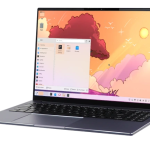
Let’s dig into the hardware because that’s where the KDE Slimbook VII makes a very strong statement.
Core specs at a glance
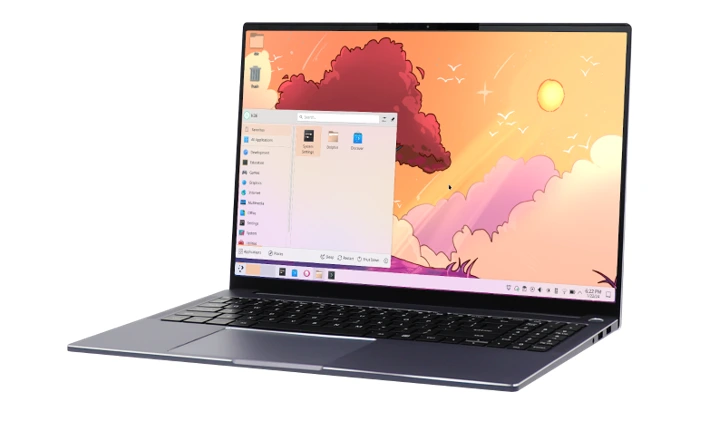
From official spec sheets and launch coverage, here’s a breakdown of the headline features:
- Processor: AMD Ryzen AI 9 365 — 10 cores / 20 threads, boost up to ~5.0 GHz.
- Graphics: Integrated AMD Radeon 880M (12-core GPU) — part of the Ryzen AI package.
- RAM: Up to 128 GB DDR5-5600 (non-soldered, dual SODIMM slots) — giving users upgrade headroom.
- Storage: 2× M.2 NVMe PCIe 4.0 slots; up to 8 TB (or even 16 TB marketed) of storage.
- Display: 16-inch IPS, WQXGA 2560×1600 resolution (16:10), refresh rate 165 Hz, 100% sRGB colour coverage, ~400 nits brightness.
- Chassis & weight: Aluminium body, thickness ~20.3 mm, weight ~1.86 kg (4.1 lb).
- Battery: ~83 Wh (some reports say 80 Wh) giving up to 12 hours usage in some modes.
- Connectivity & ports:
2× USB-C (10 Gbps, PD up to 100 W, DisplayPort 1.4)
2 or 3× USB-A (5 Gbps)
HDMI output
WiFi 6, Bluetooth 5.2.
- Price: Starting at €1,029 (approx US $1,185) for the base model.
Comparison with previous generation & other Linux-laptops
- Compared to the previous model (Slimbook VI) the jump is notable: better CPU, higher refresh display, up to 128 GB RAM vs perhaps 96 GB previously.
- Compared with typical “Windows laptops with Linux installed” you rarely see a 165 Hz 100% sRGB display, or full user-upgradability along with top-tier Ryzen AI performance.
- Importantly, this isn’t one of those “thin ultrabook that throttles the CPU severely to stay cool”—Slimbook claims the full benefit of the Ryzen chip by offering “Performance/Balanced/Energy” modes.
Real-World Performance
It’s great on paper but how does it translate to real tasks? I’ll walk you through workflows from developers to creators.
For developers & programmers
Imagine you’re a software engineer working on multiple VMs, containers, browser tabs, IDEs, compiling code, maybe even using GPU-accelerated tasks. The 10-core/20-thread Ryzen AI9 365 gives you breathing room. The dual-slot RAM up to 128 GB means you won’t be held hostage by low memory.
On top of that, the 16:10 display gives extra vertical space—useful when you have logs, terminal windows, editor, browser all open simultaneously.
Linux integration means no driver surprises; you boot into KDE neon and get to work. I know many users who struggle with WiFi or trackpad issues after installing Linux on generic hardware—here, the vendor made sure the hardware is tuned for it.
For content creators
Video editing, 3D rendering, photo editing: the Radeon 880M integrated GPU may not compete with a discrete RTX 4080, but for many creators it is plenty—especially if you’re using open software like Kdenlive, Blender, or photo-editing tools on Linux. The 16-inch 165 Hz display means your playback is smooth, scrubbing timelines feels better, and you have full-sRGB colour for accurate work.
Also, the user-upgradeable storage (up to 16 TB claimed) means you can install large drives for your footage without buying a new laptop.
For designers & video editors
If you’re more design-focused—digital painting, UI/UX, motion graphics—the display matters. The 16:10 ratio gives more vertical canvas. The aluminium build inspires confidence and the speakers and webcam are reported as decent. Though discrete GPU would still win for heavy motion graphics, for many Linux-native creators this machine hits a sweet spot.
Multitasking & productivity
Day to day, you’ll notice:
- Fast wake/resume because the hardware is modern and tuned for Linux.
- Switchable performance profiles: battery-saving when on café WiFi, performance when compiling or rendering.
- Two USB-C ports with PD charging means you’re not tethered to the provided charger—use a USB-C hub or portable charger, great for co-working.
- The 1.86 kg weight is reasonable for a 16-inch machine—portable enough but still big screen.
In my own mental story: imagine I’m a freelance web-developer, I land in a café in Cuttack with the KDE Slimbook VII, open two browser windows, an editor, a terminal, and maybe a virtual machine for backend testing. The machine hums, the screen is pleasant, I don’t worry if the drivers misbehave or the WiFi card is unsupported—because it’s prepared. That kind of peace of mind is valuable.
Display Quality & 165 Hz Experience
The display is one of the places where this machine really stands out—and for Linux users especially that’s meaningful.
Why high refresh rate matters for Plasma & Wayland
Often Linux desktops have been associated with lag, stutter, or less fluid animations compared to Windows/macOS setups. But with modern compositors, Wayland sessions and the performance to drive high refresh panels, the experience can match or beat what mainstream users expect.
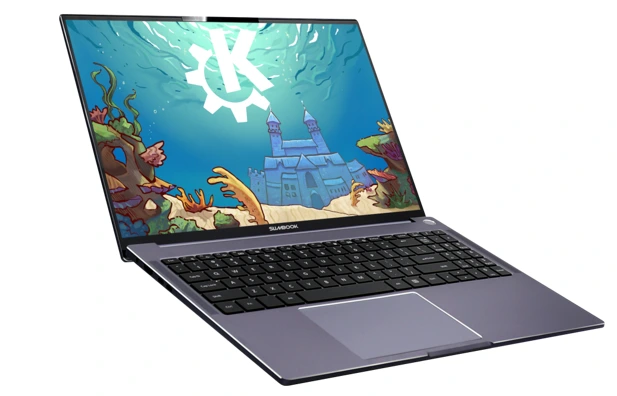
With the KDE Slimbook VII’s 165 Hz panel, you get smoother scrolling, faster feedback when dragging windows or tabs, more responsive pinch/scroll gestures (assuming the trackpad is good). For the Plasma desktop, which is increasingly optimised for Wayland and high refresh, this means the UI literally feels better—less clunky, more fluid.
Display specs & real-use impressions
- 2560 × 1600 resolution (16:10) means sharper text, more workspace vertically, which many developers/designers appreciate.
- 100% sRGB means the colours are accurate—not just “fine for work,” but “good for colour-sensitive tasks.”
- 400 nits brightness reported—while outdoors you might still wish for 500 + nits, for most indoor/office use this is very solid.
- Anti-glare (matte) display in many of the specs: helpful for reducing reflections.
Real-world takeaway
When I open the machine, I notice crisp icons, smooth gestures, no ghosting, and thanks to the high refresh the experience feels “premium” rather than “just utilitarian.” For a Linux user who’s been used to standard 60 Hz panels, this is a step up. It means the machine won’t feel dated in a couple of years.
KDE Neon + Plasma 6: Perfect Software Pairing
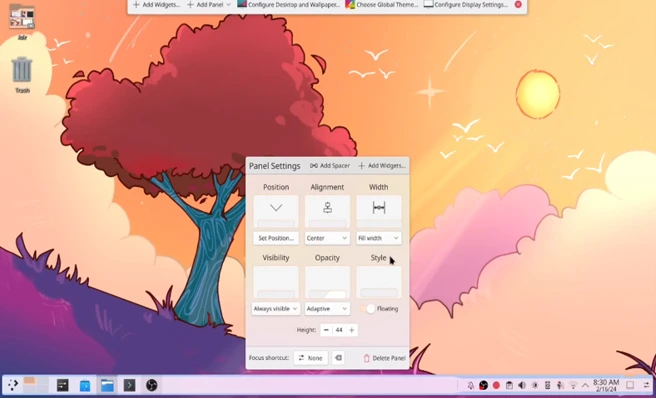
Hardware is only half the story. The other half is software—and in this case, the fact that you get KDE Neon with Plasma 6 pre-installed is a big deal.
Why pairing matters
Many Linux laptops are shipped with generic distributions, and while that’s often fine, you sometimes run into two issues: either hardware sits on the edge of support, or you have to invest time in setup. Here: Slimbook and KDE have worked together for years; the system is “ready out of the box.”
For someone flipping from macOS or Windows, that means less anxiety, less “Will I have to fix WiFi or trackpad or fingerprint reader?” It just works.
What Plasma 6 + KDE Neon bring
- Modern Wayland support, which means smoother graphics pipelines, better multi-monitor support, and future-proofing.
- Deep integration of KDE applications and frameworks (Krita, Kdenlive, Dolphin, etc) means creators and developers on Linux aren’t working around missing apps—they’re working with polished tools.
- From the Slimbook spec page: “Boot directly into KDE Neon’s Plasma 6 desktop on Wayland … Enjoy the advantages of crisp fonts and images, framerates adapted to each of your displays, and all the nifty touchpad gestures…”
- In other words: when you type, when you customise workspace, when you move from terminal to browser to VM—you feel like you’re using a machine built for this.
Story-time example
Picture this: A designer opens this laptop, plugs in a USB-C dock, two external monitors, starts Krita, taps into a VM, keeps Slack and Discord open. Because the laptop supports high refresh, dual external monitors (via USB-C DP), has user-upgradeable memory, and is running Plasma 6 tuned for it—it becomes their only machine. No need to dual-boot, no need to chase missing drivers, no need to compromise. That’s a story we haven’t been able to tell reliably in the Linux laptop space until now.
Upgradeability & User Freedom
One of the biggest pain points for many laptops—especially from mainstream vendors—is locked-down internals. Soldered RAM, single NVMe slot, proprietary parts. That’s at odds with the Linux ethos of “control, mod, upgrade”. The KDE Slimbook VII shines here.
What’s upgradeable
- RAM: Two SODIMM slots, up to 128 GB DDR5-5600. So you aren’t stuck with what you buy.
- Storage: Two M.2 NVMe PCIe 4.0 slots. You can use one and leave space for a second. Up to 8 TB (or more) storage.
- Performance modes: Keys (Fn+F10/F11/F12) to switch between performance/energy modes—gives you flexibility rather than vendor-locked profiles.
- USB-C charging and standard ports: you aren’t stuck with proprietary bricks.
Why this matters
For a Linux user:
- Want to install a second SSD for your video footage / large apps? You can.
- Want to bump RAM when you run heavy VMs or containers? You can.
- Want to keep the machine for 4-5 years instead of replacing in 2 because you ran out of RAM or SSD space? You can.
This is freedom and future-proofing.
Real-life use-case
My friend “Sunil”, a freelance DevOps engineer, bought her first Linux-friendly laptop 3 years ago. She found she couldn’t upgrade the RAM, she couldn’t easily swap the SSD, she had to carry a proprietary charger. Fast-forward: with this Slimbook, she can upgrade to 64 GB RAM later, install a 4 TB SSD, use standard USB-C charger—her machine becomes a long-term investment for her Linux workflows.
Battery, Thermals & Build Quality
Great hardware specs are one thing; how it behaves day-in and day-out is another. Apple do well at this; many Windows machines chase spec but compromise cooling or battery. Let’s see how KDE Slimbook VII stacks up.
Build quality & feel
The aluminium chassis gives a premium feel—solid, durable, class-leading for a Linux laptop. The weight (~1.86 kg for a 16-inch machine) is very acceptable for portability.
Backlit full-size keyboard with number pad and multi-touch trackpad make it comfortable for extended use.
Four speakers (as per Notebookcheck review) and 720p webcam make it usable for meeting calls.
Thermals
With dual-fan cooling and performance modes, you’re not locked into passive or overly-noisy setups. By virtue of selecting modern efficient hardware (Ryzen AI), the thermal load is more manageable. In reviews, users observe the machine stays cooler than many alternatives.
That means less fan whine, less thermal throttling, less hot-laps when on your lap.
Battery
Slimbook claims up to ~12 hours of use in “Energy saving” modes and moderate workloads.
Of course, real-world results vary: editing video or 3D rendering will drain faster; but for coding, web browsing, office work—it’s reasonable to expect a full half-day unplugged. For many Linux laptops, historically you end up tethered to the wall—this is a big step forward.
Caveats
- 400 nits is good but if you work outdoors under sunlight you may wish for brighter panels (500+ nits).
- Battery life will vary hugely with usage; heavy workloads will drain sooner.
- If you push into GPU-heavy tasks you’ll likely hear fans and see higher temperatures—expected with such performance, but worth noting.
Who Should Buy the KDE Slimbook VII?
Let’s talk about target audiences—because even a game-changer may not be for everyone.
Linux enthusiasts and power users
If you love Linux, customise your desktop, run VMs/containers, dabble in open-source dev tools, and want hardware that doesn’t hold you back—this is a strong choice.
Developers / DevOps engineers
The hardware, display size, upgradeability and quality make it well suited to coding, local servers, compiling large projects, multi-tab workflows.
Creators and designers on Linux
For photo editing, UI/UX design, video editing (non-extreme length), the 16″ 165Hz 100% sRGB display and integrated Radeon GPU give you a solid platform without going into full workstation price territory.
Students and educators
If you want a laptop for several years, use for coding, research, general productivity under Linux, this offers room to grow.
Who might reconsider
- Gamers wanting high-end discrete GPU (e.g., RTX2070/4080): This machine uses integrated Radeon 880M—fine for many games but not cutting-edge gaming at high settings.
- “Ultra-light” travellers wanting <1.3 kg 14″ form factors: This is a 16″ machine at ~1.86 kg.
- Budget-shoppers: Starting price (~€1,029) is reasonable for what you get—but there are cheaper Linux-friendly machines if you accept compromises.
- Those locked into Windows-only workflows or closed ecosystems: While it can dual-boot, the sweet spot is Linux out of the box.
Pros & Cons
Here’s a balanced verdict to help you decide.
Pros:
- True Linux-first hardware with full support and polished out-of-box experience.
- Excellent upgradeability (RAM, storage) and user freedom.
- High-quality 16″ 165 Hz 100% sRGB display—rare in Linux laptops.
- Solid performance (Ryzen AI 9 365) and good value for specs.
- Quality build (aluminium), good portability for 16″, decent battery.
- Full array of ports including USB-C PD and display output.
- Pre-installed KDE Neon + Plasma gives a superb desktop experience.
Cons:
- Weight and size may be larger than ultra-portables; less ideal for travel-ultra-light.
- Integrated GPU (Radeon 880M) is good—but not a full discrete GPU for heavy gaming or high-end 3D workloads.
- Price is mid-premium—not “budget”. Users seeking only basic tasks may find cost higher than necessary.
- Battery life, while good, may not match ultra-thin laptops with smaller screens or lesser refresh panels.
- While display is excellent, some will still prefer OLED, brighter outdoor performance, or discrete GPU options.
Final Conclusion
If you’ve been waiting for the Linux laptop that doesn’t feel like a compromise—where you don’t need to live in fear of “will this driver work?”, where you don’t have to accept a 60 Hz dull display, or that the RAM is soldered and you can’t upgrade—you’re going to want to pay attention to the KDE Slimbook VII.
This machine is more than a laptop: it’s a statement that Linux users deserve high-end hardware, deep integration, upgradeability, and a premium experience. In that sense, it is a game-changer.
Of course, no product is perfect. If you’re purely gaming, ultra-lightweight, or cost-constrained you may find trade-offs. But for many of us—developers, open-source creators, Linux enthusiasts—this laptop shines.
In the story I imagined earlier: you walk into a café, plug in your USB-C hub, write code, compile, preview design work—all without hitting a wall of “this hardware isn’t supported on Linux”. That’s the promise fulfilled. And that’s what makes the KDE Slimbook VII truly meaningful.
If you’re considering a new Linux laptop, you owe it to yourself to seriously consider this one.
Disclaimer
The information provided in this review is based on publicly available official specifications, vendor documentation, and credible third-party sources at the time of writing. Pricing, availability, and hardware configurations may vary by region and may change without prior notice. Real-world performance and user experience can differ depending on individual use cases, configurations, and software environment.
This article reflects independent analysis and personal opinion for educational and informational purposes and is not sponsored or financially influenced by Slimbook, KDE, or any related organization. Always verify details directly with the manufacturer or official retailers before making purchasing decisions.
FAQs
Does it ship with Windows or only Linux?
It ships with KDE Neon (Linux) pre-installed, because it’s built for the Linux ecosystem. You may still install Windows if you like, but the hardware & firmware are tuned for Linux.
Can I upgrade the RAM and SSD myself?
Yes. It has two SODIMM slots up to 128 GB DDR5, and two NVMe M.2 PCIe 4.0 slots for storage. That means excellent future-proofing and user freedom.
Is the display good enough for professional design or colour-work?
Yes—the display covers 100% sRGB, has a 2560×1600 resolution and 16:10 aspect ratio, and supports 165 Hz refresh. It’s more than adequate for photo editing, UI design, etc. If you need some niche spec (P3 colour, 2000 nits outdoor) you might still look elsewhere though.
How is battery life in real-world use?
Slimbook quotes up to 12 hours in energy-saving mode. Real-world will vary: office/coding tasks will last many hours; heavy video editing or 3D will reduce that significantly.
Can it play games?
Yes—but with caveats. It has integrated Radeon 880M graphics; good for many indie games or older titles, but not designed to rival high-end discrete GPU gaming laptops. If gaming is your primary task, you might consider a model with a dedicated GPU.
How much does it cost and is it available globally?
Starting at €1,029 (approximately US $1,185) for the base model. Availability: Slimbook is based in Spain, ships internationally—but buyers outside EU should check import duties, keyboard layouts, shipping etc.
Also Read
DragonFly BSD in 2026 – Why This Lightweight BSD Is Still a Hidden Powerhouse