GNOME 48 and 49 have arrived with meaningful improvements—HDR support, wellbeing features, grouped notifications, and performance enhancements that actually matter. Finding the best Linux distros with GNOME in 2026 means more than just picking a desktop environment. You’re selecting an entire ecosystem: release schedule, support model, package management philosophy, and how closely the distro tracks upstream GNOME development.
The best Linux distros with GNOME in 2026 vary significantly in their approach. Some prioritize cutting-edge features, shipping new GNOME releases within days. Others focus on stability, running older but thoroughly tested versions. I’ve tested these distributions on multiple machines over the past months. Here’s what works, what doesn’t, and which distro fits different use cases.
Quick Comparison: Best Linux Distros With GNOME in 2026
Understanding GNOME in 2026
GNOME 48 launched in March 2025, followed by GNOME 49 in September 2025. Both releases brought substantial changes beyond cosmetic updates.
GNOME 48 introduced digital wellbeing tools with screen time tracking and battery health preservation features. The notification system finally groups messages by application, addressing one of the most common complaints. Dynamic triple buffering landed upstream (originally developed by Canonical), significantly improving performance on lower-end hardware. HDR support arrived for compatible displays, though Linux HDR is still maturing.
GNOME 49 added lock screen media controls, enhanced remote desktop capabilities with multitouch support, and improved virtual monitor handling. The new global shortcuts system works across Wayland, addressing a longstanding limitation.
Not every distro ships the latest GNOME. Understanding what version you’re getting matters because features vary significantly between releases.
Fedora Workstation: Cutting Edge GNOME Experience
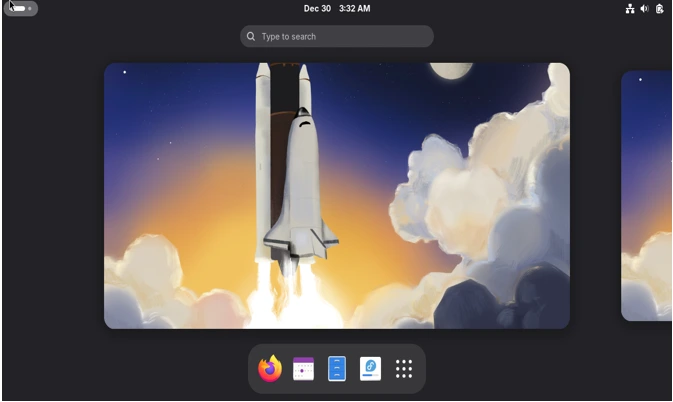
Current Version: Fedora 43 (released October 28, 2025)
GNOME Version: GNOME 49
Kernel: Linux 6.17
Fedora Workstation ships the latest GNOME release within weeks of upstream availability. Fedora 43 was the first major distribution to deliver GNOME 49 to users.
What Makes It Stand Out
Fedora removed X11 session support completely in version 43. Every user runs Wayland now. Legacy X11 applications still work through XWayland, but there’s no fallback session. This aggressive move demonstrates Fedora’s commitment to moving the Linux desktop forward, even when it causes short-term friction.
The distribution includes the Anaconda WebUI installer by default across all spins. It handles complex partitioning scenarios better than most alternatives, though the interface takes adjustment if you’re used to traditional installers.
Fedora ships vanilla GNOME with minimal modifications. What upstream delivers is what you get. This approach means new GNOME features work immediately without waiting for downstream customizations.
Where Fedora Falls Short
Six-month release cycles mean frequent upgrades. Fedora 43 launches in October; Fedora 44 arrives around April 2026. You’re upgrading twice yearly. Some users appreciate staying current. Others find it exhausting.
Support lasts approximately 13 months per release—enough to skip one version safely. Miss two releases, and you’re scrambling to catch up.
RPM package management sometimes lags behind AUR (Arch User Repository) for niche software. DNF works well for mainstream packages but feels slower than apt or pacman for daily updates.
Fedora targets developers and early adopters. Stability isn’t the primary goal—showcasing new technology is. Expect occasional rough edges after major releases. The first point release (typically 4-6 weeks after launch) usually smooths things out.
Who Should Choose Fedora
You want the latest GNOME features immediately. You’re comfortable with twice-yearly system upgrades. You value a vanilla GNOME experience without distribution-specific modifications.
You need cutting-edge development tools—Fedora ships recent GCC, Python, and LLVM versions quickly.
You’re running modern hardware. Fedora’s aggressive kernel updates and driver support benefit recent GPUs and CPUs more than five-year-old machines.
Ubuntu 25.10: Pragmatic GNOME with Polish
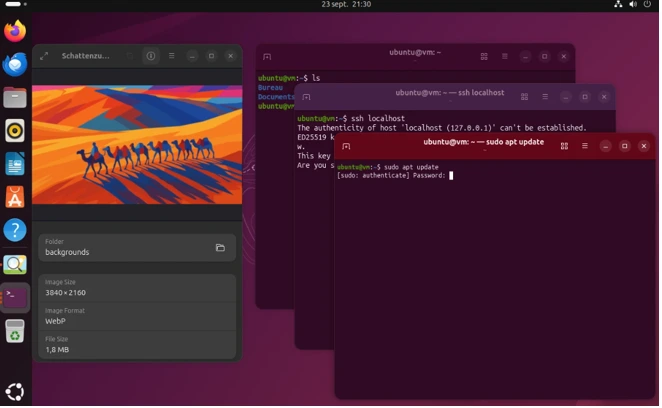
Current Version: Ubuntu 25.10 “Questing Quokka” (released October 9, 2025)
GNOME Version: GNOME 49
Kernel: Linux 6.17
Ubuntu 25.10 ships GNOME 49, matching Fedora’s latest release. The distribution removed X11 session support completely, joining Fedora in making Wayland the only option. Legacy X11 applications still work through XWayland, but there’s no fallback session anymore.
Canonical’s Modifications
Ubuntu maintains significant GNOME patches. The triple buffering improvements that landed in GNOME 48 originated from Canonical engineers. They’ve been shipping this performance enhancement for years before upstream adoption.
The desktop layout differs from vanilla GNOME. The dock remains visible on the left by default. The top bar includes a system tray. These modifications make Ubuntu feel more conventional than stock GNOME’s minimalist approach.
Ubuntu 25.10 introduces new default applications—Ptyxis terminal emulator replaces GNOME Terminal, and Loupe image viewer replaces Eye of GNOME. Both are modern, Rust-based applications with GPU acceleration and improved performance.
Ubuntu enables Flathub support but prioritizes Snap packages for many applications. Firefox ships as a Snap. This choice remains controversial—Snap startup times can frustrate users, though performance has improved.
Support and Stability
Ubuntu 25.10 isn’t an LTS release. It receives nine months of support until July 2026. For long-term stability, Ubuntu 24.04 LTS remains the better choice—it receives five years of standard support through 2029.
The release cycle creates an interesting dynamic. Power users who want newer GNOME run interim releases. Conservative users stick with LTS versions and accept older software.
Ubuntu’s massive user base means extensive documentation and community support. When something breaks, someone has likely encountered the issue and documented the fix.
Hardware Support Advantages
Ubuntu includes proprietary drivers in the installer more readily than Fedora. NVIDIA GPUs work out of the box. WiFi adapters with proprietary firmware rarely cause installation headaches.
The distribution ships with NVIDIA Dynamic Boost enabled by default, intelligently balancing power between CPU and GPU on laptops. Small touches like this demonstrate attention to real-world hardware scenarios.
Ubuntu 25.10 includes improved ARM64 support with Secure Boot working on Snapdragon laptops. As ARM desktop chips gain traction, this positioning could matter significantly. The release also introduces sudo-rs, a Rust-based sudo implementation, and Rust-based coreutils for improved memory safety.
Who Should Choose Ubuntu
You want polished GNOME without bleeding-edge instability. You’re comfortable with Snap packages or willing to configure alternatives. You value extensive hardware support and massive community resources.
You’re transitioning from Windows or macOS—Ubuntu’s modifications make GNOME more approachable for newcomers.
Debian 13 “Trixie”: The Stable Foundation
Current Version: Debian 13 “Trixie” (released August 9, 2025)
GNOME Version: GNOME 48
Kernel: Linux 6.12 LTS
Debian represents the conservative approach to Linux distribution development. Two years of development produced Debian 13, which ships GNOME 48—the same version Ubuntu 25.04 includes, but with fundamentally different philosophy.
Stability Over Newness
Debian testing branches freeze months before release. GNOME 48 entered testing in early 2025 and received extensive integration testing before Debian 13 launched. By August 2025, any significant bugs had been identified and resolved.
This methodical approach means Debian rarely surprises you with unexpected behavior. The system works predictably across upgrades. Software versions remain fixed between major releases except for critical security patches.
Debian 13 ships with Linux 6.12 LTS, supported through December 2026. The LTS kernel designation guarantees stability but means missing recent hardware improvements present in Linux 6.14 or 6.17.
APT 3.0 and Package Management
Debian 13 introduces APT 3.0 with improved parallel downloads and better dependency resolution. The package management system feels noticeably faster than previous releases.
The Debian repository contains approximately 70,000 packages—significantly larger than most distributions. Finding obscure software rarely requires third-party repositories or manual compilation.
Debian makes no assumptions about non-free software. The installer now includes firmware packages when hardware requires them, but the default installation remains entirely free software unless you explicitly choose otherwise.
Five-Year Support Cycle
Debian 13 receives updates until June 2030—five full years of support. Two years of full Debian support transitions to three years of Long Term Support covering security updates for essential packages.
This timeline suits servers and workstations requiring long-term stability. You can install Debian 13 in 2026 and not think about major upgrades until 2028 or later.
Point releases arrive periodically, incorporating bug fixes and security updates without changing software versions. Debian 13.1, 13.2, etc., maintain absolute compatibility while addressing issues discovered after initial release.
The Conservative Trade-off
Running year-old GNOME means missing recent features. Debian 13 users don’t have GNOME 49’s improved remote desktop or enhanced wellbeing tools. Applications in repositories often lag several versions behind upstream releases.
For cutting-edge development work or users who want the latest desktop features immediately, Debian feels outdated. For system administrators or users prioritizing reliability, it feels perfect.
Who Should Choose Debian
You value stability above all else. You’re running servers, development workstations, or machines where unexpected changes cause problems. You want minimal system administration overhead—set it up once and it works for years.
You prefer traditional package management over Flatpak/Snap solutions. You want complete control over proprietary software installation.
Pop!_OS 24.04: The COSMIC Wildcard
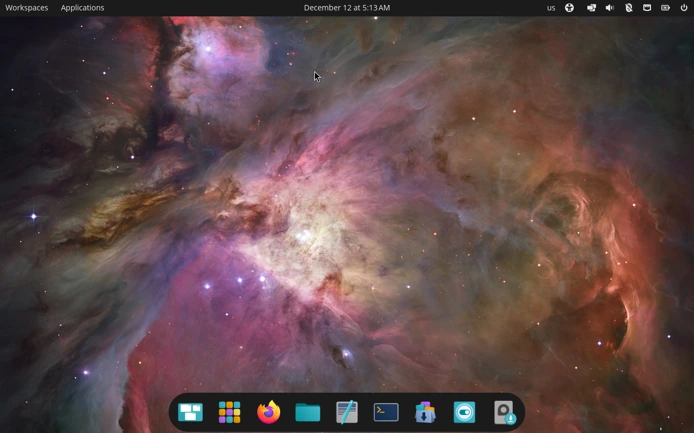
Current Version: Pop!_OS 24.04 LTS (released December 11, 2025)
Desktop: COSMIC Epoch 1 (Rust-based, GNOME-derived)
Kernel: Linux 6.17
Pop!_OS 24.04 represents the most significant shift on this list. System76 spent four years developing COSMIC—a completely new desktop environment written in Rust, replacing their heavily-modified GNOME setup.
Not Quite GNOME Anymore
COSMIC started as GNOME extensions and customizations. Pop!_OS 22.04 shipped modified GNOME Shell. Pop!_OS 24.04 abandons GNOME entirely for System76’s ground-up implementation.
The interface feels familiar to GNOME users. Panel layout, workspace management, and application organization follow GNOME conventions. Under the hood, everything changed.
Rust implementation promises better performance and memory safety compared to traditional C/GTK desktop environments. Early testing shows responsive performance, though COSMIC occasionally freezes on certain hardware configurations during intensive multitasking.
Customization and Tiling
COSMIC delivers extensive customization without extensions. Panel positioning, dock behavior, and desktop layout adjust through native settings. You can recreate Ubuntu’s layout, Windows-style taskbar, or minimal tiling workflow without installing third-party tools.
Tiling window management integrates into the base system. Drag windows to screen edges, and COSMIC suggests layouts. Power users get advanced tiling; casual users can ignore it entirely.
The theming system allows deep color customization while maintaining interface consistency. Organizations can create branded desktops without compromising readability or accessibility.
First-Release Reality Check
COSMIC Epoch 1 shipped in December 2025. It’s a version 1.0 product. Settings occasionally don’t apply immediately. The panel gets crowded easily. Vertical orientation works poorly compared to horizontal panels.
Third-party COSMIC apps are emerging, but the ecosystem remains small. You’re relying heavily on Flatpak applications for software availability.
System76 designed COSMIC for their hardware. Thelio desktops and Oryx laptops receive optimized configurations. Community hardware support exists but varies significantly.
Based on Ubuntu LTS
Despite the custom desktop, Pop!_OS 24.04 builds on Ubuntu 24.04 LTS repositories. You get five years of security updates for the base system. COSMIC itself receives continuous updates independent of Ubuntu’s release cycle.
This split between stable base and evolving desktop creates interesting dynamics. Core system components remain rock-solid while the desktop interface improves rapidly.
Who Should Choose Pop!_OS
You’re intrigued by COSMIC’s potential rather than demanding perfection today. You value tiling workflow options or extensive customization. You own System76 hardware or want to support their development efforts.
You’re comfortable with a first-generation product and willing to report bugs. You want a GNOME-like interface with fundamentally different technology underneath.
Zorin OS 18: Windows Refugee Welcome Center
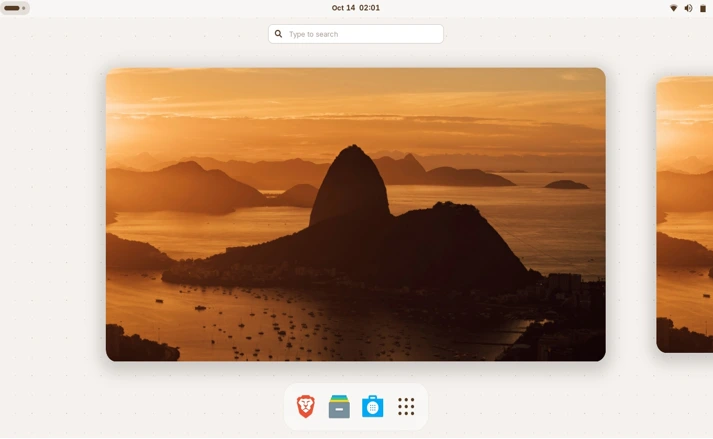
Current Version: Zorin OS 18 (released October 14, 2025)
GNOME Version: GNOME 46 (heavily modified)
Kernel: Linux 6.14
Zorin OS 18 launched the same day Windows 10 reached end-of-life—October 14, 2025. This timing wasn’t coincidental. Zorin positions itself explicitly as the Windows replacement.
Windows-Friendly Approach
Zorin’s GNOME customizations prioritize familiarity for Windows users. The default layout includes a taskbar, start menu equivalent, and system tray. Most Windows refugees find the interface immediately comprehensible.
The distribution detects Windows application installers and suggests Linux alternatives or Wine compatibility options. OneDrive integration works out of the box—unusual for Linux distributions. These small touches reduce friction for users abandoning Windows.
Zorin includes multiple desktop layouts. Switch between Windows 11-style, Windows 7 classic, macOS-inspired, or standard GNOME arrangements through settings. Most distributions require extensions or manual configuration for such flexibility.
The Commercial Model
Zorin offers free (Core) and paid (Pro) editions. Both run identical technology. Pro costs $48 and includes premium desktop layouts, additional preinstalled applications, and priority support.
The business model funds continuous development. Zorin doesn’t rely on corporate sponsors or donations—users directly support the project. Some find this reassuring; others prefer fully community-driven distributions.
Free users get the complete operating system with all essential functionality. Pro mostly adds convenience and polish rather than critical features.
Older GNOME Version
Zorin OS 18 ships GNOME 46, released in March 2024. You’re running GNOME from 18 months ago when compared to Fedora’s GNOME 49. Missing features include notification grouping, wellbeing tools, and HDR support.
Zorin prioritizes stability and Polish over cutting-edge features. The older GNOME base allows extensive customization without chasing upstream changes.
Long-Term Support
Zorin OS 18 receives updates through June 2029—nearly five years. The distribution follows Ubuntu’s LTS timeline while adding significant interface customization.
Major Zorin releases occur approximately every two years, typically 3-6 months after new Ubuntu LTS versions. This careful pacing means thoroughly tested releases rather than rushed updates.
Who Should Choose Zorin
You’re migrating from Windows and want familiar interfaces. You value polish and user-friendliness over the latest features. You don’t mind running year-old GNOME if the overall experience feels cohesive.
You’re willing to pay for Pro edition’s extras and want to support commercial Linux development.
Arch Linux: Rolling GNOME for Enthusiasts
Rolling Release: Always current
GNOME Version: Latest stable (GNOME 49 as of December 2025)
Kernel: Latest stable or LTS by choice
Arch Linux takes a fundamentally different approach than fixed-release distributions. No version numbers, no scheduled releases—just continuous updates.
Always Current
Arch repositories receive GNOME updates within days of upstream releases. Want GNOME 49 the week it launches? Arch delivers. No waiting for distribution release cycles or backports.
This bleeding-edge approach extends beyond GNOME. Applications, libraries, and system components update constantly. Your system never falls behind—or gets six months to stabilize before updates arrive.
The trade-off shows immediately: frequent updates mean more chances for something to break. Arch updates require attention. Read the news feed before major updates. Occasionally, manual intervention fixes conflicts.
Manual Configuration Required
Arch doesn’t ship with GNOME preinstalled. You install the base system, then add GNOME components manually. This process teaches Linux fundamentals but intimidates newcomers.
The installation flexibility means building exactly the system you want. Install minimal GNOME core components or the complete desktop environment with all accessories. Configure Wayland or X11. Choose GDM or alternative display managers.
This customization requires knowledge. Arch assumes you understand package dependencies, service management, and system configuration. The wiki documentation is excellent—you’ll need to read it.
The AUR Advantage
The Arch User Repository contains community-maintained build scripts for virtually any Linux software. Missing obscure application in official repositories? Someone packaged it for AUR.
AUR helpers like yay or paru make installing these packages trivial. This massive software availability compensates for Arch’s steep learning curve.
What You’re Giving Up
Arch breaks more often than Debian or Ubuntu LTS. Not constantly, but more frequently. Update at the wrong time, and your bootloader might need reconfiguration. Install conflicting packages, and dependency resolution fails spectacularly.
The community expects you to fix these issues yourself with wiki guidance. Support forums help, but they’re not hand-holding sessions. You troubleshoot problems; they provide direction.
This culture filters users. Those comfortable debugging system issues find Arch liberating. Those wanting appliance-like reliability choose differently.
Who Should Choose Arch
You want the absolute latest GNOME with no delays. You’re comfortable with command-line system management and manual configuration. You value the learning experience and don’t mind occasional troubleshooting.
You want granular control over every system component. You need software available in AUR that other distributions don’t package.
Other GNOME Distros Worth Mentioning
Several other distributions ship GNOME desktop environments. Here’s why they didn’t make the main list, though they remain viable options for specific situations.
Manjaro GNOME offers Arch-based rolling releases with easier installation than vanilla Arch. The distribution delays Arch updates by 1-2 weeks for stability testing. This approach creates an awkward middle ground—you’re not getting cutting-edge Arch immediacy, but you’re also not getting Debian-level stability. Manjaro also ships its own themes and tweaks that sometimes conflict with upstream GNOME updates. If you want Arch, install Arch. If you want stability, choose Debian or Ubuntu LTS.
openSUSE Leap and Tumbleweed both offer GNOME editions. Tumbleweed provides rolling releases similar to Arch but with more conservative testing. Leap follows fixed releases similar to Fedora but with longer cycles. The YaST configuration tool is powerful but adds complexity. openSUSE serves enterprise environments well, but for desktop users, Fedora or Ubuntu typically provide better experiences with less administrative overhead.
Solus GNOME ships as one of several desktop options from this independent distribution. Solus uses eopkg package management—a custom system with smaller repositories than mainstream distributions. The project’s small team means updates sometimes lag mainstream packages. Solus works well if you want something different, but limited software availability and small community size create friction for everyday use.
Vanilla OS represents an experimental approach using immutable system design with GNOME. The distribution attempts hybrid point-release and rolling-release models simultaneously. Version 2.0 switched from Ubuntu to Debian base, causing significant migration issues. The project shows promise but remains too unstable for production use in 2026. Watch this space for future development.
CentOS Stream technically offers GNOME, but it targets enterprise server deployments rather than desktop users. After Red Hat’s CentOS changes, most desktop users migrated to Rocky Linux or AlmaLinux—both of which prioritize server use cases over desktop polish.
These distributions all function. None are inherently bad choices. They simply optimize for different priorities or serve narrower use cases than the six distributions covered in detail. Test them if their specific advantages align with your needs, but understand their limitations compared to mainstream options.
🧭 Making the Choice
The best GNOME distro depends entirely on your priorities and tolerance for trade-offs.
- Choose Fedora if you want vanilla GNOME at the leading edge. Accept twice-yearly upgrades and occasional instability for the latest features immediately.
- Choose Ubuntu if you want polished GNOME with excellent hardware support. Accept distribution modifications and Snap packages for mainstream reliability.
- Choose Debian if stability matters more than newness. Accept year-old GNOME for predictable five-year support and minimal administration.
- Choose Pop!_OS if COSMIC’s potential excites you more than GNOME’s maturity. Accept first-version quirks for innovative tiling and Rust-based architecture.
- Choose Zorin if you’re abandoning Windows and want familiar layouts. Accept older GNOME for refined interface and hand-holding during transition.
- Choose Arch if you want the latest everything and enjoy system configuration. Accept manual setup and occasional troubleshooting for complete control and bleeding-edge software.
None of these distributions are objectively “best.” They optimize for different use cases. Match your priorities to the distribution’s strengths, and you’ll be satisfied. Mismatch them, and you’ll constantly fight the system’s design philosophy.
Additional Considerations Beyond the Distribution
Hardware Matters
GNOME runs acceptably on 4GB RAM but prefers 8GB or more. GNOME Shell uses more memory than lightweight alternatives like XFCE or LXQt. Don’t choose GNOME for ancient hardware—select a distribution with lighter desktop options.
AMD and Intel graphics work excellently with GNOME on Wayland. NVIDIA still causes occasional issues despite improved drivers. If you’re running NVIDIA GPUs, test your chosen distribution thoroughly before committing.
Wayland Status in 2026
Wayland matured significantly in 2025. GNOME 48 and 49 fixed numerous Wayland-specific issues. Most users should run Wayland now—it delivers better performance and security than X11.
Edge cases remain. Some screen sharing applications, certain remote desktop tools, and niche workflow tools still work better on X11. Know your requirements before defaulting to Wayland.
Flatpak and Universal Packages
All distributions covered support Flatpak. Universal package formats reduce distribution-specific dependency issues. Applications ship recent versions regardless of your distro’s repository age.
The trade-off involves disk space (Flatpaks include dependencies) and potential integration issues. Some GNOME theme customizations don’t apply correctly to Flatpak apps.
Enable Flathub regardless of your chosen distribution. It dramatically expands software availability, especially for distributions with smaller repositories.
Conclusion: There Are No Wrong Choices
GNOME evolved substantially in 2025. The desktop environment matured with practical features—HDR support, performance improvements, better notifications—rather than dramatic reimagining.
Every distribution listed delivers working GNOME. The differences lie in release philosophy, support timeframe, and customization approach. Your choice matters less than understanding what you’re choosing.
Test live USBs before installing. Run distributions in virtual machines. Most Linux users try several distributions before finding their preference—that’s expected, not failure.
The best Linux distribution with GNOME in 2026 is the one matching your workflow, hardware, and tolerance for system administration. Choose based on honest assessment of your needs rather than community popularity contests. GNOME works well across all these distributions. Pick the packaging that suits your situation
Disclaimer
This guide reflects testing and research conducted in late 2025. Linux distributions evolve rapidly—version numbers, features, and release dates change frequently. Always verify current information on official project websites before making installation decisions. Hardware compatibility varies by machine; test distributions via live USB before committing to full installations. The author has no financial relationships with any distributions or projects mentioned.
Frequently Asked Questions
Which GNOME distro is fastest for older hardware?
None of these are ideal for truly old hardware—GNOME itself requires decent resources. That said, Debian 13 and Ubuntu 25.04 work reasonably well on machines with 8GB RAM and integrated graphics from 2015 or newer. For hardware older than that, consider lighter desktop environments like XFCE or LXQt instead of GNOME, regardless of distribution.
Can I switch from one GNOME distro to another without reinstalling?
Not reliably. While your personal files transfer easily, system configurations, package managers, and dependencies differ significantly between distributions. Switching from Ubuntu to Fedora or Debian to Arch requires fresh installation. Budget 2-3 hours for clean installation and setup rather than attempting in-place conversion.
Do I need the latest GNOME version, or is older fine?
Depends on your needs. GNOME 49’s HDR support matters if you have compatible displays; older versions lack this entirely. Notification grouping in GNOME 48 significantly improves daily usability. For basic productivity—web browsing, documents, email—GNOME 46 works perfectly fine. Don’t chase version numbers unless specific features solve actual problems you’re experiencing.
Why isn’t Pop!_OS running GNOME anymore?
System76 spent four years building COSMIC as a GNOME replacement. They wanted deeper customization, better tiling, and Rust-based architecture for improved performance and security. COSMIC feels familiar to GNOME users but represents completely different technology underneath. Pop!_OS 22.04 was their last true GNOME release.
Should I worry about Wayland compatibility in 2026?
Not for most users. Wayland matured significantly through 2025. GNOME runs Wayland by default across all distributions listed, and most applications work flawlessly. Screen sharing, some remote desktop tools, and certain niche workflows still occasionally need X11 fallback sessions. Test your specific applications, but assume Wayland works unless you have known compatibility requirements.
Also Read
Linux Review 2025: The Year Everything Changed!