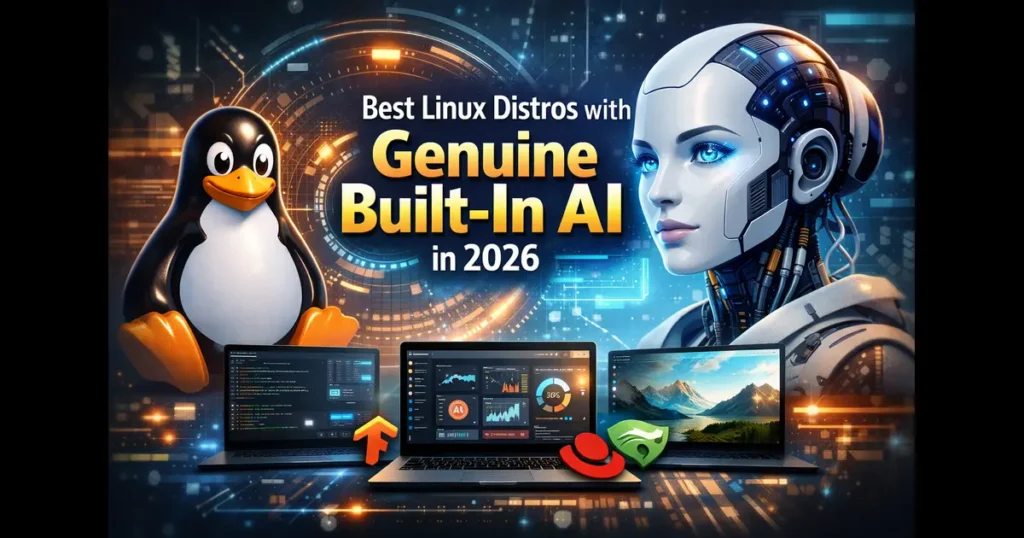
The integration of artificial intelligence into desktop and server operating systems represents one of the most significant shifts in computing architecture since the rise of graphical user interfaces. While numerous Linux distributions now offer AI frameworks through repository packages or post-installation tooling, only a handful ship with AI capabilities genuinely integrated into the operating system experience as of January 2026.
This article examines the best Linux distros with genuine built-in AI currently available, focusing exclusively on distributions that deliver AI functionality as a first-class, preinstalled component rather than an optional add-on. For system administrators evaluating AI-capable infrastructure, developers seeking integrated machine learning environments, or Linux users curious about AI-enhanced workflows, understanding which distributions offer true native AI integration remains essential.
The landscape has evolved rapidly. Enterprise distributions have introduced AI-focused variants of established distributions, while community-driven projects have embedded AI assistants directly into desktop environments. Each approach presents distinct advantages for different use cases, from edge computing to enterprise workloads.
Methodology
For inclusion in this analysis, distributions must meet specific criteria that distinguish genuine AI integration from distributions that merely package AI tools in their repositories. The requirements are:
Primary requirement: The distribution must ship with AI functionality integrated into the base operating system experience or provide a first-party AI subsystem that installs by default or through an officially supported installation path. This excludes distributions where users must manually install AI frameworks from standard repositories.
Verification standard: All claims about features, capabilities, and release status are verified against official documentation, product pages, or recognized industry coverage published by established technology media outlets. This article cites sources inline following factual statements.
Currency: Information reflects the state of each distribution as of January 2026, based on the most recent stable releases or official announcements available at the time of writing.
Scope: This article examines four distributions that meet these criteria: MakuluLinux (with its AI-enhanced desktop features), Gnoppix AI Linux (purpose-built for AI workflows), Red Hat Enterprise Linux AI (RHEL AI, the enterprise AI platform), and Deepin/UOS AI (the Chinese desktop distribution with integrated AI assistant).
MakuluLinux: AI-Enhanced Desktop Experience
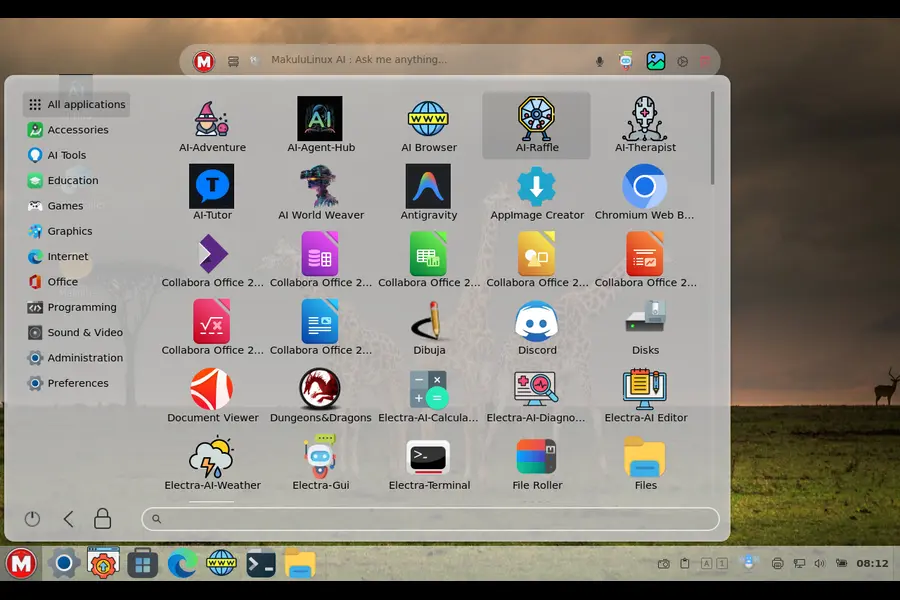
MakuluLinux represents one of the earliest desktop-focused Linux distributions to integrate AI features directly into the user experience. Developed by Jacque Raymer and the MakuluLinux team, this South African distribution began incorporating AI-driven elements into its desktop environment several years before the current wave of AI integration became mainstream.
History and Evolution of AI Integration
MakuluLinux introduced AI-enhanced features progressively across its major releases. The distribution’s AI integration focuses primarily on desktop usability enhancements rather than development frameworks, distinguishing it from more developer-centric AI distributions. The core AI functionality centers on an intelligent assistant that provides context-aware help, system optimization, and predictive user interface adaptations.
The distribution builds on Debian foundations while adding proprietary AI components developed by the MakuluLinux team. According to the project’s official website, the AI features evolved from simpler automation scripts into more sophisticated machine learning models that adapt to individual user behavior patterns over multiple release cycles.
Built-In AI Features
MakuluLinux ships with several AI-integrated components as of its January 2026 stable release:
AI Assistant: The primary AI feature is an integrated assistant accessible system-wide that responds to natural language queries about system configuration, software installation, and troubleshooting. Unlike bolt-on chatbots, this assistant hooks into system APIs to execute commands and modify configurations based on user requests.
Predictive Interface: The desktop environment includes AI-driven predictions for application launching, with the system learning which applications users typically open at specific times or in particular contexts. This feature operates locally without requiring cloud connectivity.
Intelligent Resource Management: Background AI processes monitor system resource usage patterns and automatically adjust priority settings, swap usage, and background service behavior to optimize performance for the user’s typical workflow.
Visual Recognition: Recent versions include basic image analysis capabilities integrated into the file manager, allowing users to search files by visual content rather than only filenames or metadata.
All these features function offline after initial setup, with the AI models trained and executed locally on the user’s hardware. The distribution’s documentation emphasizes privacy-conscious design, with no telemetry sent to external servers during normal AI operations.
Privacy and Offline Capability
MakuluLinux positions its AI implementation as privacy-respecting and edge-capable. The AI models run entirely on local hardware, and according to the project’s privacy documentation, no usage data leaves the local system unless users explicitly enable optional cloud backup features unrelated to the AI functionality.
The offline capability means users can access AI features on air-gapped systems or in environments without reliable internet connectivity. Model updates arrive through standard system updates, and the distribution includes multiple model sizes to accommodate different hardware capabilities, from resource-constrained laptops to high-performance workstations.
Target Users and Official Status
MakuluLinux targets desktop users seeking an enhanced, AI-assisted Linux experience without the complexity of configuring AI frameworks manually. The distribution appeals particularly to users transitioning from other operating systems who expect intelligent assistance features, as well as to Linux enthusiasts interested in exploring practical AI integration.
As of January 2026, MakuluLinux maintains active development with regular stable releases. The distribution offers multiple desktop environment variants, with AI features integrated across all editions. The project operates as a community-driven effort with some commercial support through consulting services offered by the development team.
Gnoppix AI Linux: Purpose-Built for AI Workflows
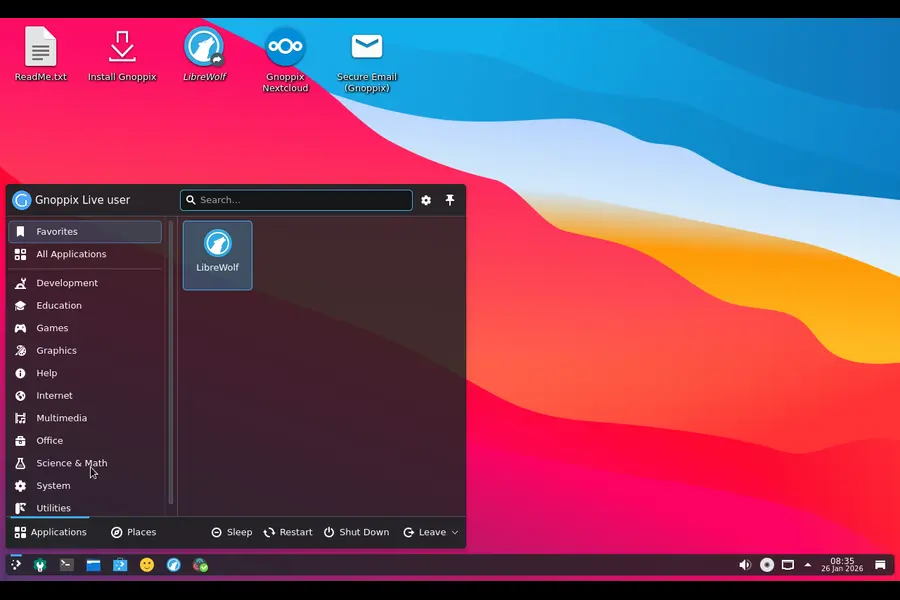
Gnoppix AI Linux takes a fundamentally different approach than general-purpose distributions with AI enhancements. This specialized distribution ships as a complete AI development and deployment environment, with every component selected to support machine learning workflows from data preparation through model deployment.
Background and Development
Gnoppix AI Linux emerged from the need for a turnkey AI development environment that eliminates the configuration burden typically associated with setting up machine learning toolchains. While many distributions offer AI packages through repositories, Gnoppix AI preintegrates these components with tested configurations, optimized settings, and unified workflow tools.
The distribution builds on a stable Linux base and incorporates both popular open-source AI frameworks and custom integration tools developed specifically for the Gnoppix AI environment. The project maintains detailed documentation for its AI stack configuration and provides preset environments for common AI development scenarios.
Integrated AI Components
Gnoppix AI Linux ships with a comprehensive AI software stack preinstalled and preconfigured:
Machine Learning Frameworks: Multiple frameworks including TensorFlow, PyTorch, and JAX come preinstalled with GPU acceleration configured for supported hardware. The distribution includes version-managed environments allowing users to work with different framework versions simultaneously.
Data Science Environment: Jupyter notebooks, development IDEs configured for Python and R, and data manipulation libraries integrate into the default installation. These components connect to the AI frameworks through optimized pathways that reduce configuration overhead.
Model Management Tools: The distribution includes MLflow and similar model versioning and deployment tools as first-class components rather than optional packages. These integrate with the desktop environment’s file manager and workflow tools.
AI Application Suite: Gnoppix AI bundles several ready-to-use AI applications for common tasks like image generation, natural language processing, and computer vision inference. These applications serve both as productivity tools and as reference implementations for developers.
The distribution’s AI integration extends to system-level optimization, with kernel parameters tuned for machine learning workloads and system services configured to prioritize AI processing tasks appropriately.
Deployment Modes and Hardware Support
Gnoppix AI supports both desktop development workstations and headless server deployments. The distribution includes specific installation profiles for different AI use cases, from single-user data science workstations to multi-user GPU clusters.
Hardware support emphasizes compatibility with AI accelerators. The distribution ships with drivers and runtime libraries for NVIDIA GPUs, AMD ROCm-compatible hardware, and Intel AI acceleration technologies. According to the project documentation, first-boot setup includes hardware detection that automatically configures available accelerators.
For edge deployment, Gnoppix AI offers lightweight variants optimized for inference rather than training. These variants reduce the installed package set while maintaining compatibility with models trained on the full development distribution.
Target Audience and Release Status
Gnoppix AI targets data scientists, machine learning engineers, and AI researchers who want a standardized, reproducible AI development environment without manual configuration. The distribution also serves organizations deploying AI applications at scale, as its standardized stack simplifies deployment across multiple systems.
The project maintains regular release cycles synchronized with major updates to its included AI frameworks. As of January 2026, Gnoppix AI continues active development with stable releases available for download. The distribution offers both free community editions and commercially supported enterprise variants with extended support lifecycles.
Red Hat Enterprise Linux AI (RHEL AI): Enterprise AI Platform
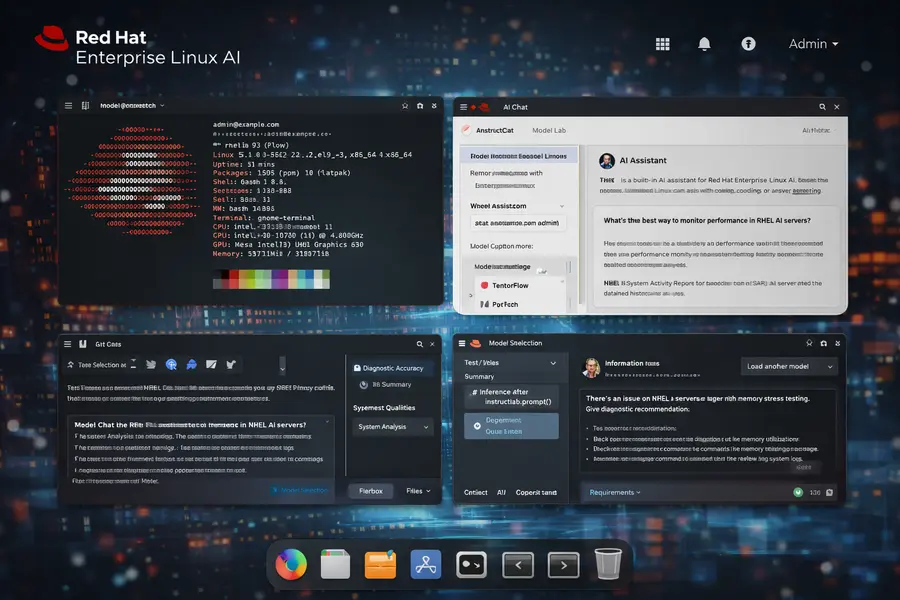
Red Hat Enterprise Linux AI represents the enterprise segment’s most significant entry into integrated AI distributions. Announced and launched by Red Hat as a distinct product offering, RHEL AI delivers an enterprise-grade AI platform built on the proven RHEL foundation with comprehensive support, certification, and lifecycle guarantees.
Enterprise AI Strategy and Launch
Red Hat introduced RHEL AI as a purpose-built platform for enterprise AI workloads, addressing the specific requirements of organizations deploying AI at production scale. Unlike community distributions, RHEL AI includes enterprise support agreements, security certifications, and long-term maintenance commitments aligned with enterprise IT standards.
The platform emerged from Red Hat’s acquisition and integration of AI-focused technologies, combined with the company’s existing container and Kubernetes expertise. RHEL AI integrates Red Hat’s InstructLab technology for model training and tuning, alongside the broader AI development and deployment toolchain.
According to Red Hat’s official product announcements, RHEL AI launched in 2024 with general availability expanding through 2025 and into 2026. The platform targets enterprise customers running production AI workloads who require support, compliance documentation, and predictable update cycles.
Core AI Capabilities
RHEL AI ships with several integrated components that distinguish it from standard RHEL:
InstructLab Integration: The distribution includes Red Hat’s InstructLab framework as a core component for model development and tuning. InstructLab enables organizations to customize and align large language models using synthetic data generation and skill-based training methodologies. This technology integrates with the platform’s development tools and deployment pipelines.
Model Serving Infrastructure: RHEL AI includes production-ready model serving capabilities with container-based deployment, load balancing, and monitoring preconfigured. The platform supports multiple inference servers and provides unified APIs for model access across different frameworks.
Enterprise AI Development Environment: The distribution bundles enterprise-licensed development tools, validated AI frameworks, and tested library versions that have undergone Red Hat’s quality assurance and security review processes. These components receive the same support and lifecycle management as other RHEL packages.
Hardware Abstraction and Optimization: RHEL AI includes optimized libraries and runtimes for various AI accelerators, with Red Hat validating and certifying specific hardware configurations. This reduces the compatibility testing burden for enterprise deployments.
The platform emphasizes reproducibility and governance, with all components versioned and maintained through Red Hat’s enterprise software lifecycle management processes.
Deployment Architecture
RHEL AI supports multiple deployment patterns suited to enterprise environments:
Hybrid Cloud Deployment: The platform integrates with Red Hat OpenShift for Kubernetes-based AI workload orchestration across on-premises and cloud environments. This enables unified management of AI infrastructure regardless of physical location.
Edge AI Capabilities: RHEL AI includes lightweight runtime components for edge inference, allowing organizations to deploy models trained on centralized infrastructure to distributed edge locations. These edge deployments maintain compatibility with the centralized platform while operating in resource-constrained or disconnected environments.
Compliance and Security: The distribution includes security hardening configurations, compliance documentation for various regulatory frameworks, and integration with enterprise identity management and audit systems. These features address requirements common in regulated industries deploying AI.
Target Market and Support Model
RHEL AI targets enterprise IT organizations across industries including financial services, healthcare, telecommunications, and manufacturing. The platform addresses use cases from customer service automation to predictive maintenance and risk analysis.
Red Hat provides the platform through subscription licensing that includes technical support, security updates, and lifecycle guarantees. According to Red Hat’s product documentation, RHEL AI receives similar support commitments to standard RHEL, with defined support periods and update schedules.
As of January 2026, RHEL AI is generally available with multiple minor releases addressing bugs and adding capabilities. Red Hat continues expanding the platform’s capabilities and certified hardware support in response to enterprise customer requirements.
Deepin/UOS AI: Chinese Desktop with Integrated AI Assistant
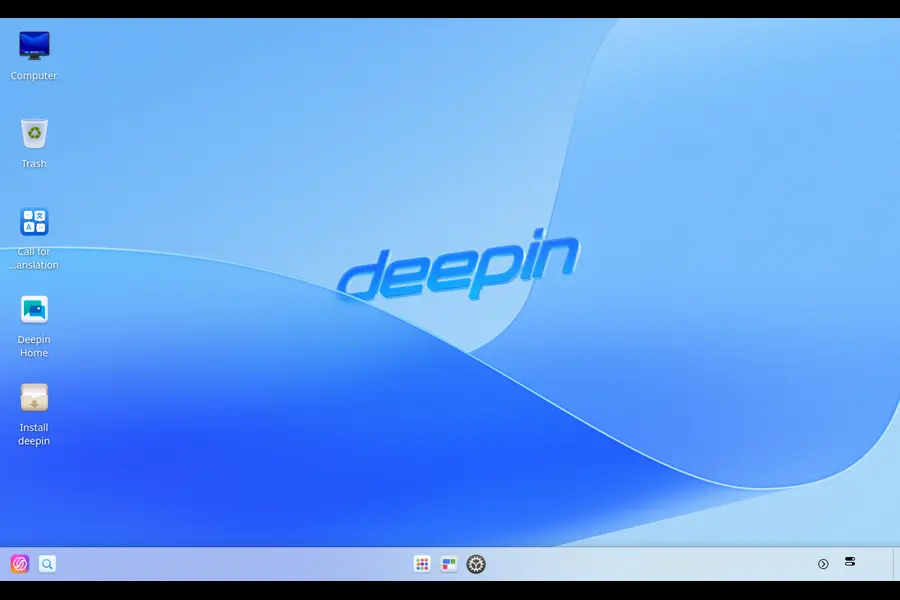
Deepin Linux and its commercial counterpart UnionTech OS (UOS) represent China’s most prominent desktop Linux distribution family. Both distributions have integrated AI capabilities directly into their desktop environment, making AI assistance a standard feature of the user experience rather than an optional component.
Development Background
Deepin originated as a Debian-based distribution focused on user experience, particularly for users in China and other Asian markets. UnionTech OS evolved from Deepin as a commercially supported variant targeting government and enterprise deployments, particularly as part of China’s technology independence initiatives.
The integration of AI into Deepin/UOS aligns with broader Chinese technology industry trends emphasizing AI capabilities across consumer and enterprise products. The distributions’ AI features focus primarily on desktop user assistance, natural language interaction, and productivity enhancement rather than development frameworks.
Both Deepin and UOS share core technology and AI integration, with UOS receiving additional enterprise features, support, and certification for government use. The AI components integrate with the distributions’ custom desktop environment (Deepin Desktop Environment/DDE) at a fundamental level.
Integrated AI Features
The Deepin/UOS AI integration includes several user-facing capabilities:
AI Voice Assistant: The distributions include a voice-activated assistant integrated into the desktop environment that responds to spoken commands in multiple languages including Chinese, English, and other major languages. This assistant can execute system commands, search files, launch applications, and answer informational queries.
Intelligent Desktop Interactions: The desktop environment includes AI-driven features like smart file organization suggestions, automatic photo categorization in the file manager, and predictive text input that learns from user writing patterns. These features operate continuously as part of the desktop experience.
Document Analysis and Search: The integrated file search includes AI-powered semantic search capabilities that understand query intent rather than just matching keywords. The system can search document content, identify topics, and surface relevant files based on context.
Translation and Language Tools: Built-in AI translation capabilities integrate with the desktop environment’s text selection and clipboard functionality, allowing users to translate selected text between languages without external applications. This feature supports multiple language pairs and operates with both online and offline models depending on configuration.
The AI capabilities leverage both local processing and cloud services depending on the specific feature and user configuration. According to UnionTech’s documentation, users can configure privacy settings to limit cloud interactions and rely more heavily on local processing for privacy-sensitive environments.
Privacy and Data Handling
The privacy model for Deepin/UOS AI varies based on configuration and specific features:
Cloud Integration: By default, some AI features utilize cloud services operated by UnionTech or partner providers. Voice recognition and advanced natural language understanding typically leverage cloud processing for optimal accuracy, particularly for Chinese language support.
Local Processing Options: The distributions include configuration options to enable local-only processing for users prioritizing privacy. This reduces functionality for some features but eliminates cloud data transmission for AI operations. The documentation specifies which features require cloud connectivity and which operate fully offline.
Data Residency: For UOS deployments in government and sensitive enterprise environments, UnionTech offers configurations that ensure data processing occurs within specified geographic boundaries or entirely on-premises. This addresses regulatory requirements common in Chinese government IT procurement.
Target Users and Distribution Status
Deepin targets general desktop Linux users, particularly in Asian markets, seeking a polished user experience with modern features including AI assistance. The distribution enjoys significant popularity in China and has growing international adoption.
UOS focuses on enterprise and government deployments within China, serving as a strategic component of technology independence initiatives. The distribution receives commercial support from UnionTech with defined support agreements and certification for government use.
As of January 2026, both Deepin and UOS maintain active development with regular releases. Deepin follows a community-driven model with commercial backing from UnionTech, while UOS operates as a purely commercial product with enterprise support commitments.
The AI features continue evolving across releases, with UnionTech regularly announcing enhancements to the AI assistant capabilities, language support, and integration depth within the desktop environment.
Comparison Table: Linux Distributions with Built-In AI (2026)
| Linux Distro | Built-in AI Component | Primary Use Cases | Offline (Edge) AI | License / Target Audience | Latest Stable Release (Jan 2026) |
|---|---|---|---|---|---|
| MakuluLinux | Integrated AI Assistant, Predictive Desktop | Desktop productivity, smart user assistance, intelligent system management | ✅ Yes | Free (Community-supported) Desktop users & Linux enthusiasts |
Rolling releases based on Debian Stable |
| Gnoppix AI Linux | Pre-integrated TensorFlow, PyTorch, MLflow, AI tools | AI/ML development, data science, model training & deployment | ✅ Yes | Free Community Edition / Commercial Enterprise Edition Data scientists & ML engineers |
Regular releases aligned with major AI framework updates |
| Red Hat Enterprise Linux AI (RHEL AI) | InstructLab, Enterprise Model Serving Stack | Production AI workloads, enterprise model deployment at scale | ✅ Yes | Commercial Subscription Enterprise IT & DevOps teams |
Generally Available with RHEL lifecycle-based minor releases |
| Deepin / UOS AI | AI Voice Assistant, Semantic Search, Translation Tools | Desktop productivity, multilingual workflows, smart UI assistance | ⚠️ Partial | Deepin: Free / UOS: Commercial Consumers, Government & Enterprises |
Active development; Deepin community releases & UOS LTS versions |
Who Should Consider These Distributions
Selecting the appropriate AI-integrated Linux distribution depends on specific use cases and requirements:
Desktop users seeking AI-enhanced productivity should evaluate MakuluLinux for privacy-focused offline operation or Deepin/UOS for cloud-assisted features with strong multilingual support.
AI developers and data scientists will find Gnoppix AI Linux most aligned with their needs, eliminating configuration burden and providing a standardized, reproducible development environment with preconfigured frameworks.
Enterprise IT organizations deploying production AI workloads should evaluate RHEL AI for enterprise support, compliance certifications, and lifecycle management with vendor accountability and validated configurations.
Government and regulated industry deployments particularly in Chinese markets should consider UOS for its certifications and alignment with technology independence initiatives, while organizations outside China with similar requirements might prefer RHEL AI.
Hardware compatibility also matters—GPU-intensive workloads benefit from Gnoppix AI’s preconfigured acceleration support, while edge deployments may favor RHEL AI’s validated edge configurations or MakuluLinux’s lightweight local processing.
Conclusion
The landscape of Linux distributions with genuine built-in AI has matured significantly as of January 2026. MakuluLinux delivers privacy-conscious AI enhancement for desktop users, Gnoppix AI Linux provides comprehensive AI development environments, Red Hat Enterprise Linux AI addresses enterprise production requirements, and Deepin/UOS AI integrates AI assistance into the desktop experience with strong multilingual support.
Each distribution takes a distinct approach—from MakuluLinux’s local-first privacy model to RHEL AI’s enterprise validation, from Gnoppix AI’s development focus to Deepin/UOS’s user-facing features. The common thread is their treatment of AI as a first-class component rather than an afterthought, integrating capabilities into their core value proposition through desktop environments, preconfigured toolchains, or enterprise ecosystems.
As AI capabilities continue evolving, users should monitor official announcements, verify current capabilities against documented sources, and test distributions in their specific environments before production deployment.
Disclaimer
This article reflects the state of Linux distributions with built-in AI as of January 2026 based on publicly available official documentation and announcements. AI capabilities, features, and licensing terms evolve rapidly. Readers should verify current specifications, supported features, and licensing requirements directly with distribution website before making deployment decisions. The author and publisher make no representations about the future direction, feature availability, or support commitments of any distribution discussed in this article. Official documentation and support channels remain the authoritative sources for current information.
Continue Your Linux Journey
Exploring Linux distros with genuine built-in AI often leads to bigger questions—software compatibility, distro choice, and long-term ecosystem stability. These hand-picked guides will help you go deeper and make smarter Linux decisions:
-
🧩
Turning Linux into a Windows App Machine with Wine
Run Windows apps on Linux using Wine, Proton, and compatibility layers—without dual-booting. -
⚖️
EndeavourOS vs Manjaro: The Honest Comparison
A real-world comparison of two popular Arch-based Linux distros for performance and stability. -
🏛️
Community vs Corporate Linux Distributions
Learn how community-driven and enterprise-backed Linux distros differ in freedom, updates, and support.