
If you’ve been keeping an eye on the Linux world lately, here’s the news you’ve been waiting for — Fedora Linux 44 Beta is here, and it’s loaded with changes that developers, power users, and casual Linux fans alike will find genuinely exciting. The Fedora Project officially dropped the beta on March 10, 2026, opening the doors for the community to dive in, test things out, and help shape what becomes one of the most influential Linux releases of the year.
Fedora has always held a special place in the Linux ecosystem. It’s the upstream playground for Red Hat Enterprise Linux, which means the decisions made here today often trickle into enterprise infrastructure tomorrow. So when Fedora ships something new, it matters — not just for the enthusiast community, but for the broader Linux world.
Let’s break down everything that’s in this beta, why it matters, and whether you should be installing it right now.
What’s New in Fedora Linux 44 Beta?

Before we get into specifics, let’s talk about the headline items that make F44 stand out from its predecessor.
Fedora Linux 44 Beta ships powered by the Linux 6.19 kernel series, features the soon-to-be-released GNOME 50 desktop environment for Fedora Workstation, and includes KDE Plasma 6.6 for the Fedora KDE Plasma Desktop edition. Those are three massive components landing in a single release cycle, and each one on its own would be enough to generate buzz.
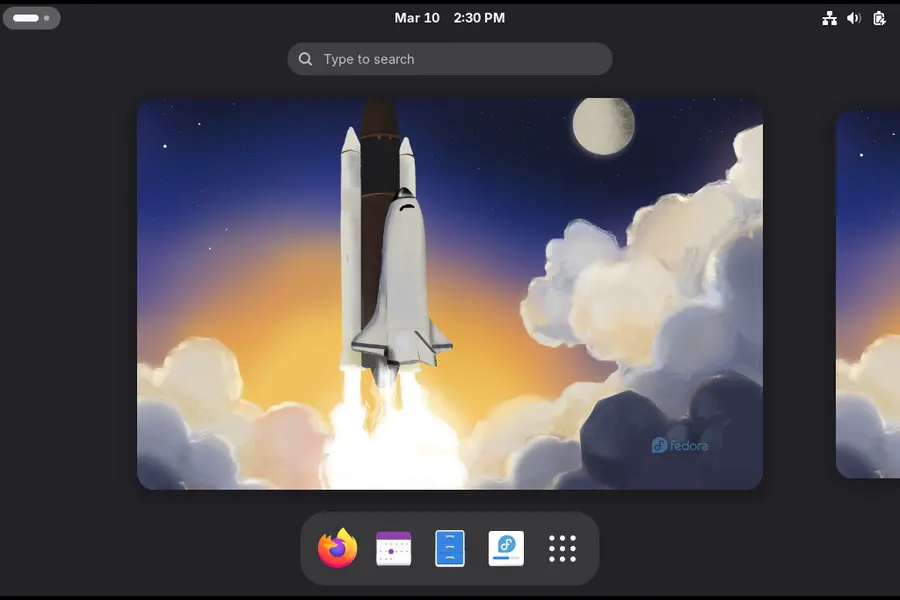
The final release? Expected sometime in mid or late April 2026.
Desktop Environment Changes: GNOME 50 and KDE Plasma 6.6
GNOME 50 is probably the most talked-about component here. It’s a milestone version — the kind of release number that comes with raised expectations. Without going into every upstream detail, GNOME 50 brings refinements to the Wayland compositing path that improve responsiveness on modern hardware. If you’re running a recent NVIDIA or AMD GPU, you should notice smoother behavior across the board.
That said, there’s a known edge case worth mentioning. A recent patch in GNOME 50 can cause a black screen on older GPUs, and this is one of the specific issues the QA team is actively hunting during the beta cycle. If you’re on older hardware — say, a GTX 900-series or a Polaris-era AMD card — proceed with a bit of caution and report what you find.
For KDE users, Plasma 6.6 arrives alongside a notable login manager change. Plasma Login Manager (PLM) replaces SDDM as the default login manager on all Fedora KDE variants. This was approved by the Fedora Engineering and Steering Committee earlier this year and represents a long-term alignment with the Plasma ecosystem’s own direction. SDDM isn’t gone — it’s just no longer the default, and PLM should feel more cohesive with the rest of the Plasma desktop.
There’s also a quality-of-life improvement that KDE users in particular will appreciate. A post-install Plasma Setup application is being introduced for all Fedora KDE variants, and Anaconda’s configuration is being adjusted to disable redundant configuration stages that duplicate what the new setup app already handles. In plain terms, this means your first-boot experience on the KDE spin is going to feel a lot less repetitive and more polished.
The Anaconda Installer Gets Smarter
One complaint that’s followed Fedora users for years has been network profile clutter after a fresh install. You’d finish setting things up, only to find device profiles for network adapters you never touched during the installation. Debugging this later was genuinely annoying.
F44 addresses this directly. The change to Anaconda’s network profile behavior means only devices configured during installation — whether through boot options, kickstart, or the interactive UI — will become part of the final installed system. It’s a small-sounding change on paper, but for anyone who manages multiple machines or does frequent reinstalls, this will save real time.
ARM and Windows on ARM: Big Steps Forward
This is one area of Fedora 44 that deserves more attention than it typically gets. The ARM64 improvements in this release are significant, especially with Snapdragon-powered Windows on ARM laptops gaining traction in the US market.
Fedora 44 introduces automatic DTB selection for aarch64 EFI systems, with the specific goal of making Fedora Live ISO images work out of the box on Windows on ARM laptops. If you’ve tried running Linux on a Snapdragon laptop before, you know how much friction there typically is. This change aims to eliminate much of that at the boot level.
The live media experience itself is also being modernized. F44 switches to new live environment setup scripts from livesys-scripts and uses new dracut functionality to automatically enable persistent overlays when the ISO is flashed to a USB stick. In practice, this means your USB live environment can preserve changes between sessions without any extra setup — a genuinely useful feature for people who use Fedora live from USB regularly.
Developer Toolchain: A Serious Upgrade Cycle
If you write code on Fedora — and a lot of people do — this section is for you.
GNU Toolchain: Fedora 44 updates the GNU Toolchain to GCC 16.1, binutils 2.46, glibc 2.43, and GDB 16.3. GCC 16 is a major compiler release, and having it land in Fedora 44 keeps the distribution at the cutting edge of what Linux developers expect from a modern build environment.
Ruby 4.0: Fedora 44 ships with Ruby 4.0, a major upgrade from Ruby 3.4 in Fedora 43, making Fedora the superior Ruby development platform. Ruby 4.0 brings meaningful performance improvements and language-level changes that the Rails community in particular has been anticipating.
Go 1.26: Go is being updated to version 1.26 in Fedora 44. For Go developers, staying close to the upstream release means security patches and new language features land faster.
Django 6.x: Fedora 44 ships with Django 6, though users who rely on Django add-ons not yet compatible with 6.0 can switch to the python3-django5 package. The dual-package approach is thoughtful — you get the latest by default, but you’re not left stranded if your tooling hasn’t caught up.
CMake 4.2: The CMake update from 3.31 to 4.2 is a meaningful one for C/C++ projects. It’s worth noting that CMake 4.x breaks compatibility with projects that set cmake_minimum_required with a lower bound below 3.5, so if you maintain C++ projects, you’ll want to audit your CMakeLists.txt files.
Nix Package Manager: Fedora 44 introduces Nix as a developer tool. This might raise eyebrows among some Fedora purists, but it’s a pragmatic acknowledgment that a lot of developers in the Nix/NixOS ecosystem want reproducible environments on any distro. Having it available officially is a convenience win.
Helm 4 and Ansible 13: For the DevOps Crowd
If you’re using Fedora as a workstation for cloud-native or DevOps workflows, two updates here are worth paying close attention to.
Helm 4 becomes the default helm package in Fedora 44, with intentional backwards-incompatible changes from Helm 3. A parallel-installable helm3 package will be available for users and tooling that still depends on Helm 3. The migration path is there — you won’t be forced to break existing workflows immediately — but you’ll want to start testing your Helm charts against version 4 sooner rather than later.
Ansible jumps from version 11 to Ansible 13, with Ansible Core moving from 2.18 to 2.20. This includes major robustness and security fixes to the templating engine, which may break existing playbooks that had incorrect behavior silently ignored in previous releases. That last part is important. If your playbooks were technically broken but happened to work anyway, they might not anymore. Test them in a staging environment before upgrading production tooling.
Gaming on Fedora Just Got Better
Fedora has been quietly building a strong reputation in the Linux gaming space, and F44 continues that trend.
The Games Lab deliverable has been modernized and now switches from Xfce to KDE Plasma to take advantage of the latest Wayland stack for gaming. The move to Plasma makes sense — KDE’s Wayland implementation has matured considerably, and for gaming workloads that rely on low latency and good compositor behavior, Plasma 6 is in a significantly better place than it was even a year ago.
Wine and Proton users have something to look forward to too. Earlier in the F44 development cycle, a proposal was approved to ensure a smooth Wine/Proton experience with the Linux kernel’s NTSYNC driver. NTSYNC improves the emulation of Windows NT synchronization primitives, which translates to better performance and compatibility in games that stress the synchronization subsystem. If you’ve been struggling with specific titles on Proton, this kernel-level change may be part of the fix.
Reproducible Builds: A Security-First Philosophy
This one doesn’t make the headlines, but it arguably matters as much as anything else in F44. Fedora 44 is pushing for fully reproducible package builds, with the goal of reaching at least 99% reproducibility across all packages by the final release.
Why does this matter? Reproducible builds are a foundational security property. When a package can be built from source and produce a bit-for-bit identical result regardless of when or where it’s compiled, you can verify that what’s being distributed actually matches the source code — and that nothing has been tampered with. For a distribution that feeds into enterprise Linux, this is genuinely important work.
Cleanups and Deprecations Worth Knowing About
Every major release comes with some spring cleaning. F44 is no exception.
Dropping QEMU 32-bit Host Builds: Fedora will stop building QEMU on the i686 architecture, bringing it in line with QEMU upstream’s own decision to deprecate 32-bit host support. If you’re running anything on a 32-bit host at this point, that’s a significant legacy configuration, but it’s worth knowing this door is closing.
FUSE 2 Removal from Atomic Desktops: FUSE 2 is being removed from all Atomic Desktop variants. Most modern software has moved to FUSE 3, and carrying FUSE 2 as a compatibility shim adds maintenance burden without much practical benefit for the vast majority of users.
Goodbye python-mock: python-mock has been deprecated since Fedora 34 and is finally being cleaned up across the remaining packages that still reference it. If you’re packaging Python software for Fedora, now is the time to make sure you’re using the unittest.mock module from the standard library instead.
TeXLive 2025: Fedora 44 updates to TeXLive 2025 and moves to a modularized packaging system that splits the texlive spec into collection and scheme packages, reflecting how TeXLive upstream organizes things. This is a welcome change for anyone who writes academic papers or technical documentation using LaTeX — smaller, more targeted installs are now possible.
Should You Install Fedora Linux 44 Beta Right Now?
Here’s the honest answer: it depends on what you’re trying to do.
Yes, install it if:
- You want to contribute to Fedora’s quality assurance process
- You’re testing application compatibility with GNOME 50, GCC 16, or Ruby 4.0
- You’re a developer who needs to validate your software against the latest toolchain
- You’re running it in a VM or on a secondary machine
Wait for the stable release if:
- This is your primary work machine
- You depend on software that might not yet be compatible with the major version bumps (Django 5→6, Helm 3→4, etc.)
- You’re on older GPU hardware given the known GNOME 50 display issue
The Fedora Project is transparent about this: testing the beta is a vital way to contribute, and user feedback is invaluable for refining the final F44 experience. The final release is expected in mid or late April 2026. That’s not far off, and if you’d rather skip the beta entirely, the wait isn’t long.
How to Download Fedora Linux 44 Beta
Getting your hands on the beta is straightforward. The Fedora Project offers downloads directly through the official site for all major editions:
- Fedora Workstation 44 Beta – The flagship GNOME 50 edition for desktops and laptops
- Fedora KDE Plasma Desktop 44 Beta – With Plasma 6.6 and the new PLM login manager
- Fedora Server 44 Beta – For those managing servers or homelabs
- Fedora IoT 44 Beta – Targeting edge devices and embedded use cases
- Fedora Cloud 44 Beta – Cloud-optimized images for VM and container deployments
All downloads are available at fedoraproject.org under the respective edition pages with the ?beta parameter. If you’re already running Fedora 43, you can upgrade in place using dnf system-upgrade rather than doing a fresh install.
Spins and Labs (including the revamped Games Lab) are also available in beta form.
The Bottom Line
Fedora Linux 44 Beta is here, and it’s a genuinely substantial release. Between GNOME 50, Linux 6.19, KDE Plasma 6.6, a completely revamped developer toolchain, better ARM support, and meaningful infrastructure work like reproducible builds — this isn’t a quiet point release. It’s a statement about where desktop and developer Linux is heading in 2026.
The beta is your chance to be part of shaping that direction. Whether you file a bug about that GNOME black screen on older GPUs, test your Ansible playbooks against version 13, or just kick the tires on the new Games Lab, every bit of feedback moves F44 closer to a polished final release.
For those who want to stay on stable ground, April isn’t far away. But for those who like living a little closer to the edge — welcome to Fedora 44.
Have you tested Fedora Linux 44 Beta yet? Drop your experience in the comments below. And if you found this post helpful, share it with a fellow Linux user who might be on the fence about upgrading.
Disclaimer
The information provided in this blog post is for general informational purposes only. While we strive to keep the content accurate and up to date, we make no warranties or guarantees regarding the completeness or reliability of any information presented here. Fedora Linux 44 Beta is a pre-release version of the software; use it at your own risk, especially on production or primary systems. All product names, trademarks, and logos mentioned are the property of their respective owners. We are not affiliated with the Fedora Project or Red Hat in any way.
Also Read
FreeBSD 14.4 Review: The Most Reliable Unix System Yet