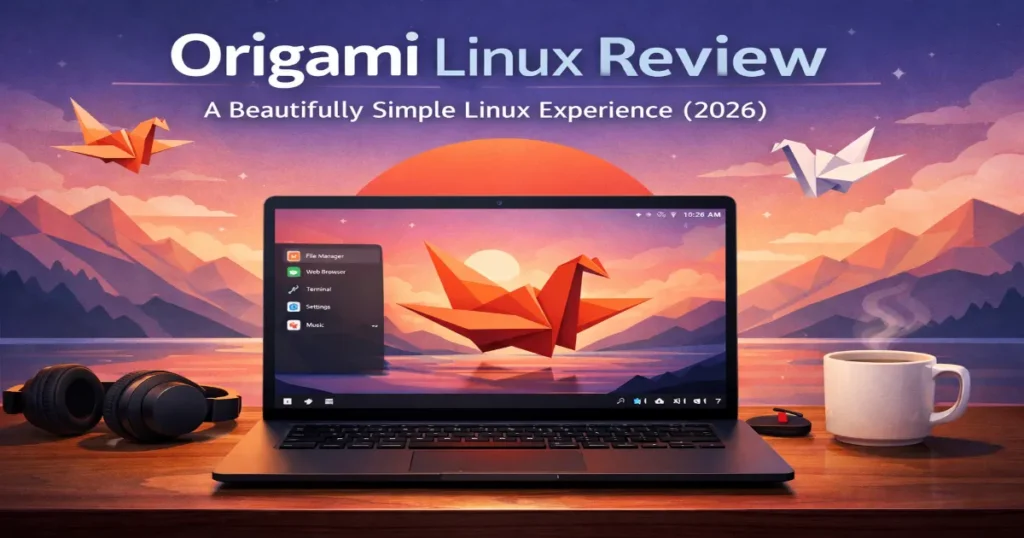
There’s something genuinely exciting about a Linux distro that feels like it was designed with intention — not just thrown together from parts. If you’ve been keeping an eye on the immutable Linux space, you’ve probably heard whispers about Origami Linux. This Origami Linux review covers the freshly minted 2026.03 stable release, the very first version to officially exit beta. Spoiler: it’s worth your attention.
Whether you’re a seasoned Linux veteran who’s tried everything from Arch to NixOS, or someone just getting comfortable beyond Ubuntu, Origami has a genuinely compelling story to tell. Let’s dig into what makes it tick, where it shines, and where it still has room to grow.
What Is Origami Linux?
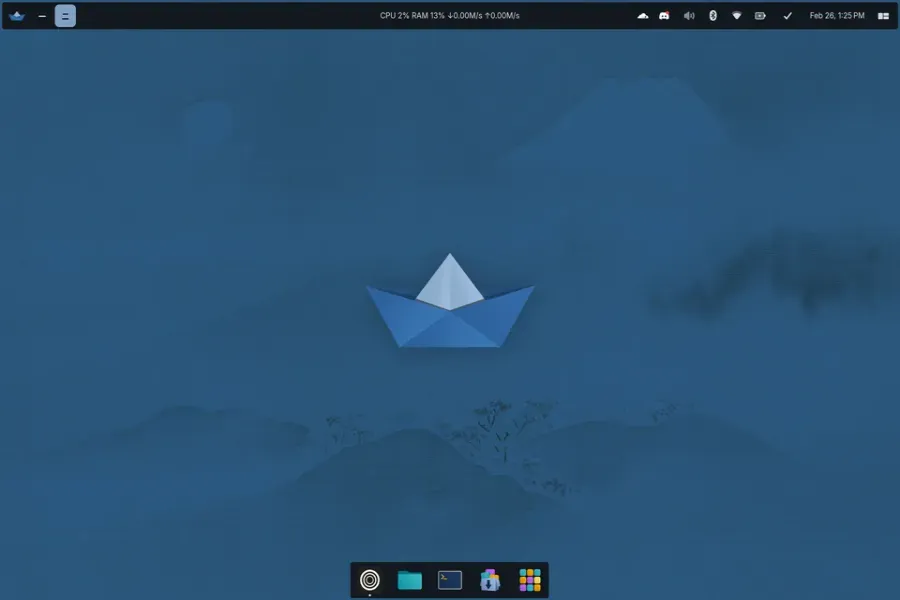
The name says a lot. Inspired by 折り紙 — the Japanese art of paper folding — Origami Linux is built around the idea that a single, well-chosen foundation can be shaped into something endlessly useful. Just as a plain sheet of paper can become a crane or a thousand other forms, Origami lets you build the computing environment you actually want, without fighting the operating system to get there.
The project was launched in 2021 by developer John Holt with a clear mission: create a modern, stable, and deeply customizable Linux distribution by combining immutable system design with a genuinely beautiful desktop. After years of development and beta testing, the team released Origami Linux 2026.03 on March 3, 2026 — the project’s first officially stable snapshot.
At its core, Origami Linux is built on three pillars:
- Fedora 43 Atomic as the immutable base
- COSMIC Desktop 1.0.8 (the Rust-based desktop from System76)
- CachyOS Kernel 6.19.3, compiled with full Link-Time Optimization (LTO)
That combination is unusual, and in practice, it’s surprisingly coherent.
The Release Model: Rolling Snapshots
One of the more interesting design decisions in the 2026.03 release is the adoption of a Rolling Snapshot model using a Year.Month versioning scheme. Origami remains a rolling release under the hood — you’re always getting the latest packages — but every few months, the team publishes a fully tested, point-in-time ISO. Think of it like Arch Linux’s approach, but with a safety net underneath every update.
This matters because it gives new users a clean, stable starting point without forcing the project into a fixed-release calendar. If you install from the 2026.03 ISO, you’re getting a thoroughly tested snapshot. From that moment forward, updates roll in continuously via rpm-ostree, but they’re atomic — meaning if an update breaks something, you can roll back to the previous state with a single command.
For anyone who’s ever had a system-level update trash their workflow the night before a deadline, this is a genuinely meaningful feature.
Installation Experience
Getting Origami up and running is straightforward. The project provides two ISO images:
- Standard ISO — For most hardware, including Intel and AMD systems
- Nvidia ISO — A specialized image for Nvidia GPU owners, pre-configured to avoid the driver headaches that have plagued Linux/Nvidia users for years
Both ISOs ship with the CachyOS kernel (6.19.3) by default. Installation uses a guided installer — boot from USB, follow the prompts, and you land on the COSMIC desktop. The project recommends using Fedora Media Writer for USB creation, which is available on Windows, macOS, and Linux.
One slightly unusual wrinkle: on first boot, some users may be prompted to enroll a MOK (Machine Owner Key) for Secure Boot. The enrollment password is publicly documented (origami) — it’s not a security concern, just a step in the UEFI key enrollment process. Worth knowing about beforehand so it doesn’t catch you off guard.
Hardware requirement is minimal: a 64-bit processor is the primary requirement. No support for 32-bit systems, which is completely standard in 2026.
The COSMIC Desktop: Fresh and Genuinely Different
If you haven’t spent time with COSMIC 1.0.8, it’s worth understanding what System76 built here. COSMIC isn’t a fork of GNOME or KDE — it’s a ground-up desktop environment written in Rust, and it shows. It’s fast. Noticeably, measurably fast.
The desktop offers native tiling support alongside traditional floating windows, which means power users and window managers fans have real flexibility without installing anything extra. The settings panel is clean and well-organized, animations are smooth, and the overall design language feels contemporary without being flashy.
What makes Origami’s implementation of COSMIC feel cohesive is that the team has applied their own thoughtful defaults on top of it. Rather than just shipping vanilla COSMIC, Origami has curated the experience — choosing sensible defaults, integrating their modern tooling, and making sure everything feels like it belongs together.
Under the Hood: Performance-First Decisions
This is where Origami really differentiates itself from other Fedora-based distributions.
CachyOS Kernel with Full LTO
The CachyOS kernel is not your standard distro kernel. It’s compiled with full Link-Time Optimization (LTO), which allows the compiler to optimize across the entire codebase rather than file-by-file. The practical result is a noticeably snappier desktop — faster application launches, more responsive input handling, and better overall throughput. Combined with modern CPU schedulers, the performance improvement over a stock Fedora kernel is tangible, especially on mid-range hardware.
Rust-Powered CLI Tools
Origami replaces several classic GNU utilities with modern Rust alternatives:
- eza replaces ls
- bat replaces cat
- ripgrep replaces grep
These swaps aren’t cosmetic. Rust-based tools generally offer better performance, improved memory safety, and more useful default output. bat, for example, includes syntax highlighting and Git integration by default. ripgrep is significantly faster than grep for recursive searches through large codebases. For developers especially, these are daily-driver tools that improve quality of life in real, measurable ways.
Development Tools Pre-Installed
Origami ships with a curated set of developer tools out of the box:
- Helix — A modal text editor written in Rust with built-in LSP support
- LazyGit — A terminal UI for Git that simplifies complex workflows
- Micro — A beginner-friendly terminal editor for those not ready for modal editing
- Distrobox — Pre-integrated for container-based development environments
The Distrobox integration deserves special mention. It allows you to spin up containers running Ubuntu, Arch, Debian, or virtually any other distro, installing packages from those ecosystems while keeping your Origami host system completely clean. Need an older Python version for a legacy project? A Distrobox container handles it without touching the host. This container-first philosophy is increasingly common among immutable distros, but Origami’s implementation is particularly polished.
Security Architecture
Origami’s security story is stronger than most desktop Linux distributions.
The immutable Fedora Atomic base means the core system files cannot be modified during normal operation. Updates happen atomically, and the system can always be rolled back to a known-good state. This eliminates an entire class of system corruption issues that plague traditional mutable Linux installs.
Additionally, all container images are signed with Sigstore — a modern supply-chain security tool that cryptographically verifies the origin and integrity of software. For users who care about where their software actually comes from, this is a meaningful assurance.
Origami Linux vs. The Competition (2026)
How does Origami Linux 2026.03 stack up against other immutable Linux distributions?
| Feature | ⭐ Origami Linux 2026.03 | Fedora Kinoite | Bazzite | NixOS |
|---|---|---|---|---|
| Base | Fedora 43 Atomic | Fedora Atomic | Fedora Atomic | Nix |
| Desktop | COSMIC 1.0.8 | KDE Plasma | KDE Plasma | Varies |
| Kernel | CachyOS 6.19.3 (LTO) | Stock Fedora | CachyOS | Linux |
| Release Model | Rolling + Snapshots | Rolling | Rolling | Rolling |
| Immutable | ✅ Yes | ✅ Yes | ✅ Yes | ✅ Yes |
| Container Tools | Distrobox (built-in) | Distrobox | Distrobox | Nix Containers |
| Nvidia ISO | ✅ Yes | ❌ No | ✅ Yes | ❌ No |
| Rust CLI Tools | ✅ Yes (eza, bat, rg) | ❌ No | ❌ No | Optional |
| Learning Curve | Moderate | Moderate | Low–Moderate | High |
| Target Audience | Developers, Power Users | General / KDE Users | Gamers | Advanced Users |
Data based on official project documentation · March 2026
Compared to Fedora Kinoite, Origami offers a faster kernel and a more developer-focused toolset, at the cost of a less established community. Against Bazzite, the main difference is the desktop — Bazzite targets gamers and uses KDE, while Origami is clearly developer-first with COSMIC. NixOS is the most powerful of the bunch, but also the most demanding; Origami is considerably more approachable for users who want modern tooling without writing Nix expressions for everything.
Who Should Use Origami Linux?
Origami Linux has a clearly defined audience, and it’s worth being honest about who it’s actually for.
It’s a great fit if you:
- Are a developer who wants a clean, container-based workflow
- Want an immutable base system with strong rollback capabilities
- Are interested in COSMIC desktop and want a polished implementation
- Value performance and appreciate the CachyOS kernel’s speed improvements
- Have Nvidia hardware and want a pre-configured Nvidia-friendly image
It may not be the right choice if you:
- Prefer a large, well-established community with extensive documentation
- Need maximum software availability from traditional package managers
- Are new to Linux and want something maximally hand-holding (Ubuntu or Linux Mint are better starting points)
- Rely on 32-bit software
Origami Linux 2026.03 — Pros & Cons
A balanced look at what works well and where there is still room to grow.
✅ Pros
- + First stable release (2026.03) — solid, thoroughly tested foundation
- + CachyOS kernel with full LTO for noticeably better performance
- + COSMIC 1.0.8 — fast, tiling-capable, Rust-based desktop environment
- + Immutable Fedora Atomic base with atomic updates and easy rollbacks
- + Dedicated Nvidia ISO removes common GPU driver headaches
- + Rust CLI tools (eza, bat, ripgrep) replace aging GNU utilities
- + Distrobox pre-integrated for a clean, container-first development workflow
- + Sigstore-signed container images for supply chain security
- + Rolling Snapshot model balances freshness with stability testing
- + Coherent design philosophy — every component fits together by intent
❌ Cons
- − Small community — documentation and peer support are still limited
- − 64-bit only — no support for 32-bit systems or legacy software
- − Learning curve — immutable systems and rpm-ostree require adjustment
- − COSMIC app ecosystem is still maturing compared to KDE or GNOME
- − Not ideal for beginners — container-first workflow assumes terminal familiarity
- − Smaller out-of-the-box package ecosystem vs Arch or Debian-based distros
Based on evaluation of Origami Linux 2026.03 · March 2026
Final Verdict
This Origami Linux review lands with a clear recommendation: if you’re a developer or power user who’s been looking for an immutable, performance-focused Linux distro with a genuinely modern desktop, Origami Linux 2026.03 is worth your time.
It’s not trying to be Ubuntu. It’s not trying to be Arch. It’s carving out its own space — an immutable system with a speed-optimized kernel, a beautiful Rust-based desktop, and a container workflow that keeps things clean without sacrificing flexibility. The fact that it just hit stable makes this the right moment to jump in.
The project is still young, and the community is still growing. You won’t find ten years of forum posts to fall back on. But the technical foundation is genuinely strong, the design choices are deliberate, and the trajectory is promising. Origami Linux started with an elegant idea, and version 2026.03 delivers on it.
Like a well-folded sheet of paper, this one holds its shape.
Origami Linux 2026.03 — Quick Specs
Everything you need to know at a glance before you download.
| Spec | Details |
|---|---|
| Current Version | 2026.03 (Stable) |
| Released | March 3, 2026 |
| Base | Fedora 43 Atomic |
| Desktop | COSMIC 1.0.8 |
| Kernel | CachyOS 6.19.3 (LTO) |
| Release Type | Rolling + Periodic Snapshots |
| Architecture | x86_64 only |
| ISO Variants | Standard + Nvidia |
| License | Free / Open Source |
| Repository | GitLab (origami-linux) |
| Download | origami.wf |
Source: Official Origami Linux project documentation · March 2026
Disclaimer
This blog post is written for informational purposes only. All information is based on publicly available official sources and project documentation as of March 2026. We are not affiliated with, sponsored by, or endorsed by the Origami Linux project or any of its developers. Software features, version details, and project status may change over time — always refer to the official Origami Linux website and GitLab repository for the most current information. Any product or distro comparisons are based on research and are intended to help readers make informed decisions, not to disparage any project or community.
FAQ
What is Origami Linux and who is it best suited for?
Origami Linux is an immutable, rolling-release Linux distribution built on Fedora 43 Atomic, featuring the COSMIC 1.0.8 desktop and the performance-optimized CachyOS kernel. It is best suited for developers and power users who want a fast, stable, and container-friendly Linux environment without the maintenance overhead of a traditional mutable system.
Is Origami Linux stable enough for daily use in 2026?
Yes. With the release of snapshot 2026.03 in March 2026, Origami Linux officially exited beta and entered stable status. The immutable base means system-level updates cannot break your installation unexpectedly, and atomic rollbacks are available if anything ever goes wrong — making it a genuinely reliable choice for daily use.
Does Origami Linux support Nvidia graphics cards?
Absolutely. Origami Linux offers a dedicated Nvidia ISO alongside the standard image. This pre-configured image handles Nvidia driver setup out of the box, which has historically been one of the most frustrating pain points for Nvidia users on Linux. Simply download the Nvidia ISO from the official site at origami.wf and follow the standard installation process.
How is Origami Linux different from regular Fedora?
While both share a common foundation, the differences are significant. Origami Linux uses the performance-tuned CachyOS kernel with full Link-Time Optimization instead of the stock Fedora kernel, ships with the COSMIC desktop rather than GNOME, includes modern Rust-based CLI tools like eza, bat, and ripgrep by default, and adopts a container-first development philosophy through built-in Distrobox integration. It is a much more opinionated and developer-focused experience than standard Fedora.
Can beginners use Origami Linux as their first Linux distribution?
Origami Linux is not the most beginner-friendly option available. The immutable system model, rpm-ostree package management, and container-based workflow assume at least some comfort with the Linux terminal. If you are completely new to Linux, starting with Ubuntu or Linux Mint is a more practical choice. Once you have built basic Linux familiarity, Origami becomes a very rewarding upgrade.
Also Read
Fedora Linux 44 Beta Is Here: Everything You Need to Know