If you’ve been keeping an eye on the Manjaro development scene, you probably already know that the team rarely lets the grass grow under their feet. Well, the wait for a fresh release is almost over — the Manjaro 26.1 Bian-May Preview Goes Live as of early May 2026, bringing a massive wave of updates to the stable branch. This isn’t the final release just yet — that’s expected toward the end of May or the beginning of June — but what’s already landed is significant enough to warrant a deep dive.
The Manjaro team pushed this preview to the stable branch ahead of schedule, largely due to the urgency of a high-severity kernel vulnerability (more on that below). Let’s walk through everything that’s new, what’s changed, and what you need to know before hitting that update button.
What Is Manjaro 26.1 Bian-May?
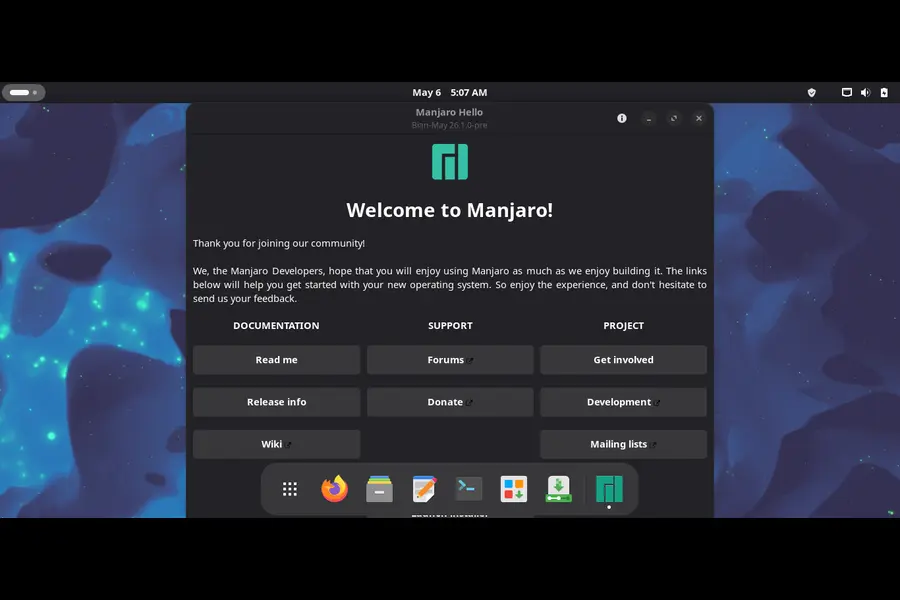
Manjaro follows a loose semi-rolling release model, and every so often the team bundles up the most important package milestones into a named point release. The previous major release was Manjaro 26.0 “Anh-Linh”, which shipped in January 2026 with Linux 6.18 LTS, GNOME 49, and KDE Plasma 6.5.
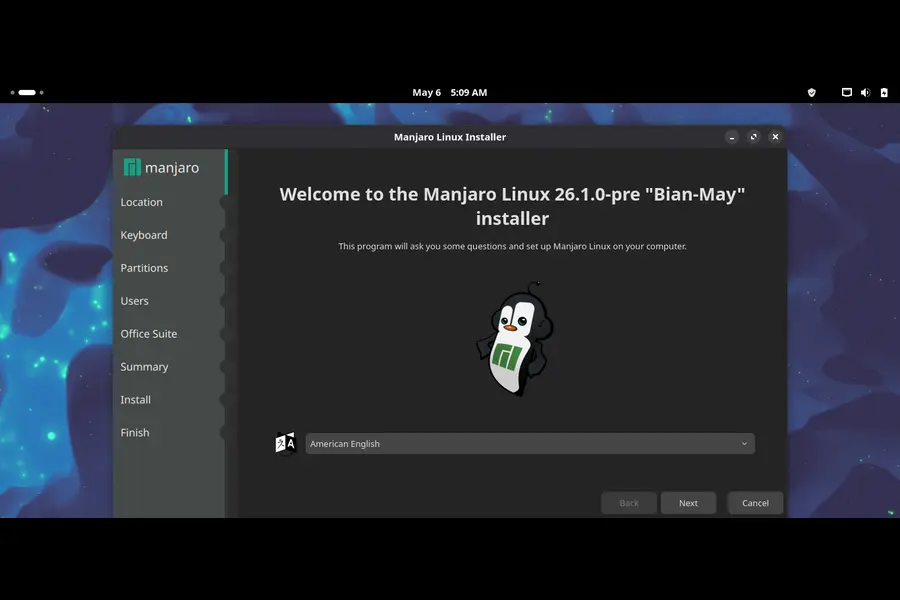
“Bian-May” is the codename for the upcoming 26.1 point release, and it represents a meaningful jump forward in the desktop stack. The development team had originally targeted an end-of-April launch window, but the final stable ISOs are now expected end of May or early June. What’s live right now is a preview — fully usable but still undergoing polish and testing before the official ISOs drop.
Why Did the Preview Land Early?
Normally, Manjaro holds back stable branch updates until testing is thorough. This time, the team accelerated the rollout for a very specific reason: CVE-2026-31431, a local privilege escalation vulnerability dubbed “Copy Fail”.
The vulnerability was publicly disclosed on April 29, 2026, and a proof-of-concept exploit was made available almost immediately. It affects the Linux kernel and has been present in Manjaro systems since 2017. Given how serious this is, lead developer Philip Müller (philm) pushed the patched kernel packages to the stable branch without waiting for the full preview cycle to complete.
Patched kernel versions include:
- 5.10.254+, 5.15.204+, 6.1.170+
- 6.6.137+, 6.12.85+, 6.18.22+
- 6.19.12+, 7.0-rc7+
If you’re running one of the affected real-time kernels (6.1.167-rt62, 6.6.133-rt73, 6.12.79-rt17, 6.17.5-rt7), you’ll want to apply the mitigation temporarily by disabling the algif_aead kernel module until patched versions arrive:
echo "install algif_aead /bin/false" > /etc/modprobe.d/disable-algif.conf
rmmod algif_aead 2>/dev/null || true
Once you’ve updated to a patched kernel, you can safely remove that workaround.
Linux Kernel 7.0 Makes Its Debut
One of the biggest headlines in the Manjaro 26.1 Bian-May Preview is the introduction of the Linux 7.0 stable series. This has been a development goal since early in the Bian-May cycle — the team had set out to move the default kernel from the 6.x series to 7.0, and now it’s here.
Currently shipping as Linux 7.0.3, this is the first time Manjaro users on the stable branch get to run a 7.x kernel without any extra configuration. There’s also a Linux 7.1.0-rc1 in the repos for those who like to live a little more dangerously.
For those who prefer to stay on well-tested LTS kernels, nothing changes — Linux 6.18 LTS (6.18.26), 6.12 LTS (6.12.85), and 6.6 LTS (6.6.137) are all still fully supported and available. Meanwhile, the 6.19 series has reached end-of-life and has been removed from the repositories.
Desktop Environments: What’s New
KDE Plasma 6.6.4
KDE users are getting a notable refresh with Plasma 6.6.4 along with KDE Frameworks 6.25.0 and KDE Gear 26.04.0. The Qt framework has also been bumped to Qt 6.11, which underlies much of the KDE stack.
One interesting addition for KDE users is the migration path away from SDDM. The team is now promoting the Plasma Login Manager (plasma-login-manager) as a replacement for SDDM. If you want to switch, the process is straightforward:
sudo pacman -Syu plasma-login-manager
systemctl disable sddm
systemctl enable plasmalogin
sudo pacman -R sddm-kcm sddm
It’s optional for now but expect this to become the default going forward.
Heads up for hybrid graphics users: There was a known issue with Plasma 6.6.4 where Intel/Nvidia hybrid systems running Wayland could experience system freezes when connecting an external monitor. The Manjaro team pushed a fix via a kwin overlay package shortly after the update landed. If you’re still affected, check the forum thread for the latest status.
GNOME 50.1
GNOME users have a lot to celebrate with GNOME 50.1 landing in this preview. The jump from GNOME 49 to 50 is a meaningful one — GNOME 50 fully drops X11 session support (it was already deprecated in GNOME 49), so everything now runs on Wayland.
A neat quality-of-life addition specifically for Manjaro’s GNOME edition: accent color synchronization with folder icons. When you pick an accent color in Settings, the folder colors in the Papirus icon theme will now automatically match. To enable this, install gnome-shell-extension-papirus-folders-colorizer from Add/Remove Software, log out, log back in, and enable it through Extensions.
The Layout Switcher will also apply the matching folder color when you change accent colors, provided you have accent-color-change r172.c761c84-2 or newer.
Xfce 4.20
Xfce users won’t see a desktop version bump this cycle — Xfce 4.20 stays as-is for the Bian-May release. This is intentional, not an oversight. The Xfce edition continues to be the recommended choice for anyone who needs X11 support, since both GNOME 50 and Plasma’s default session now point to Wayland.
LXQt 2.4.0 and Phosh 0.54.0
LXQt gets a jump to version 2.4.0, while Phosh 0.54.0 brings improvements for mobile/ARM users running Manjaro on handheld devices.
NVIDIA: Important Changes You Need to Know
If you’re running NVIDIA hardware, pay careful attention to this section before updating.
The NVIDIA 595.71.05 driver (and legacy 580.159.03) are included in this update. The 590-series driver that shipped earlier this year dropped support for Pascal (GTX 10xx) and Maxwell (GTX 9xx) GPUs. That limitation carries forward here.
If you have a GTX 10xx or older card, updating the NVIDIA packages will fail to load the driver and may leave you with a broken graphical environment. You’ll need to switch to a legacy driver:
sudo mhwd -i video-nvidia-575xx

# or

sudo mhwd -i video-nvidia-570xx
You can also run nvidia-driver-assistant to automatically detect the correct driver for your hardware. Only Turing (RTX 20xx) series and newer are fully supported by the latest driver packages.
Core Software Stack Updates
Beyond the desktop environments and kernel, the Manjaro 26.1 Bian-May Preview packs a significant number of application and library updates. Here’s a rundown of the major ones:
Graphics & Multimedia:
- Mesa 26.0.6 — improved graphics driver support across AMD, Intel, and software renderers
- GStreamer 1.28.2 — multimedia framework update with codec and performance improvements
- FFmpeg 8.1 — the backbone of most multimedia processing on Linux
- PipeWire 1.6.4 and WirePlumber 0.5.14 — continued refinement of the modern Linux audio stack
Productivity & Office:
- LibreOffice 26.2.3 (and maintenance release 25.8.6) — full office suite updates
- Firefox 150.0.1 — latest browser security and performance fixes
- Thunderbird 150.0 — email client update aligned with the Firefox release
Virtualization & Development:
- VirtualBox 7.2.8 — popular virtualization platform with bug fixes
- QEMU 11.0 — major update to the open-source machine emulator
- Systemd 260.1 — init system and service manager update
- Python 3.14 — note that if you use AUR packages that install to site-packages, you’ll need to rebuild them
- ROCm 7.2.2 — AMD’s open GPU computing platform for machine learning workloads
Gaming:
- Heroic Games Launcher 2.21.0 — the popular Epic/GOG/Amazon launcher for Linux
- Godot 4.6.2 — open-source game engine maintenance release
Desktop Utilities:
- Octopi 0.19.0 — the graphical package manager that the Manjaro team is recommending as a more stable alternative to pamac for large updates
- WebKitGTK 2.52.3 — web rendering engine used by many GTK apps
COSMIC Desktop:
COSMIC Epoch 1.0.11 — System76’s desktop environment continues to mature with another patch update
Dropped Packages
The Bian-May preview also marks the removal of two desktop environments from Manjaro’s repositories: CuteFish DE and UKUI. Both were relatively niche options and apparently didn’t have enough active maintenance to keep them in the repos. If you were using either of these, you’ll want to plan a migration before the final release.
Additionally, the linux619 kernel series has been removed as it has reached end-of-life. Users still on 6.19 will be automatically transitioned to the 7.0 or 6.18 LTS series.
Updating to the Bian-May Preview
If you’re an existing Manjaro user, you don’t need to wait for the final ISOs. The rolling release nature of Manjaro means you can get these updates right now. Before jumping in, though, especially for a large update like this one, it’s worth following the recommended best practice:
Step 1: Create a list of foreign/AUR packages for reference:
pamac list --foreign > ~/alien-pkgs.txt
Step 2: Remove foreign packages temporarily:
pamac remove $(pamac list --foreign --quiet)
Step 3: Clean up orphans:
pamac remove --orphans --unneeded
Step 4: Refresh the keyrings:
sudo pacman -Syy manjaro-keyring archlinux-keyring
Step 5: Run the update — either via sudo pacman -Syu or through Octopi. The Manjaro team is currently recommending Octopi over pamac for big updates due to some reliability issues with the pamac GUI crashing mid-update.
Step 6: Reboot, then rebuild any AUR packages you need.
For GNOME and Plasma users: Remember that both desktops now run Wayland by default. If you need X11 sessions on Plasma, install plasma-x11-session manually after updating.
What to Expect from the Final Release
The final Manjaro 26.1 Bian-May release — with fresh install ISOs for KDE Plasma, GNOME, and Xfce — is expected toward the end of May 2026 or in early June. The preview ISOs (dated 2026-05-03) are already available from the Manjaro GitHub release page for those who want to do fresh installs with all these updates baked in, though they’re not yet considered the official 26.1 release candidates.
The Manjaro team has noted that development speed may be a touch slower over the coming weeks, so the exact timing of the final release could shift. Regardless, given the size and significance of what’s already in the stable branch, existing users who update now will effectively be running what will become 26.1.
Should You Update Now or Wait?
That depends on your situation:
- If you have Pascal or Maxwell NVIDIA GPUs — read the NVIDIA section above carefully before touching anything.
- If you’re on a hybrid Intel/NVIDIA system using Wayland with Plasma — make sure the kwin fix has been applied (check the forum thread).
- If you rely on AUR packages with Python — budget some time to rebuild them after updating to Python 3.14.
- If you’re on a desktop with no special hardware — the update is generally smooth and worth doing, especially for the CVE-2026-31431 patch.
For most users, the Manjaro 26.1 Bian-May Preview is a solid, mature set of updates with genuinely exciting additions — Linux 7.0, GNOME 50, Plasma 6.6.4, and a completely refreshed application stack. The kernel security fix alone makes it worth installing sooner rather than later.
Final Thoughts
The Manjaro 26.1 Bian-May Preview Goes Live at a moment when Linux desktop computing continues to push forward at a rapid pace. Between the arrival of the Linux 7.0 series, GNOME 50’s full Wayland commitment, and KDE’s continued refinement of the Plasma desktop, this is one of the more packed preview updates Manjaro has pushed in recent memory.
As always with a rolling release distribution, it pays to read the forum thread, check the known issues section, and not blindly update right before an important deadline. But for those willing to take a few minutes of preparation, what awaits on the other side is a genuinely modern, well-polished Linux desktop.
The final ISOs aren’t here yet — but the best parts of Bian-May already are.
Disclaimer
This blog post is written for informational purposes only and is not affiliated with, endorsed by, or officially connected to the Manjaro Linux project or Anthropic. All information is sourced from publicly available Manjaro forum announcements and testing update threads as of May 2026. Package versions, release dates, and known issues may change as development progresses. Always refer to the official Manjaro forum for the most current and authoritative information before making changes to your system. The author is not responsible for any data loss or system issues resulting from following the guidance in this post.