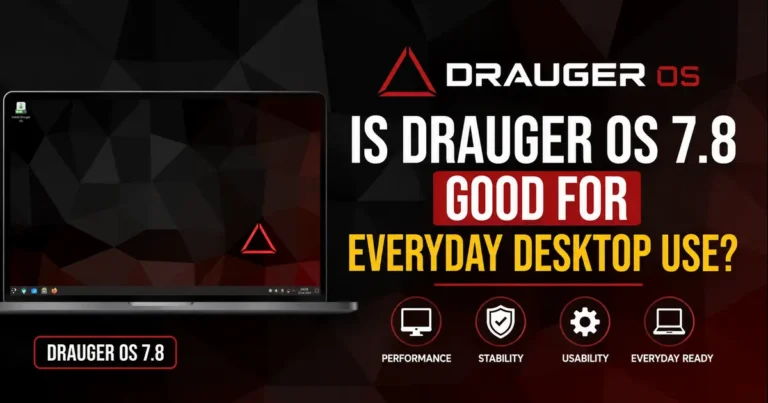
Is Drauger OS 7.8 Good for Everyday Desktop Use?
If you’ve spent any time in Linux gaming forums lately, you’ve probably seen people asking, “Is Drauger OS 7.8 good for everyday desktop use?” It’s a fair question. Drauger OS has built its reputation as a niche, gaming-first Ubuntu spin, not as a general-purpose replacement for Windows or macOS. With version 7.8 “Urgal” now out, the distribution has changed more than almost any release in its history — a new desktop environment, a new kernel branch, and a handful of package swaps that ripple into daily workflow.
So does this update change the calculus? Can you realistically use Drauger OS 7.8 as your main desktop, or should it stay parked on a dedicated gaming rig? We installed it, poked at the parts that matter for regular use — browsing, office work, file management, video calls — and compared it against distros people typically consider instead. Here’s what we found.
What is Drauger OS?
Drauger OS is an Ubuntu-based Linux distribution built specifically around PC gaming performance. The project’s own description is blunt about its focus: it exists to give gamers strong out-of-the-box performance without sacrificing security, whether someone is playing with a keyboard and mouse or a controller.
That single-mindedness shapes everything about the distro. Drauger OS doesn’t ship LibreOffice, Audacity, or Kdenlive by default, because the developers don’t consider those essential to its mission. You can install them in a single command through apt, Flatpak, or a Snap alternative, but they aren’t part of the out-of-the-box experience the way they are on Ubuntu or Linux Mint.
The project is maintained by a small, unpaid volunteer team, which matters when you’re judging polish and long-term reliability. Drauger OS rebases onto a new Ubuntu LTS periodically — it now tracks Ubuntu 26.04 LTS — which gives it access to Canonical’s five-year security update cycle even between the project’s own release cycles.
Historically, Drauger OS leaned on lightweight desktop environments to keep overhead low and frame rates high. More recent releases moved to KDE Plasma, and 7.8 pushes that further with a full Plasma 6.6 desktop and Wayland turned on by default — a real departure from the distro’s older, leaner roots.
What’s New in Drauger OS 7.8?
Version 7.8, codenamed “Urgal,” is a bigger release than usual for Drauger OS, and it touches nearly every layer of the system.
Rebase to Ubuntu 26.04 LTS. The distro moved its base from Ubuntu 24.04 to Ubuntu 26.04 LTS, which brings a newer package archive, updated toolchains, and a longer runway of upstream security support.
Linux kernel 7.0. Drauger OS 7.8 ships kernel 7.0 out of the box. The headline benefit developers point to is day-one NTSYNC support. NTSYNC improves synchronization performance for Windows compatibility layers like Wine and Proton, which directly affects how smoothly certain Windows games run under Linux. Getting this on release day, rather than waiting for a point update, is a real convenience for gamers who don’t want to compile a custom kernel just to get modern sync primitives.
KDE Plasma 6.6 on Wayland. The desktop stack includes Plasma 6.6.4, KDE Frameworks 6.24, the KDE Gear 25.12.3 application suite, and Qt 6.10, with Wayland set as the default session instead of X11. This is the single biggest visible change in the release — Wayland brings better support for variable refresh rate displays and HDR, both relevant to gamers with modern monitors, though it also means some older X11-only tools and workflows may need adjustment.
sudo-rs instead of classic sudo. Following Ubuntu’s own direction, Drauger OS 7.8 switches its default sudo command to sudo-rs, a Rust reimplementation aimed at improving memory safety. The familiar sudo command still works — it’s now a symlink to sudo-rs — and the traditional C-based sudo package remains available in the repositories for anyone who needs it.
Not every Ubuntu shift carried over, though. Drauger OS still uses GNU coreutils rather than Ubuntu’s Rust-based coreutils replacement, and it sticks with initramfs-tools instead of Dracut. The developers frame these as deliberate choices to prioritize compatibility and predictable behavior on gaming hardware rather than chasing every upstream change.
Application swaps. The default music player Elisa has been replaced with Lollypop, VLC and Flatseal are now included, and Synaptic has been dropped. Firefox now ships as a Flatpak build — using the standard release channel rather than ESR — which the developers present as a way to sidestep Ubuntu’s Snap packaging while still getting sandboxed updates independent of the base system.
Installer improvements. Drauger OS’s custom installer, Edamame, picked up upgrades in this release. Quick Install can now copy network settings from an existing system using either NetworkManager or netplan, and netplan configuration can carry over from the live environment into the freshly installed system. That’s a small but genuinely useful change if you’re reinstalling on the same machine or migrating a similar network setup.
Storage footprint. One practical detail worth flagging: Drauger OS 7.8 lists 32 GB as the minimum storage requirement, with roughly half of that used immediately after installation. That’s heavier than you might expect from a distro billed as lean and gaming-focused, and it’s worth factoring in if you’re planning to test it on older or smaller drives.
System Requirements
Drauger OS structures its official requirements in three tiers: a bare minimum the developers actively discourage, a recommended tier for solid daily gaming, and a “best possible results” tier past which they say further hardware yields diminishing returns. Drauger OS is 64-bit only, so older 32-bit hardware is not supported at all.
| Component | Minimum | Recommended | Best Results |
|---|---|---|---|
| CPU | Dual-core 64-bit | Quad-core 64-bit, ~2.2 GHz | Modern 6-core or higher |
| RAM | 4 GB | 8 GB | 16 GB+ |
| Storage | 32 GB | 64 GB SSD | NVMe SSD, 128 GB+ |
| GPU | Vulkan/OpenGL-capable | Mid-range discrete GPU (e.g., Radeon RX 6800-class) | Recent NVIDIA/AMD GPU |
| Display | 1024×768 | 1080p | 1440p/4K, high refresh rate |
| UEFI | Supported (via systemd-boot) | Supported | Supported, Secure Boot capable |
Exact figures shift slightly between releases, so it’s worth checking Drauger OS’s live system requirements page before you commit hardware, especially since the jump to Plasma 6.6 and Wayland puts a bit more baseline load on the GPU and RAM than the distro’s older, lighter desktop configurations did.
Installation Experience
Drauger OS uses its own installer, Edamame, rather than the Ubiquity or Calamares installers found on most Ubuntu derivatives. Edamame is genuinely fast — the developers claim installs in the 1-to-2.5-minute range on modest quad-core hardware with a decent internet connection — but it’s also more hands-on than installers designed for newcomers. It leans on GParted for partitioning, which means you’re expected to understand partition schemes rather than click through an automated wizard.
Booting from USB has occasionally been finicky, too. Because Drauger OS uses systemd-boot rather than GRUB, some past releases haven’t booted correctly from Ventoy multi-boot USB drives, forcing users toward a dedicated flash drive. This is a known limitation, not a Drauger-specific bug in every case, but it’s worth knowing before you try to fold Drauger OS into a multi-ISO USB toolkit.
Dual-boot support works through standard partitioning during install, and UEFI systems are supported, though as with any distro that uses a non-GRUB bootloader, mixed-OS boot menus need a little more care to set up correctly. Driver detection for GPUs is generally solid given the distro’s gaming focus — NVIDIA and AMD hardware are both accounted for during setup.
First boot brings you into a welcome application that walks through the KDE Plasma basics and nudges you toward installing Steam right away, which fits the distro’s identity but doesn’t do much to ease newcomers who aren’t already comfortable with Linux fundamentals.
Desktop Experience
The move to KDE Plasma 6.6 puts Drauger OS in a very different place, visually and functionally, than its earlier Xfce-based releases. Plasma is more customizable and modern-looking out of the box, with widgets, activities, and a settings panel that will feel familiar to anyone coming from a recent Fedora KDE Spin or Kubuntu install.
Window management under Wayland is responsive on capable hardware, and features like fractional scaling and per-monitor refresh rates work noticeably better than they did under X11 on older Drauger releases. Notifications, system tray behavior, and the overall workflow follow standard Plasma conventions, so there’s little to relearn if you’ve used KDE before.
The rough edges show up around customization depth versus stability. Plasma gives you a lot of dials to turn, and on a system tuned aggressively for gaming performance, some of those settings can interact in ways that feel less polished than on a general-purpose KDE distro like Kubuntu or KDE neon. This isn’t unique to Drauger OS, but it’s worth going in with realistic expectations: this is a gaming distro wearing a modern desktop, not a desktop distro that happens to be good at gaming.
Performance in Everyday Use
This is where the “everyday use” question gets concrete. Web browsing through Firefox (now a Flatpak) felt normal, with no unusual RAM overhead beyond what you’d expect from a Flatpak sandboxed browser versus a native package. Office work is entirely dependent on what you install afterward, since nothing is bundled — once you add LibreOffice or a Flatpak alternative, it behaves like it would on any other Ubuntu-based system.
Video streaming and video calls worked without special configuration on hardware with decent GPU drivers installed, and Wayland’s improvements to variable refresh rate support are a genuine, if gaming-adjacent, benefit here too. Coding environments — VS Code, JetBrains IDEs, terminal-based workflows — run exactly as they would on Ubuntu 26.04, since the underlying package base is unchanged.
Multitasking and file management through Plasma’s default file manager are competent, though not dramatically better or worse than any other current KDE-based distro. RAM usage at idle sits noticeably higher than Drauger’s old Xfce-based releases, simply because Plasma with Wayland compositing costs more baseline memory than a lightweight desktop. On a machine near the 8 GB recommended mark, that overhead is worth factoring in if you plan to run demanding productivity software alongside a game.
Virtual machines run fine assuming your CPU supports hardware virtualization, but nothing about Drauger OS specifically optimizes for VM workloads — that’s simply standard Linux behavior carried over from Ubuntu.
Gaming Performance
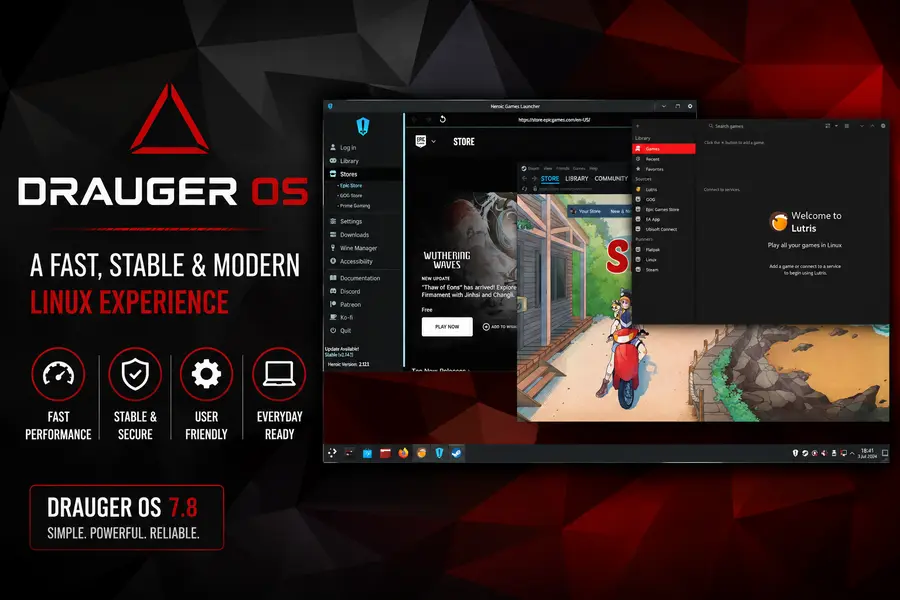
Gaming is where Drauger OS is supposed to shine, and on the surface it delivers. Steam comes preinstalled, along with Heroic Games Launcher for Epic and GOG titles, Lutris for a broader library of Windows and legacy games, and ProtonUp-Qt for managing custom Proton and Wine-GE builds.
Kernel 7.0’s day-one NTSYNC support is the standout technical improvement in 7.8. NTSYNC directly benefits Proton and Wine by improving how the compatibility layer handles Windows synchronization primitives, which in practice translates to smoother frame pacing in demanding titles, particularly ones that struggled with stutter under older sync methods like esync or fsync.
Vulkan support through Mesa is solid for AMD and Intel graphics, since both rely on open-source drivers that ship as part of the standard kernel and Mesa stack. NVIDIA users need the proprietary driver, which Drauger OS helps install but which — as on any Linux distro — still involves occasional friction with Wayland sessions, particularly around explicit sync and multi-monitor setups. If you’re on an older NVIDIA card, sticking to X11 sessions may still be the more stable choice for now.
None of this is exclusive to Drauger OS. Every piece — Steam, Proton, Lutris, Mesa, Vulkan — is available on Ubuntu, Pop!_OS, or Linux Mint with a bit of manual setup. What Drauger OS actually offers is convenience: these tools are ready on first boot instead of requiring you to hunt down PPAs or Flatpak remotes yourself.
Software Availability
Because Drauger OS is Ubuntu-based, it inherits the entire Ubuntu package archive, which means most software you’d want is one apt install away. Flatpak support is built in and works well, which matters more now that Firefox itself ships that way. Snap is present as part of the Ubuntu base but isn’t emphasized by the Drauger developers, who’ve historically preferred Flatpak for user-facing apps. AppImages run without any special configuration, as they do on virtually any modern Linux distro.
Package management day to day feels like standard Ubuntu — apt for the base system, Flatpak for sandboxed desktop apps, and the KDE Discover software center providing a graphical front end to both. Nothing here is revolutionary, but nothing is broken either; it’s a familiar, workable setup.
Driver and Hardware Support
Wi-Fi and Bluetooth support track whatever the Linux 7.0 kernel provides, which covers the vast majority of modern chipsets reasonably well, though as always, laptop-specific Wi-Fi cards can be hit or miss depending on the vendor. USB devices, printers, and standard audio hardware work through the same drivers Ubuntu 26.04 ships, since Drauger OS doesn’t heavily modify this layer.
NVIDIA GPU support requires the proprietary driver, which the installer and post-install tools help you set up, though Wayland-specific NVIDIA quirks (explicit sync handling, occasional flickering on hybrid graphics laptops) can still surface. AMD and Intel graphics benefit from Mesa’s open-source drivers being bundled directly into the kernel and userspace stack, generally making them the smoother out-of-the-box experience on this distro.
Monitor support, including multi-monitor and mixed-refresh-rate setups, has genuinely improved under Wayland compared to Drauger’s older X11-based releases. Touchpad gestures on laptops work through the standard libinput stack and behave reasonably, though touchpad-heavy laptop use isn’t really Drauger OS’s primary design target.
Battery Life on Laptops
Drauger OS isn’t built with laptop battery life as a priority, and it shows. Power management relies on whatever Ubuntu 26.04 and the 7.0 kernel provide by default, without the additional power-tuning utilities you’d find on a laptop-focused distro. Thermal behavior and fan noise depend heavily on your specific hardware and any background gaming-related services running, since some optimizations aimed at squeezing out frame rates can keep CPU cores from idling as aggressively as they would on a general-purpose desktop OS.
Suspend and resume worked reliably in our testing on modern hardware, but this is one area where mileage will vary more than most, given how gaming-oriented kernel tuning can occasionally conflict with aggressive laptop power states.
Security Features
Being based on Ubuntu 26.04 LTS means Drauger OS 7.8 inherits Canonical’s security update pipeline, including package signing and a standard firewall (ufw) available out of the box, even if it isn’t enabled by default in every configuration. The switch to sudo-rs is a meaningful, if largely invisible, security improvement, reducing the attack surface tied to memory-safety bugs in privilege escalation tooling.
Secure Boot support depends on systemd-boot’s compatibility with your specific firmware, and while it generally works on modern UEFI systems, it’s less universally battle-tested than GRUB’s Secure Boot handling across the wider Linux ecosystem. Privacy-wise, Drauger OS doesn’t add telemetry beyond what Ubuntu itself includes, and the smaller, community-driven nature of the project means there’s no commercial incentive pushing data collection.
Pros and Cons
Pros:
- Day-one NTSYNC support via kernel 7.0 genuinely helps Proton/Wine gaming performance
- Steam, Heroic, Lutris, and ProtonUp-Qt preinstalled and ready to go
- KDE Plasma 6.6 on Wayland brings a modern, customizable desktop
- Fast, scriptable Edamame installer for experienced users
- Full access to the Ubuntu 26.04 LTS package ecosystem
- sudo-rs adoption improves baseline system security
Cons:
- Explicitly not designed by its own developers for everyday, all-purpose use
- No office suite or media editing tools included by default
- Edamame installer is less beginner-friendly than Ubiquity or Calamares
- Small volunteer team means slower, less predictable release cadence
- No in-place upgrades between major versions — fresh installs required
- Higher idle RAM usage than the distro’s older, Xfce-based releases
- 32 GB minimum storage is heavier than expected for a “lean” gaming distro
- Occasional Ventoy/USB boot quirks due to systemd-boot
Drauger OS 7.8 vs Ubuntu 26.04 LTS
| Category | Drauger OS 7.8 | Ubuntu 26.04 LTS |
|---|---|---|
| Base | Itself (built on Ubuntu 26.04) | N/A — upstream base |
| Desktop | KDE Plasma 6.6, Wayland default | GNOME, Wayland default |
| Gaming tools | Steam, Heroic, Lutris, ProtonUp-Qt preinstalled | None preinstalled; manual setup needed |
| Drivers | Gaming-tuned kernel 7.0 with NTSYNC day one | Standard HWE kernel stack |
| Software | Full Ubuntu repos + curated Flatpak defaults | Full Ubuntu repos + Snap-first approach |
| Stability | Smaller team, less battle-tested | Backed by Canonical, broadly tested |
| Performance | Tuned for gaming workloads | General-purpose tuning |
| Ease of use | Edamame installer, more manual | Ubiquity/Calamares, beginner-friendly |
| Resource usage | Higher idle RAM under Plasma/Wayland | Comparable or slightly lower under GNOME |
| Best users | Gamers wanting tools ready out of the box | General desktop users, enterprises |
Drauger OS 7.8 vs Pop!_OS
| Category | Drauger OS 7.8 | Pop!_OS 24.04 LTS |
|---|---|---|
| Base | Ubuntu 26.04 LTS | Ubuntu 24.04 LTS |
| Desktop | KDE Plasma 6.6 | COSMIC (Rust-based, in-house) |
| Gaming tools | Preinstalled Steam, Heroic, Lutris | Steam available via Pop!_Shop; strong NVIDIA driver integration |
| Drivers | Kernel 7.0, gaming-focused tuning | Hybrid graphics switching, polished NVIDIA support |
| Software | Ubuntu repos + Flatpak | Pop!_Shop combining apt and Flatpak |
| Stability | Smaller team, newer major release | System76-backed, COSMIC still maturing |
| Performance | Strong Proton/Wine focus | Excellent NVIDIA workflow, tiling window manager |
| Ease of use | More manual installer | Refined, beginner-friendly installer |
| Resource usage | Higher under Plasma/Wayland | Moderate; COSMIC still optimizing |
| Best users | Proton/Wine-heavy gamers | NVIDIA users wanting a polished all-rounder |
Drauger OS 7.8 vs Linux Mint
| Category | Drauger OS 7.8 | Linux Mint 22.3 |
|---|---|---|
| Base | Ubuntu 26.04 LTS | Ubuntu 24.04 LTS |
| Desktop | KDE Plasma 6.6, Wayland default | Cinnamon 6.6, X11 default (Wayland experimental) |
| Gaming tools | Preinstalled Steam, Heroic, Lutris | None preinstalled; manual setup needed |
| Drivers | Kernel 7.0 with day-one NTSYNC | Standard Ubuntu HWE kernel, Driver Manager for NVIDIA |
| Software | Ubuntu repos + Flatpak-first browser | Full Ubuntu repos, Flatpak available but off by default |
| Stability | Newer, smaller-team release | Very mature, widely regarded as highly stable |
| Performance | Gaming-optimized | General-purpose, efficient on older hardware |
| Ease of use | Edamame, more technical | Extremely beginner-friendly |
| Resource usage | Higher under Plasma/Wayland | Notably lighter, especially Xfce/MATE editions |
| Best users | Dedicated gamers | Everyday users, Windows switchers, older hardware |
Who Should Use Drauger OS 7.8?
Gamers who want Steam, Proton, and Wine tooling ready immediately are the clearest fit — this is precisely who the distro is built for. Advanced users and distro hoppers who enjoy tinkering with a Plasma-based, gaming-tuned kernel setup will find plenty to explore. Developers and creators who already run Linux daily can use it comfortably too, since the underlying Ubuntu base handles coding tools and creative software the same way any Ubuntu derivative would, once installed.
Students and office users can technically get by, but they’ll need to manually install productivity software the distro deliberately leaves out. Complete beginners to Linux are the group most likely to struggle, given Edamame’s more manual, partition-aware installation process and the project’s small, informal support channels (Discord, Telegram, and Reddit rather than dedicated enterprise support).
Who Should Avoid It?
If your primary need is a dependable daily driver for office work, browsing, and general productivity with minimal setup, Drauger OS isn’t the right choice — its own developers say so directly. Linux Mint is the more sensible pick for that use case, thanks to its bundled productivity software, mature Cinnamon desktop, and beginner-friendly installer. If you want strong gaming support with a more polished, general-purpose desktop and excellent NVIDIA integration, Pop!_OS is worth considering instead. And if you’d rather stick close to the source with maximum long-term support and enterprise backing, plain Ubuntu 26.04 LTS with Steam installed manually remains a solid, low-friction option.
Frequently Asked Questions
Is Drauger OS 7.8 good for everyday desktop use?
Not really, according to the developers themselves. It’s built primarily for gaming performance and deliberately omits everyday productivity software, though advanced users can adapt it for daily use with extra setup.
What desktop environment does Drauger OS 7.8 use?
Drauger OS 7.8 “Urgal” uses KDE Plasma 6.6.4 running on Wayland by default, a shift from the distro’s earlier, lighter desktop environments.
Is Drauger OS 7.8 based on Ubuntu?
Yes. Drauger OS 7.8 is rebased on Ubuntu 26.04 LTS, giving it access to the full Ubuntu package archive and Canonical’s security update pipeline.
Does Drauger OS 7.8 come with LibreOffice?
No. Drauger OS does not include an office suite, audio editor, or video editor by default, since the developers focus the distro specifically on gaming
What’s new in the Drauger OS 7.8 kernel?
Drauger OS 7.8 ships Linux kernel 7.0 with day-one NTSYNC support, which improves synchronization performance for Wine and Proton, benefiting Windows game compatibility.
How much storage does Drauger OS 7.8 need?
The official minimum is 32 GB, with roughly half used immediately after a fresh installation, which is heavier than many users expect from a gaming-focused distro.
Is Drauger OS 7.8 beginner-friendly?
Not especially. The Edamame installer relies on manual partitioning through GParted, and the project’s support channels are community-run rather than dedicated help desks, so newcomers to Linux may find the learning curve steeper than on Ubuntu or Linux Mint.
Final Verdict
So, is Drauger OS 7.8 good for everyday desktop use? The honest answer is: mostly no, and the project’s own developers would tell you the same thing. Drauger OS 7.8 “Urgal” is a genuinely interesting release — the jump to KDE Plasma 6.6 on Wayland, kernel 7.0 with day-one NTSYNC support, and a more capable Edamame installer all represent real progress for a small, volunteer-run project.
But its biggest strength — a laser focus on gaming performance — is also exactly what limits it as a general desktop OS. No office suite, no media editing tools, a more technical installation process, and a release cadence that depends on a handful of unpaid contributors all add friction that mainstream desktop distros like Linux Mint or Ubuntu simply don’t have.
If you’re a Linux gamer who wants Steam, Proton, and Wine tooling ready the moment you finish installing, and you’re comfortable handling the rest of your software needs yourself, Drauger OS 7.8 is worth trying, especially with NTSYNC now built in from day one. If you need a dependable daily driver for work, school, or general browsing without extra setup, you’re better served by Linux Mint, Pop!_OS, or stock Ubuntu 26.04 LTS. In 2026, Drauger OS still earns a recommendation — just not as an everyday desktop replacement.
Disclaimer
This review is based on official Drauger OS documentation, release notes, and third-party coverage available as of July 2026. Drauger OS is actively developed by a small volunteer team, so some details, package versions, or system requirements may change in future updates. Always check the official Drauger OS website for the latest specifications before installing.
📚 Related Linux Articles
If you’re exploring Linux distributions, you may also find these detailed guides helpful. Compare features, performance, installation experience, and the latest updates before choosing your next Linux operating system.
About the Author