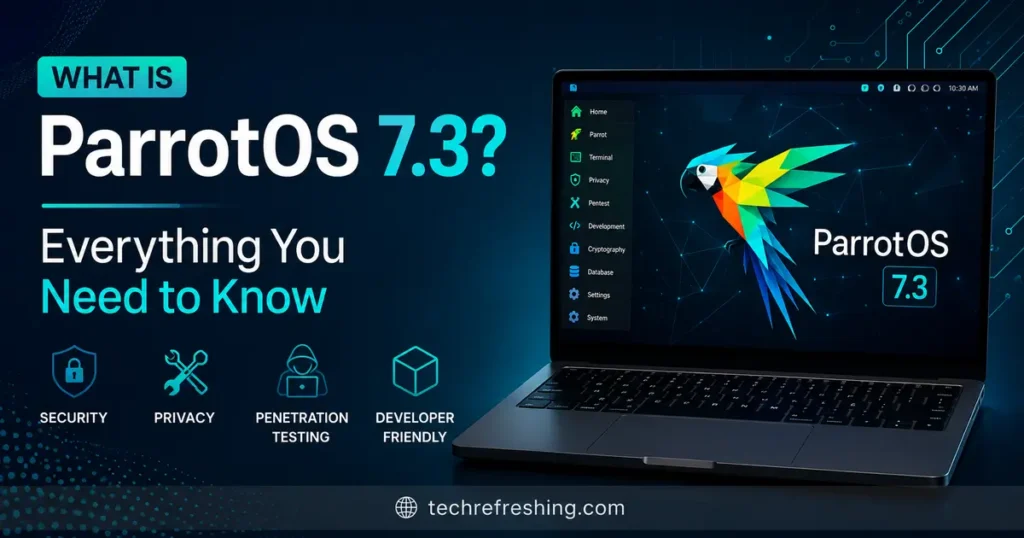
If you keep half an eye on the Linux security world, you’ve probably noticed ParrotOS popping up in conversations next to Kali Linux every time someone mentions penetration testing distros. The project just pushed out another update, and a lot of people are typing the same question into Google right now: what is ParrotOS 7.3, and is it worth the upgrade? Released on June 29, 2026, Parrot 7.3 is the third point release in the Parrot 7 series that kicked off with the major Echo release back in December 2025. It’s not a flashy, headline-grabbing overhaul — it’s the kind of update that quietly fixes what was bugging you, refreshes the tools you actually use, and keeps the system aligned with upstream Debian. In this post I’ll walk through what’s actually in this release, how it fits into the bigger Parrot 7 story, and whether you should bother updating.
A Quick Refresher: What Is ParrotOS?
Before diving into 7.3 specifically, it helps to know what Parrot actually is for anyone landing on this page without that context.
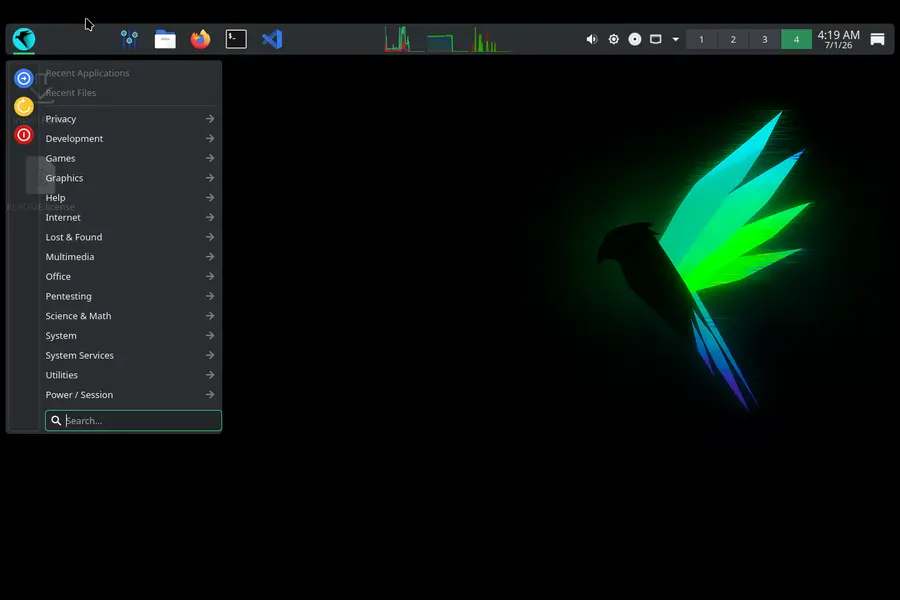
ParrotOS (often called Parrot Security or just Parrot) is a Debian-based Linux distribution built for cybersecurity professionals, penetration testers, digital forensics analysts, and privacy-conscious users. It’s been around since 2013, developed by a small but dedicated team, and it’s grown into one of the main alternatives to Kali Linux in the ethical hacking space. Where Kali leans heavily on raw tool count and Offensive Security’s training ecosystem, Parrot tries to strike a balance between being a fully loaded pentesting toolkit and being a system you could comfortably use as your everyday driver.
The distro ships in a few different flavors:
- Security Edition – the full pentesting build with 800+ tools preinstalled, covering reconnaissance, exploitation, wireless attacks, forensics, and reverse engineering.
- Home Edition – a clean, lightweight build for daily use, development, and privacy, without the security toolkit baked in.
- Core Edition – a minimal base meant for advanced users who want to build their own setup from the ground up.
- Specialized images for Raspberry Pi, WSL, Docker, and virtual appliances.
So, What Is ParrotOS 7.3 Exactly?
Here’s the short version: ParrotOS 7.3 is a maintenance and refinement release that builds on the foundation laid by Parrot 7.0 “Echo” in December 2025. It follows directly after 7.1 (February 2026) and 7.2 (May 2026), continuing the project’s roadmap of shipping incremental updates roughly every two to three months instead of waiting a year for one giant release.
That rolling cadence matters more than it might sound. Instead of being stuck on stale tool versions for months, Parrot users get a steady drip of kernel bumps, security patches, and refreshed pentesting frameworks. 7.3 keeps that pattern going, syncing the distro with the latest upstream Debian Trixie packages and tightening up the rough edges that accumulated since the 7.2 release in May.
If you’ve used Parrot 7.0, 7.1, or 7.2, you’ll feel right at home in 7.3 — it’s the same KDE Plasma-based experience, the same Echo visual identity, and the same core toolset, just sharpened.
What Changed Since Parrot 7.0 “Echo” — The Bigger Picture
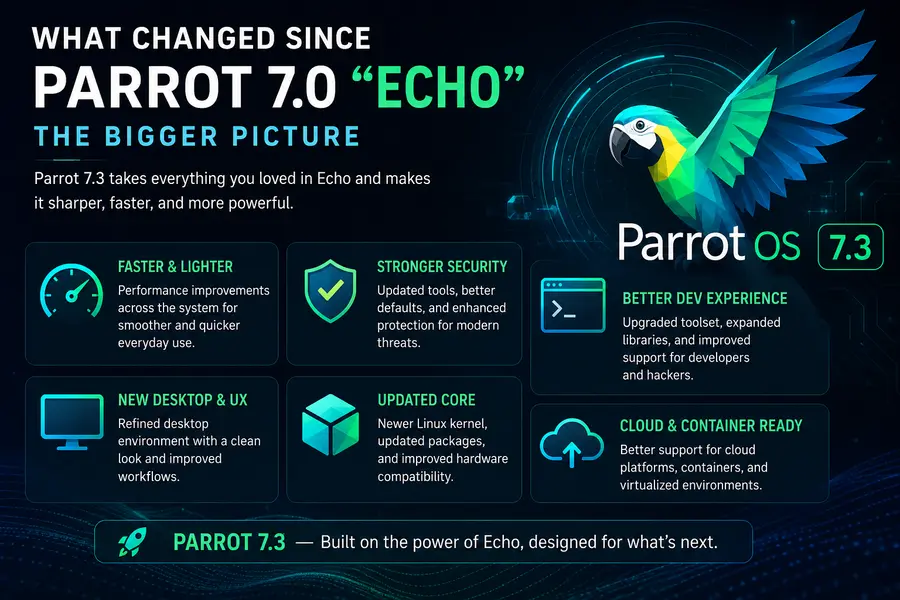
To really understand where 7.3 sits, it helps to look at the path the 7.x branch has taken so far:
Parrot 7.0 (December 2025) was the big one — a near-total rewrite that moved the distro from MATE to KDE Plasma 6 as the default desktop, switched to Wayland by default, and rebuilt the system on a Debian 13 “Trixie” base running Linux kernel 6.12 LTS. That release also introduced a dedicated AI Tools category in the Security Edition, a rewritten Rust-based updater with a GTK4 interface, and official RISC-V support through a rootfs tarball.
Parrot 7.1 (February 2026) was a stability-focused follow-up. It fixed GRUB boot issues that were locking some laptops out after the 7.0 upgrade, updated DKMS drivers, bumped the kernel to 6.17, and restored limited i386 (32-bit) compatibility for tools that still depend on it, like certain Steam components. It also brought official community spins running MATE, LXQt, and Enlightenment for people who weren’t sold on KDE.
Parrot 7.2 (May 2026) pushed the kernel forward again to 6.19.13, notably patching the “Copy Fail” vulnerability (CVE-2026-31431) that had been making the rounds in security news circles. It refreshed core tools like NetExec, BloodHound, sqlmap, and the Parrot Updater, and continued migrating internal components to a Go-based codebase.
Parrot 7.3 (June 2026) picks up right where 7.2 left off. Following the project’s established cadence, expect it to carry forward the latest Debian Trixie package sync, an updated kernel branch, refreshed versions of the security tools practitioners rely on daily, and continued polish to parrot-core, parrot-menu, and the documentation overhaul the team has been working through release after release.
Core System Details
Parrot has kept its underlying architecture fairly consistent across the entire 7.x series, and 7.3 doesn’t change that recipe:
- Base distribution: Debian 13 “Trixie”
- Default desktop environment: KDE Plasma 6, running on Wayland by default
- Visual identity: The “Echo” theme, built on Flat Remix and Sweet Mars, with the green terminal aesthetic Parrot is known for
- System updater: Parrot Updater, rewritten in Rust with a GTK4 interface, checking weekly and notifying you of pending updates
- Architecture support: amd64 and arm64 as primary targets, with RISC-V support available via rootfs tarball, and limited i386 compatibility restored since 7.1
If you’re coming from an older Parrot 6.x install, the jump to anything in the 7.x line — including 7.3 — is still best done as a clean install rather than an in-place upgrade, simply because of how much changed under the hood between 6.4 and 7.0. The KDE migration alone touches configuration in ways that don’t always translate cleanly from MATE-based setups.
Tooling and Pentesting Highlights
This is the part most people actually care about. Parrot’s whole reputation rests on its curated tool collection, and every point release in the 7.x branch has been chipping away at keeping that collection current.
Across the 7.1 and 7.2 cycles, the project pushed updated builds of tools security pros use every day — things like Metasploit, Burp Suite, Maltego, sqlmap, NetExec, BloodHound, TruffleHog, Feroxbuster, Subfinder, and Rizin/Cutter. The trend in 7.3 continues that same maintenance rhythm: rather than introducing a wave of brand-new tools the way 7.0 did with ConvoC2, goshs, evil-winrm-py, and HexStrike AI, this release is about keeping the existing toolkit sharp and bug-free.
A few things worth knowing if you work with Parrot’s tooling regularly:
- The AI Tools category, introduced in 7.0, continues to be a focus area. Parrot’s stated direction for 2026 leans toward studying how LLM-powered agents and chatbots create new attack surfaces, rather than just bolting AI assistants onto the OS for convenience.
- parrot-tools, the metapackage that pre-installs commonly needed utilities, keeps expanding — recent cycles added packages for debugging (gdb/cgdb), info-gathering (PEASS-ng/AutoRecon), cloud security (Syft/TruffleHog), and crypto work (Seahorse).
- The migration of internal Parrot utilities to Go and Rust codebases, started in earlier 7.x releases, keeps moving forward, which generally means faster, more memory-safe tooling under the hood even if you never notice it directly.
Stability and Bug Fixes
If there’s one consistent theme across every Parrot 7.x point release, it’s that the team uses these updates to clean up whatever broke during the previous cycle. 7.1 fixed GRUB boot failures. 7.2 patched a serious kernel-level vulnerability and synced packages with upstream Debian. Following that same logic, 7.3 functions as a checkpoint release — folding in the latest Debian security patches, smoothing out KDE configuration quirks, and addressing user-reported issues that piled up in the forums and GitLab issue tracker since May.
This is honestly one of the most underrated things about how Parrot operates. A lot of security distros treat point releases as an afterthought. Parrot treats them as the main event, which is part of why the project has built up a loyal base of daily users rather than just people who boot it from a USB stick once a year for a CTF.
Documentation and Infrastructure
It’s easy to overlook, but the Parrot team has been steadily rebuilding its documentation and website infrastructure throughout the 7.x cycle. Earlier releases mentioned ongoing revisions to specific doc sections, with a full visual overhaul promised “soon.” By the time 7.3 landed, that documentation push had matured further, making it noticeably easier to find install guides, tool references, and upgrade instructions without digging through outdated forum threads.
On the infrastructure side, the project’s GitLab-based CI/CD pipeline — introduced with 7.0 — continues to automate ISO builds, Docker and WSL image updates, and VM appliance generation (QCOW2, VMDK, and similar formats). That automation is a big reason why Parrot has been able to keep up a release-every-couple-months cadence without burning out its small dev team.
ParrotOS 7.3 vs Kali Linux: How Do They Compare?
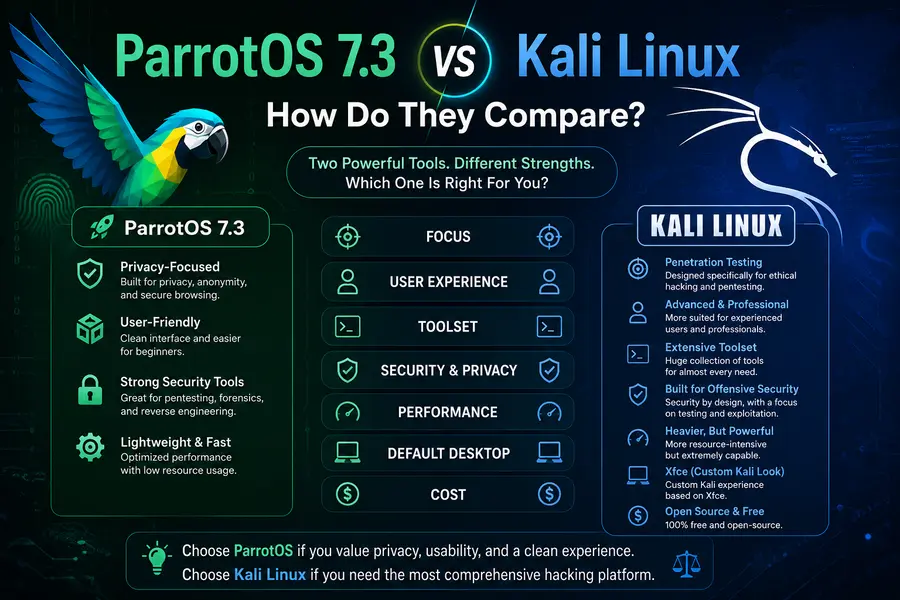
Since this question always comes up, here’s a grounded comparison rather than the usual “they’re basically the same” cop-out.
Desktop experience: Parrot 7.3 runs KDE Plasma 6 by default, tuned to feel lightweight even on modest hardware. Kali defaults to Xfce, which is leaner out of the box but less visually polished. If you care about a modern desktop feel, Parrot edges ahead here.
Resource footprint: Parrot has traditionally positioned itself as friendlier to lower-spec machines, and the project still supports minimum specs around 2GB RAM for most editions (with the Core edition going even lighter for Raspberry Pi 3B-class hardware). Kali’s hardware requirements are similar but its tool defaults can feel heavier out of the box.
Tool selection: Both distros draw from largely overlapping pentesting toolsets since both are Debian-based and pull from similar repositories. Kali tends to have a slight edge in raw tool count and is the default platform for Offensive Security’s certifications (OSCP, etc.), which matters if you’re studying for those. Parrot leans into curation — fewer redundant tools, more emphasis on what’s actively maintained.
Privacy tooling: This is where Parrot genuinely differentiates itself. AnonSurf, Tor integration, and sandboxing via AppArmor are baked in more deliberately, making Parrot a better fit if anonymity and privacy are part of your daily workflow, not just your pentesting toolkit.
Update philosophy: Kali ships frequent rolling updates too, but Parrot’s point-release structure (7.0 → 7.1 → 7.2 → 7.3) gives you clearer changelogs and a more predictable upgrade rhythm, which some sysadmins genuinely prefer over a pure rolling model.
Neither distro is objectively “better” — it comes down to whether you want Kali’s certification-aligned ecosystem or Parrot’s slightly more general-purpose, privacy-forward approach.
Should You Upgrade to Parrot 7.3?
If you’re already running Parrot 7.0, 7.1, or 7.2, upgrading to 7.3 is a low-risk move. You’re not jumping desktop environments or rearchitecting your system the way the 6.x-to-7.0 migration required — you’re applying the latest patches, kernel updates, and tool refreshes on top of a foundation you already know.
A few practical notes before you pull the trigger:
- Back up first, always. Even routine point releases occasionally surface edge cases depending on your hardware and customizations.
- Use
parrot-updaterorparrot-upgradefor an in-place update if your existing install is on official repos and reasonably tidy. - Go with a fresh ISO install if you’re coming from Parrot 6.x or earlier, or if your current system has accumulated a lot of manual tweaks and third-party repositories.
- Check your third-party repos before upgrading — disable anything non-official to avoid dependency conflicts during the package sync.
If you’re brand new to Parrot and deciding whether to start with 7.3 specifically, the answer is simple: yes, always start with the latest point release rather than an older 7.x ISO. You’ll get the most current kernel, the latest tool versions, and the fewest known bugs.
Final Thoughts
So, what is ParrotOS 7.3 when you boil it all down? It’s the latest checkpoint in a distro that’s been quietly maturing into one of the more thoughtfully maintained security-focused Linux options out there. It’s not trying to reinvent itself every release — instead, it’s refining the KDE-based, Debian 13-powered foundation that Parrot 7.0 established back in December 2025, fixing what needed fixing, and keeping the toolset current for the people who actually rely on it every day. Whether you’re a pentester, a forensics analyst, a student working through certifications, or just someone who wants a security-conscious daily driver, Parrot 7.3 is worth grabbing — and if you’re already on an earlier 7.x build, there’s no real reason to hold off on the update.
Disclaimer
This article is based on publicly available information about ParrotOS 7.3 as of late June 2026, including the project’s official blog and third-party Linux news coverage. Some details may change as the Parrot team updates its documentation, so always verify version numbers and system requirements on the official ParrotOS website before installing or upgrading.
📚 Related Linux Articles
Continue reading these in-depth Linux distribution guides and comparisons.