In the fast-evolving world of cybersecurity, choosing the right tools can make or break your ability to stay ahead of threats. For cybersecurity professionals, Linux distributions (distros) are often the go-to choice due to their open-source nature, flexibility, and robust security features. Whether you’re an ethical hacker, penetration tester, forensic analyst, or privacy advocate, the right Linux distro can empower you with the tools and environment needed to tackle complex security challenges.
In this comprehensive guide, we’ll explore the Top 5 Linux for Cybersecurity Professionals in 2025, based on the latest official data, user feedback, and industry trends. We’ll dive into their features, use cases, and why they stand out, ensuring you have all the information to pick the perfect distro for your needs.
Why Linux for Cybersecurity?
Before we jump into the list, let’s talk about why Linux is a favorite among cybersecurity professionals. Linux’s open-source nature allows for complete transparency and customization, letting users tailor their systems to specific security tasks. Its command-line interface, combined with powerful scripting capabilities (think Bash and Python), makes it ideal for automating complex operations. Plus, Linux distros often come pre-loaded with specialized tools for penetration testing, digital forensics, and anonymity, saving professionals valuable setup time. With a passionate community driving constant updates and innovations, Linux remains a cornerstone of cybersecurity workflows. Now, let’s explore the Top 5 Linux for Cybersecurity Professionals that dominate the field in 2025.
1. Kali Linux: The Industry Standard for Penetration Testing
Overview
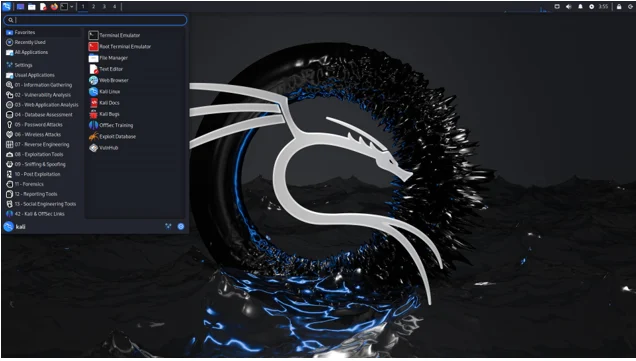
Kali Linux, developed by Offensive Security, is the gold standard for cybersecurity professionals, particularly those focused on penetration testing and ethical hacking. This Debian-based distro is a powerhouse, pre-loaded with over 600 tools designed for vulnerability assessment, network analysis, and digital forensics. Its reputation as the go-to platform is solidified by its use in certifications like the Offensive Security Certified Professional (OSCP), where proficiency in Kali is a requirement.
Key Features
- Extensive Toolset: Kali includes tools like Metasploit, Nmap, Wireshark, and Burp Suite, covering everything from information gathering to exploit development.
- Regular Updates: Weekly updates ensure tools and the system stay current with the latest security patches and features.
- Customization Options: Kali’s metapackages allow users to install specific toolsets for tasks like wireless hacking or hardware testing, making it highly adaptable.
- Multi-Platform Support: Available on VMware, VirtualBox, Raspberry Pi, and even as a mobile platform (Kali NetHunter) for Android devices.
- AI-Driven Tools: In 2025, Kali introduced AI-powered tools for automating vulnerability detection, enhancing workflow efficiency.
- Kali Purple: A derivative focused on defensive security, offering tools for both attack and defense, making it an all-in-one solution.
Why It’s Great for Cybersecurity Professionals
Kali Linux is built for professionals who need a robust, reliable platform for penetration testing and security assessments. Its comprehensive documentation and active community make it accessible, though its command-line-heavy interface can be daunting for beginners. The distro’s flexibility allows seasoned pros to create custom environments, while its industry-standard status ensures compatibility with enterprise needs. However, its resource-intensive nature means it’s best suited for systems with decent hardware.
Ideal For
- Penetration testers
- Ethical hackers
- Security consultants
- Professionals preparing for OSCP certification
Drawbacks
- Steep learning curve for Linux newcomers
- Higher resource requirements compared to lightweight alternatives
- Not designed for general-purpose computing
Official Website
2. Parrot Security OS: The Lightweight, Privacy-Focused Alternative
Overview
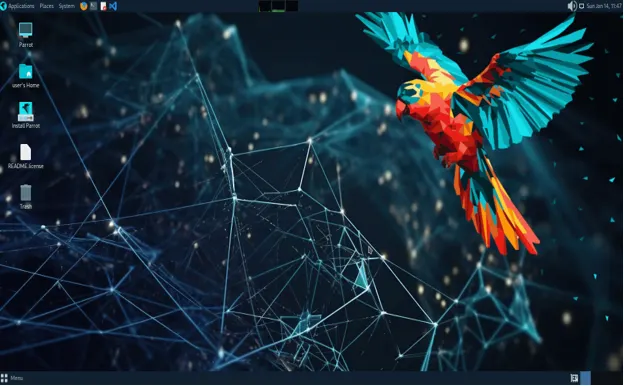
Parrot Security OS, another Debian-based distro, is a strong contender in the cybersecurity space, offering a balance of penetration testing tools and privacy-focused features. Designed for both beginners and advanced users, Parrot OS is less resource-intensive than Kali, making it ideal for older hardware or cloud-based deployments. Its Security Edition mirrors Kali in many ways but emphasizes usability and anonymity.
Key Features
- Versatile Toolset: Includes tools like Anonsurf, Metasploit, and SQLmap, covering penetration testing, forensics, and reverse engineering.
- Privacy Tools: Built-in support for Tor and anonymous browsing, plus sandboxing and hardening options for enhanced security.
- Lightweight Design: Optimized for low-resource systems, making it suitable for virtual machines and containerized environments like Docker.
- User-Friendly Interface: A more intuitive interface compared to Kali, with a focus on guiding new users into good security practices.
- Frequent Updates: Regular security patches and tool updates ensure reliability and compatibility with modern hardware.
- Customizable: Offers flexibility for backend customization, ideal for teams needing tailored environments.
Why It’s Great for Cybersecurity Professionals
Parrot OS shines in resource-constrained environments and scenarios requiring strong privacy protections. Its lightweight nature makes it perfect for running on older machines or in virtualized setups, while its privacy tools appeal to professionals prioritizing anonymity. The distro’s beginner-friendly approach doesn’t sacrifice power, making it a great choice for students and pros alike. Compared to Kali, Parrot is more accessible but slightly less comprehensive in its toolset.
Ideal For
- Beginners transitioning into cybersecurity
- Professionals working in resource-limited environments
- Privacy-conscious researchers
- Forensic analysts
Drawbacks
- Smaller toolset than Kali (though still extensive)
- Less industry recognition compared to Kali
- Limited documentation compared to Kali’s extensive resources
Official Website
3. Tails: The Champion of Anonymity
Overview
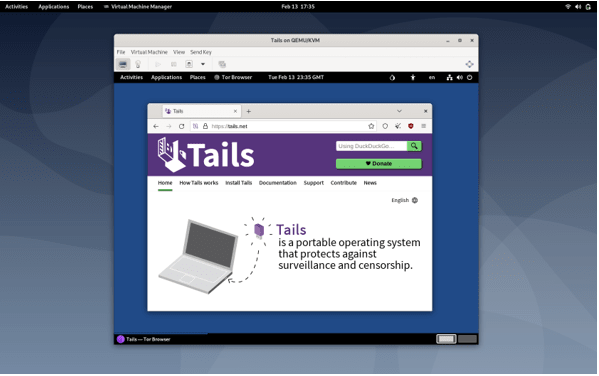
Tails is a Debian-based live operating system designed for absolute privacy and anonymity. Unlike Kali or Parrot, Tails focuses on leaving no trace, routing all traffic through the Tor network and storing data in RAM, which is erased upon shutdown. Its portability (run from a USB or DVD) makes it a favorite for secure browsing and communications.
Key Features
- Tor Integration: All internet traffic is routed through Tor, ensuring anonymity and protection against surveillance.
- Amnesic Design: No persistent storage unless explicitly configured, minimizing data exposure.
- Pre-Configured Tools: Includes cryptographic tools like GPG and OpenPGP for secure communication and file encryption.
- Streamlined Updates: The 2025 release (version 5.15) introduced an updated Tor browser and simplified USB installation.
- Portable and Lightweight: Runs efficiently on minimal hardware, ideal for fieldwork or discreet operations.
Why It’s Great for Cybersecurity Professionals
Tails is unmatched for professionals needing maximum anonymity, such as journalists, activists, or threat intelligence experts working in sensitive environments. Its live OS nature ensures no data lingers on the host machine, making it ideal for secure communications or investigations where traceability is a concern. However, its focus on privacy over offensive tools limits its use for penetration testing or forensics compared to Kali or Parrot.
Ideal For
- Privacy advocates
- Threat intelligence professionals
- Secure communication needs
- Users requiring anonymity in high-risk environments
Drawbacks
- Limited offensive security tools
- Not suited for penetration testing or forensics
- Requires careful configuration for persistent storage
Official Website
4. Qubes OS: Security by Compartmentalization
Overview
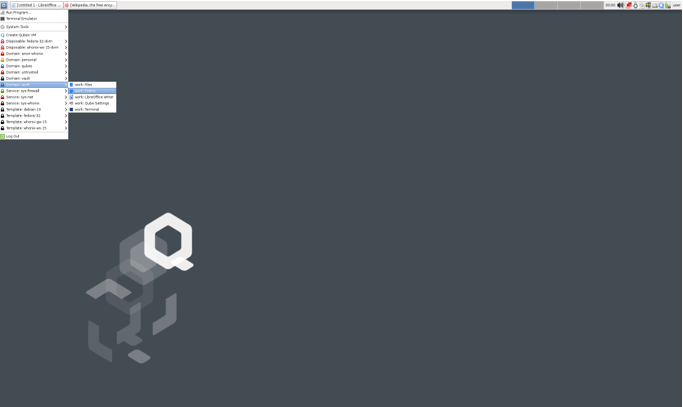
Qubes OS takes a unique approach to security through compartmentalization, using virtual machines (called “qubes”) to isolate different tasks and applications. Based on the Xen hypervisor, Qubes OS assumes all software is inherently vulnerable and mitigates risks by isolating processes. It’s a favorite for professionals needing robust protection for sensitive data.
Key Features
- Security by Isolation: Each qube runs in a separate virtual machine, preventing a compromised application from affecting the entire system.
- Full Disk Encryption: Protects sensitive data from physical theft or tampering.
- Color-Coded Organization: Qubes are color-coded for easy identification (e.g., work, personal, banking), enhancing usability.
- Flexible Integration: Combines multiple qubes into a single desktop environment for seamless operation.
- Tor and VPN Support: Compatible with Tor and VPNs for added privacy.
Why It’s Great for Cybersecurity Professionals
Qubes OS is ideal for professionals handling sensitive data or working in environments where a single breach could be catastrophic. Its compartmentalization approach is perfect for isolating testing environments, securing intellectual property, or protecting against advanced persistent threats. However, it requires significant system resources and technical expertise, making it less beginner-friendly.
Ideal For
- Advanced security researchers
- Professionals handling sensitive data
- Threat analysts needing isolated environments
- Organizations requiring high-security compliance
Drawbacks
- High resource demands (requires powerful hardware)
- Complex setup and learning curve
- Not designed for offensive security tasks
Official Website
5. BlackArch Linux: The Powerhouse for Advanced Users
Overview
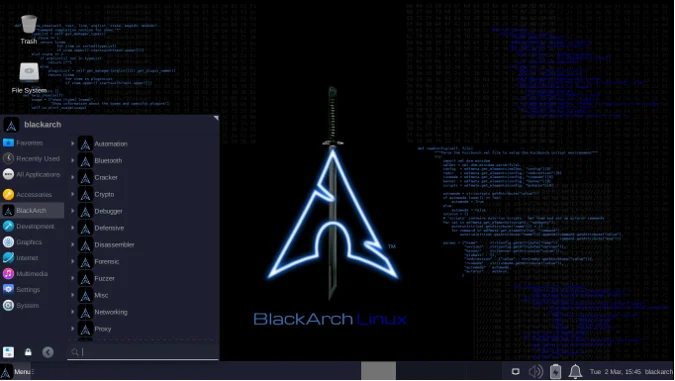
BlackArch Linux, built on Arch Linux, is a tool-heavy distro designed for penetration testers and security researchers. With over 2,900 pre-installed tools, it rivals Kali in scope but caters to advanced users comfortable with Arch’s minimalist, DIY philosophy. Its modular package system allows for granular control over tool installation.
Key Features
- Massive Toolset: Over 2,900 tools for penetration testing, malware analysis, and reverse engineering.
- Modular Installation: Tools can be installed individually or in groups, offering flexibility.
- Live ISO Support: Can be run as a live system or installed for persistent use.
- Customizable Window Managers: Supports multiple desktop environments like Awesome and Fluxbox for tailored workflows.
- Arch Linux Base: Inherits Arch’s stability and lightweight design, ideal for advanced customization.
Why It’s Great for Cybersecurity Professionals
BlackArch is a dream for experienced users who want total control over their environment. Its vast toolset and modular design make it perfect for specialized tasks like reverse engineering or malware analysis. However, its steep learning curve and lack of beginner-friendly features make it less accessible than Kali or Parrot. The sparse interface and minimal default configuration require users to know exactly what they need.
Ideal For
- Experienced penetration testers
- Security researchers
- Malware analysts
- Advanced users comfortable with Arch Linux
Drawbacks
- Not beginner-friendly
- Limited documentation compared to Kali
- Tool navigation can be cumbersome due to lack of subcategories
Official Website
How to Choose the Right Linux Distro for You
Selecting from the Top 5 Linux for Cybersecurity Professionals depends on your expertise, hardware, and specific use case. Here’s a quick guide to help you decide:
- Beginners: Parrot OS or BackBox (an honorable mention) offer user-friendly interfaces and robust tools without overwhelming complexity.
- Penetration Testers: Kali Linux is the industry standard, with unmatched tools and documentation.
- Privacy Advocates: Tails is your go-to for anonymity and secure communications.
- Advanced Users: BlackArch Linux or Qubes OS cater to those needing extensive tools or isolated environments, respectively.
- Resource-Constrained Systems: Parrot OS excels in low-resource environments like virtual machines or older hardware.
Consider your hardware capabilities, as Qubes and Kali require more resources than lightweight options like Tails or Parrot. Also, evaluate whether you need offensive tools (Kali, BlackArch), defensive capabilities (Qubes, Kali Purple), or anonymity (Tails).
Enhancing Your Linux Cybersecurity Setup
Regardless of the distro you choose, you can boost its security with additional tools:
- VPNs: Encrypt your traffic with tools like NordVPN for added privacy.
- Intrusion Detection Systems (IDS): Tools like Snort or Suricata can monitor network activity for threats.
- Antivirus Software: ClamAV can protect against malware, especially on Debian-based systems.
- Regular Updates: Keep your distro and tools updated to patch vulnerabilities.
- Community Resources: Leverage forums, documentation, and communities like Reddit’s r/linux4noobs for support.
Conclusion
The Top 5 Linux for Cybersecurity Professionals—Kali Linux, Parrot Security OS, Tails, Qubes OS, and BlackArch Linux—offer tailored solutions for diverse cybersecurity needs in 2025. Kali remains the king of penetration testing, Parrot balances usability and power, Tails ensures unmatched anonymity, Qubes provides ironclad isolation, and BlackArch caters to advanced users with its vast toolset. By understanding your goals and expertise level, you can choose the distro that best empowers you to tackle modern cyber threats.
Whether you’re hacking ethically, analyzing forensics, or safeguarding sensitive data, these Linux distros provide the tools and flexibility to stay ahead in the cybersecurity game. Explore their official websites, test them in live modes, and join their vibrant communities to maximize your potential. Stay secure, stay curious, and happy hacking!
Disclaimer
The information provided in this blog post about the Top 5 Linux for Cybersecurity Professionals is for educational and informational purposes only. The content is based on the latest available data and industry trends as of September 2025, but it may not reflect all possible updates or changes to the mentioned Linux distributions. While we strive for accuracy, the cybersecurity landscape evolves rapidly, and users are encouraged to verify details directly from official sources, such as the respective Linux distribution websites, before making decisions.
This post is not intended to endorse or recommend any specific Linux distribution over others for all scenarios. The suitability of a Linux distribution depends on individual needs, expertise, and use cases. Always exercise caution and follow best practices when using cybersecurity tools, as improper use may lead to unintended consequences, including legal or ethical issues. Consult with a qualified professional or organization for advice tailored to your specific cybersecurity requirements.
The author and publisher are not responsible for any damages, losses, or liabilities arising from the use or misuse of the information or tools mentioned in this post. Users are responsible for ensuring compliance with all applicable laws and regulations when using these Linux distributions or their associated tools.
Also Read
Linux for Data Science: Tools and Distros You Need to Know