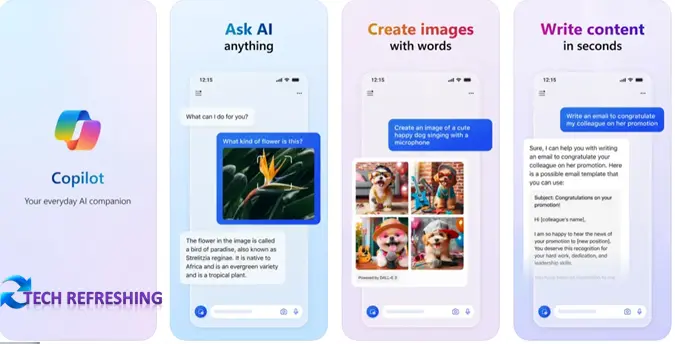
In a bid to expand accessibility and functionality, Microsoft has swiftly followed its Android Copilot app release with the launch of Copilot for iOS and iPadOS. Available now on the Apple App Store, this application brings Microsoft’s AI chatbot into the hands of Apple device users.
Similar to the OpenAI ChatGPT mobile app, the Microsoft Copilot app offers an array of features, enabling users to pose queries, compose emails, and condense text. However, it goes a step further by integrating with DALL-E3, facilitating image creation alongside textual interactions.
What sets Copilot apart is its utilization of the cutting-edge GPT-4, the latest large language model developed by OpenAI. Unlike the free version of ChatGPT which operates on GPT-3.5 and requires a subscription for higher models, Copilot offers access to GPT-4 without an additional fee.
This launch marks a strategic shift for Microsoft, rebranding Bing Chat as Copilot and aiming to deliver a standalone experience akin to ChatGPT. Beyond the mobile app expansion to both Android and Apple devices, Microsoft has also introduced a distinct web interface for Copilot, divorcing it from its previous integration within Bing.
The move indicates Microsoft’s commitment to enhancing user experience, offering a robust AI-driven platform that seamlessly integrates into daily tasks and creative endeavors. Users can now harness the power of GPT-4 and DALL-E3 through Copilot, marking a significant stride in AI-powered interaction and content creation.