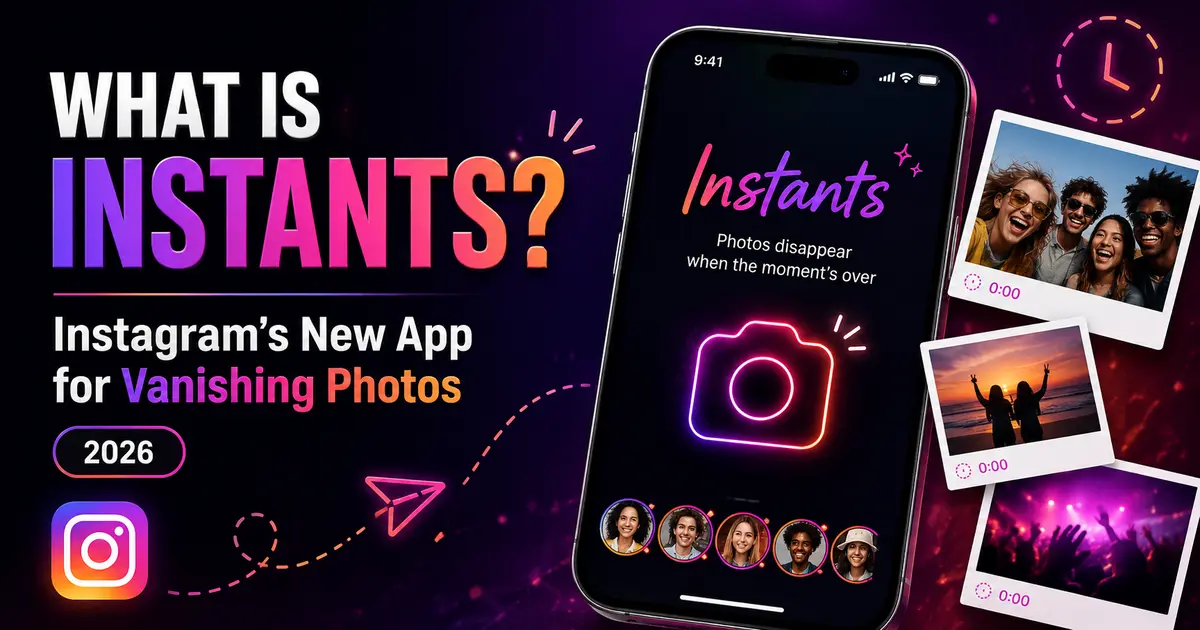
Instagram just dropped something that feels oddly familiar — and refreshingly different at the same time. If you’ve been scrolling through tech headlines this week, you’ve probably seen the buzz. So, what is Instants? In short, it’s Instagram’s brand-new feature (and standalone app) for sharing photos that vanish after your friends view them. No filters. No editing. No pressure. Just a real, raw moment, shared and gone.
Launched globally on May 13, 2026, Instants marks Instagram’s most deliberate attempt yet to recapture the casual, spontaneous spirit the platform was built on — before ads, algorithms, and influencer culture took over. And honestly? It’s worth paying attention to.
What Is Instants, Exactly?
At its core, what is Instants is a question about a format, not just an app. Instants are ephemeral photos captured and shared in real time that disappear once your friends have seen them. If no one opens them within 24 hours, they expire automatically regardless.
Think of it as Instagram meeting Snapchat’s original energy — but without the sticker clutter, the Discover feed chaos, or the 15-step editing process. Instagram describes the idea simply: share in the moment, no edits, no pressure.
Here’s what makes Instants different from anything else currently on Instagram:
- No editing allowed — you can’t apply filters, crop the image, add stickers, or adjust anything. The only modification permitted is adding a text caption.
- No camera roll uploads — every Instant must be captured live using the in-app camera. You can’t dig through your gallery and share something from last Tuesday.
- Photos disappear after viewing — once a recipient opens your Instant, it vanishes. No lingering on their feed or inbox.
- 24-hour expiry — even if no one opens it, the photo automatically expires after one day.
- No screenshots or screen recordings — Instagram has blocked both actions for Instants, making it genuinely more private than a regular DM photo.
How to Access and Use Instants on Instagram
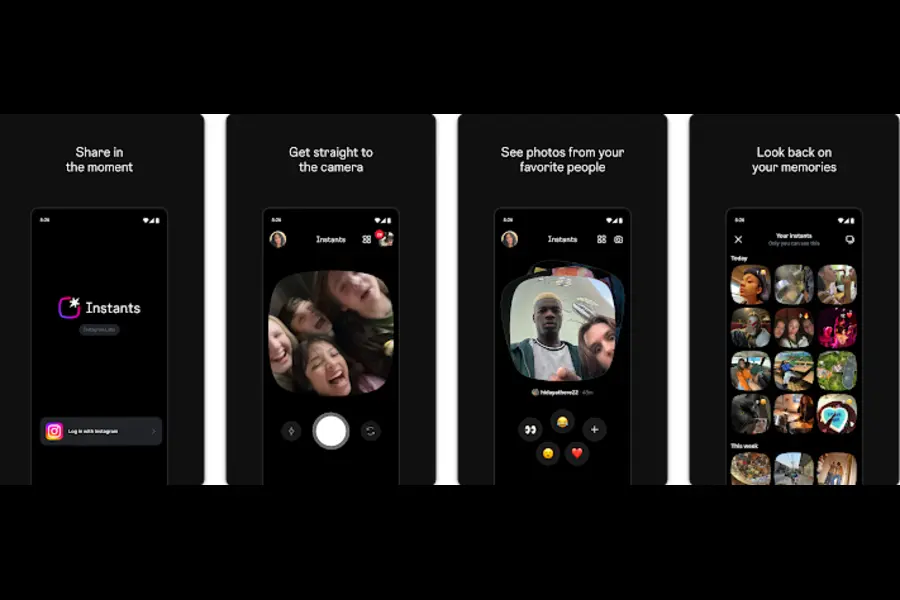
You don’t need to download anything new to try Instants — at least not to use the core feature. It’s already baked into the main Instagram app for users worldwide.
Accessing Instants in the Main Instagram App
- Open Instagram and head to your DM inbox.
- In the bottom right corner, you’ll see a small photo stack icon — that’s your Instants access point.
- Tap it, and you’re immediately in the camera. One tap to capture, and you’re ready to share.
After you take an Instant, you choose who sees it. Your options are:
- Close Friends — the same curated list you use elsewhere on Instagram.
- Mutuals — people you follow who also follow you back.
Once sent, your Instant lands as part of a small photo stack in your recipient’s inbox. They open it, it’s gone. Simple as that.
The Undo Button — A Smart Safety Net
One thoughtful addition: there’s an undo button available right after you share an Instant. If you immediately regret sending it (we’ve all been there), you can pull it back before anyone opens it. You can also delete an Instant from your archive to unsend it to friends who haven’t viewed it yet.
Snoozeing and Managing Incoming Instants
If you’re getting flooded with Instants from that one overly enthusiastic friend group, you can snooze them. Press and hold the Instants icon in your inbox and swipe right to temporarily stop receiving them. Swipe the other direction to resume.
The Standalone Instants App
Here’s where things get more interesting for the Snapchat comparison crowd. Beyond the in-app feature, Instagram has also built a dedicated, standalone Instants app for iOS and Android.
The whole point of the standalone app is speed. As Instagram itself admitted in its blog post, the feedback from testing was clear: people wanted a faster, simpler way to get into the camera without wading through the main Instagram app’s many layers of features.
What the Standalone App Does Differently
The standalone Instants app opens directly to the camera — no inbox, no feed, no Reels suggestions. Just a camera, ready to go. Anything you share through the standalone app also shows up for your Instagram friends, and vice versa. The two are fully synced; your close friends list is identical across both.
Currently, the standalone app is in limited testing in select countries rather than being fully available globally. Instagram has been experimenting with regional rollouts, including Spain and Italy, and is expanding based on feedback. If it’s not available in your country yet, you’ll still have full access to Instants within the main Instagram app.
What Happens to Your Instants After They Vanish?
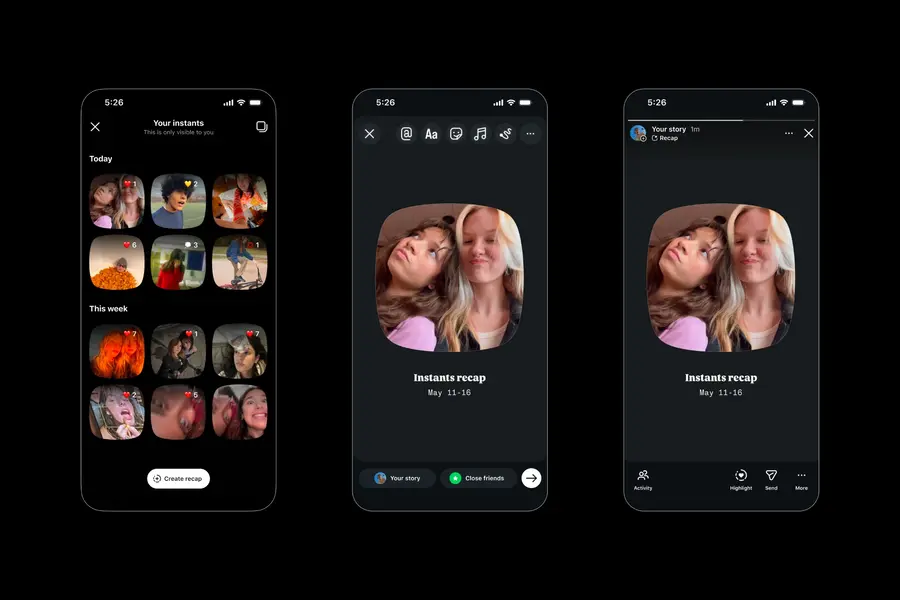
“Disappearing” doesn’t mean completely gone — at least not immediately. Instagram saves all your shared Instants in a private archive that only you can see. This archive holds your photos for up to one year.
Beyond personal nostalgia, there’s a practical use here too: you can compile Instants from your archive into a recap and share it to your Instagram Stories. So that chaotic birthday weekend, the spontaneous road trip, or the daily random moments you captured throughout the month can be stitched into something more permanent when you’re ready.
It’s a clever balance — the photos feel ephemeral to the people receiving them, but you’re not just throwing them into the void forever.
Privacy and Safety Features
Instagram has packed Instants with a solid set of privacy protections, and this is worth spelling out clearly because it goes beyond the usual lip service.
What You’re Protected Against
- No screenshots — recipients are blocked from screenshotting your Instants.
- No screen recordings — screen recording is also restricted.
- No camera roll uploads — content is always live, never from a stored gallery, which limits the ability to share inappropriate pre-saved content.
- Full blocking, muting, restricting, and reporting — all of Instagram’s existing safety tools apply to Instants.
Teen Account Protections
If you’re a parent, this is especially relevant. For users with supervised teen accounts, all parental control settings carry over automatically to Instants. This includes:
- Shared screen time limits — the same limits set on the main Instagram account apply.
- Default access restrictions between 10 PM and 7 AM — teens can’t use Instants late at night unless a parent adjusts this.
- Screenshot and screen recording blocks — already in place for teen accounts.
- Parent notification when the standalone app is downloaded — if a teen installs the Instants app, the supervising parent gets an alert.
This level of control is meaningfully more robust than what Snapchat, BeReal, or most competitors offer out of the box for teens.
Instants vs. Instagram Stories vs. Snapchat: What’s Actually Different?
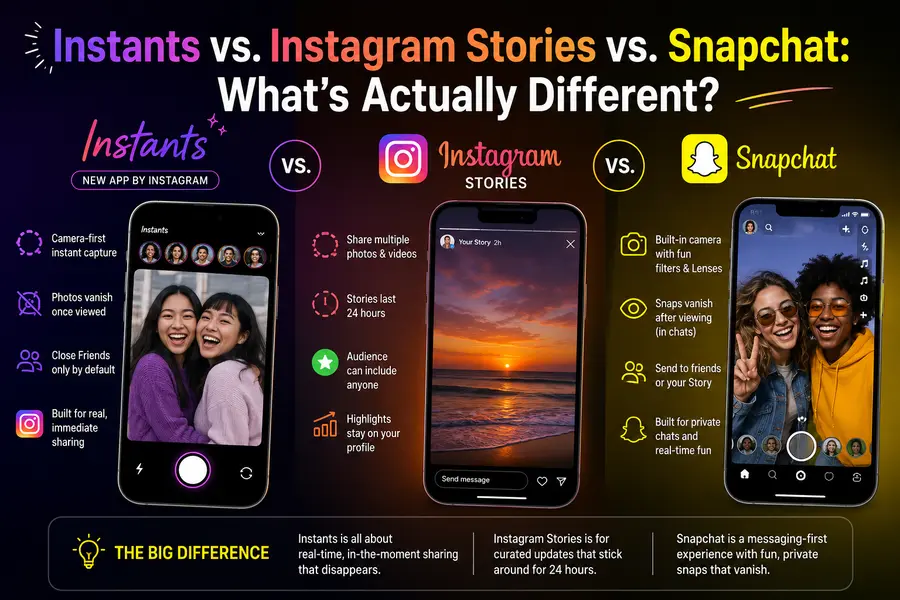
A fair question. Instagram already has Stories. Snapchat has been doing disappearing photos for over a decade. So where exactly does Instants fit?
| Feature | Instants | Instagram Stories | Snapchat |
|---|---|---|---|
| Editing tools | None (caption only) | Yes (filters, stickers, text) | Yes (extensive) |
| Camera roll uploads | No | Yes | Yes |
| Audience | Close Friends or Mutuals | Followers (or Close Friends) | Friends |
| Disappears after viewing | Yes | No (24 hrs regardless) | Yes |
| Auto-expire | 24 hours | 24 hours | Varies |
| Screenshots blocked | Yes | No | Notifies sender |
| Accessible from | DM inbox / standalone app | Stories bar | Main app |
| Public-facing | No | Optional | No |
Stories vs. Instants
Stories are still about broadcasting — even when shared with Close Friends, they sit at the top of a feed and carry the weight of “content.” You can edit them, color-correct them, add polls, add music. Instants strips all of that away. You’re not producing anything; you’re just sharing.
Snapchat vs. Instants
Snapchat invented the disappearing photo format in 2011 and has spent years layering features on top — Discover, Spotlight, Snap Map, AR lenses, and a UI that regularly confuses first-time users. Instants is, by design, far simpler. No Discover feed. No public content. No lenses. Just friends, photos, and disappearing.
What Instants trades against Snapchat is the social graph advantage. Your friends are already on Instagram. You don’t have to convince anyone to download a new app and rebuild their contacts from scratch.
Instagram’s History With Ephemeral Sharing (And Why This One Feels Different)
Let’s be honest — Instagram has tried this before.
- 2014: Bolt — a quick-share photo app that quietly shut down after failing to gain traction.
- 2019: Candid Stories — a BeReal-inspired feature that also never really took off.
- Stories (2016) — the one that actually worked, growing to 500 million daily users and effectively kneecapping Snapchat’s growth trajectory.
Instants is clearly drawing from the playbook that made Stories a success: identify a competing format, build it natively into Instagram where the audience already exists, and make it simple enough that friction doesn’t kill adoption.
The difference this time is specificity. Stories became a broadcast tool. Instants is explicitly about smaller circles — close friends, mutuals, people you actually know. That private, intimate framing is intentional and it addresses a real shift in how younger users are approaching social media in 2026: less performance, more connection.
Who Is Instants Actually For?
Honestly, Instants is aimed squarely at a few overlapping groups:
Younger users who feel like Instagram’s main feed is too high-stakes for casual sharing. The curated grid culture creates performance anxiety — every photo feels like it needs to justify its existence. Instants removes that pressure entirely.
Friend groups who want a lightweight way to stay in each other’s lives without the effort of texting photos individually or posting to Stories where an ex or a coworker might see it.
Instagram users who’ve drifted to Snapchat or BeReal for casual sharing and never really came back. Instants is an explicit attempt to bring that behavior back inside the Instagram ecosystem.
Parents and teens who want structured, privacy-respecting tools. The parental controls built into Instants are genuinely comprehensive, and the screenshot block in particular is something parents tend to care about deeply.
Is Instants a Snapchat Killer?
Probably not overnight — and maybe not ever in the way the question implies. Snapchat has a deeply loyal user base, AR capabilities that are genuinely impressive, and a culture built around the format over 15 years.
But Instants doesn’t need to kill Snapchat to succeed. It just needs to become the default way a certain kind of sharing happens inside Instagram. Given that Instagram has over two billion monthly active users and Instants is already available globally within the main app, the distribution advantage is enormous.
What Meta has proven repeatedly — with Stories, with Reels, even with Threads — is that it doesn’t need to build the best version of a format. It just needs to build a good enough version and plug it into a platform where billions of people already spend their time.
How to Get Started with Instants Right Now
If Instants is already available in your Instagram app (and for most users globally, it is as of May 13, 2026), here’s what to do:
1. Update Instagram to the latest version if you haven’t already.
2. Open your DM inbox and look for the small photo stack icon in the bottom right corner.
3. Tap it to open the Instants camera.
4. Take a photo — no staging required, that’s literally the point.
5. Choose your audience (Close Friends or Mutuals) and send.
6. If you want the standalone app and it’s available in your region, search for “Instants by Instagram” in the App Store or Google Play.
Final Thoughts: What Is Instants and Does It Matter?
So back to the original question — what is Instants? It’s Instagram’s answer to the growing exhaustion around curated, performative social media. It’s a direct message to users who’ve been quietly longing for the platform to feel personal again.
Whether it sticks depends on adoption, and adoption depends on whether people actually change their habits. That’s always the hard part. But the feature itself is well-designed, genuinely private, smartly integrated, and — perhaps most importantly — requires zero behavioral change from the existing Instagram audience. You’re already there. The camera is one tap away.
Instants might not reinvent social media. But it might make Instagram feel a little more like home again.
Disclaimer
This article is written for informational purposes only and is not affiliated with, endorsed by, or officially connected to Instagram, Meta, or any of their subsidiaries. All product names, features, and trademarks mentioned belong to their respective owners. While we strive to keep information accurate and up to date, features and availability may change over time. Always refer to Instagram’s official channels for the latest updates.
Related Linux & AI Articles
-
AI-Native Operating Systems: The Future Beyond Windows and Linux
Explore how AI-native operating systems are transforming computing with intelligent automation, adaptive interfaces, and next-generation workflows.
-
PrismLinux vs Ubuntu: Which Linux Distro Is Better?
Compare PrismLinux and Ubuntu in terms of performance, usability, customization, software support, and security features.
-
What’s New in SparkyLinux 8.3? Features and Updates Explained
Discover the latest features, improvements, package updates, and performance enhancements introduced in SparkyLinux 8.3.