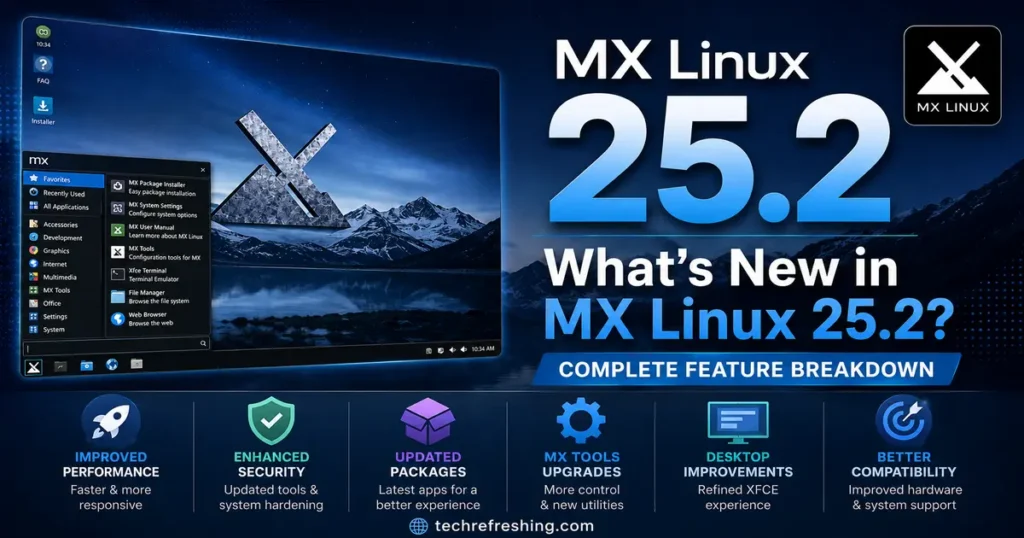
If you’ve been keeping tabs on the Debian-based Linux world, you already know MX Linux has quietly held a top spot on DistroWatch for years. And now, with the fresh release of MX Linux 25.2, the team behind this community-driven distribution has delivered another solid update that’s worth paying close attention to.
So, what’s new in MX Linux 25.2? Quite a bit, actually — from a redesigned installer with a fully functional text mode, to an upgraded kernel stack, updated graphics drivers, and meaningful quality-of-life improvements to the live system. Whether you’re a long-time MX user or someone thinking about switching, this breakdown covers everything you need to know.
MX Linux 25.2 at a Glance
MX Linux 25.2, continuing the “Infinity” codename, dropped on May 24, 2026 — arriving about four months after MX Linux 25.1. It’s the second point release in the MX 25 “Infinity” series, and it rides on top of Debian 13.5 “Trixie”, the latest stable revision of Debian’s current release cycle.
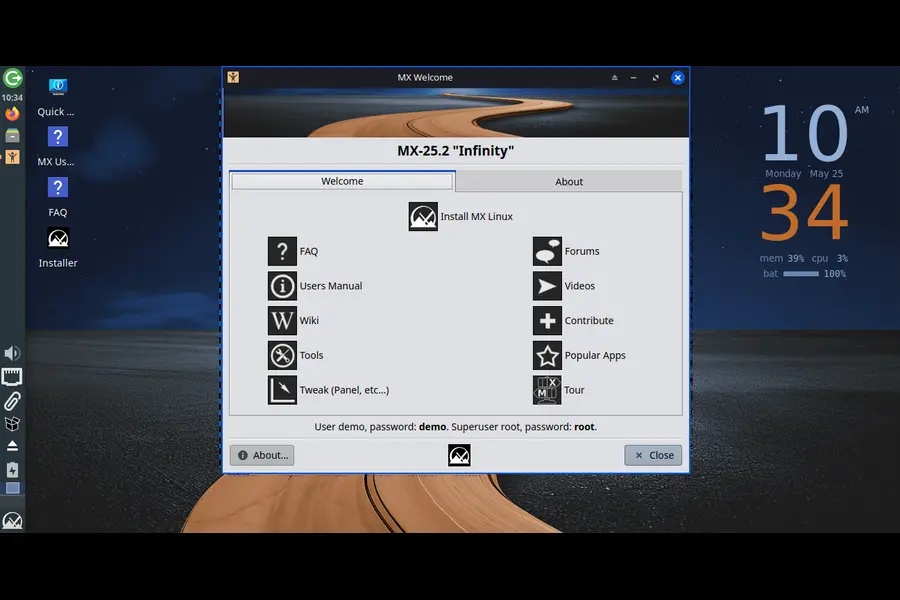
The release is available in three desktop flavors:
- Xfce (the classic, lightweight default)
- KDE Plasma (for those who want a modern, feature-rich experience)
- Fluxbox (the minimalist, highly configurable option)
Each flavor comes in a standard ISO and an AHS (Advanced Hardware Support) variant for users who need bleeding-edge hardware compatibility. And yes, there’s also a Raspberry Pi respin making its return this cycle.
Kernel Updates: Stable Foundation Meets Cutting-Edge Hardware
One of the first things people want to know about any new Linux release is: which kernel are we running?
MX Linux 25.2 takes a thoughtful two-track approach here:
- Standard ISOs: Ship with Linux 6.12.90, the latest point release of the long-term supported 6.12 LTS kernel. This is the safe, rock-solid choice for most desktops, laptops, and servers.
- AHS ISOs: Power users and those with newer hardware get a Liquorix-flavored Linux 7.0.9 kernel — a performance-optimized build based on the upstream 7.0 series, tuned specifically for desktop responsiveness.
The 6.12 LTS kernel brings broad hardware compatibility and a proven track record. For everyday use on machines from the last 5-7 years, it just works. The Liquorix 7.0 kernel on the AHS ISOs, on the other hand, is aimed at people running newer AMD Ryzen 9000-series chips, Intel Lunar Lake, or any other hardware that launched after 2024 and benefits from newer driver support.
Additionally, the AHS releases now ship with Mesa 26.0.1, which delivers better Vulkan performance, improved OpenGL compatibility, and more complete support for newer AMD RDNA 3/4 and Intel Arc graphics hardware.
The Biggest New Feature: A Brand-New Text Mode Installer
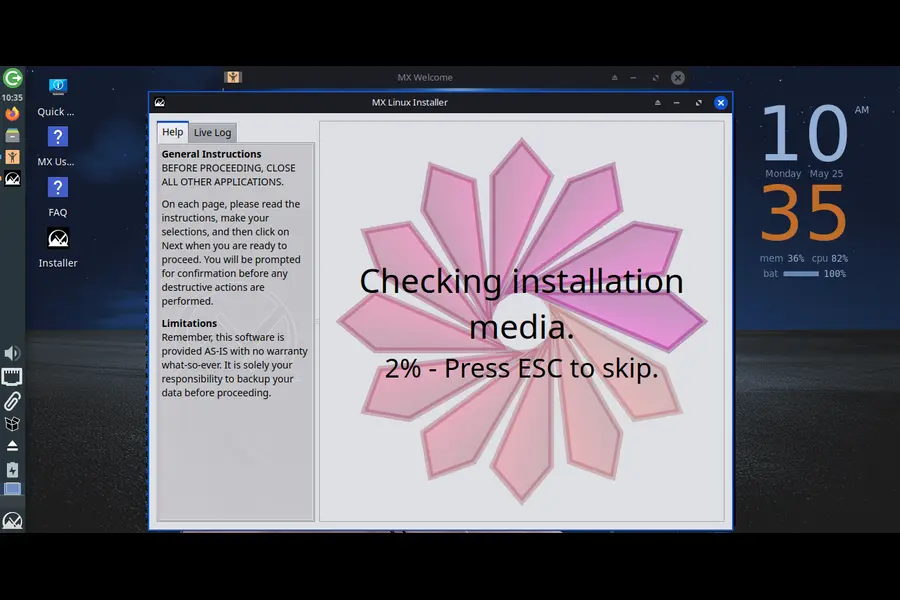
If there’s one headline change in MX Linux 25.2, it’s the revamped installer — and specifically, the introduction of a full text-based installation mode.
Up until now, installing MX Linux essentially required a working graphical environment. That’s fine for most users, but it created friction in certain edge cases: headless servers, systems with broken graphics drivers, older machines that struggle to render a full desktop session, or advanced users who simply prefer working in a terminal.
With MX Linux 25.2, all of that changes. The Gazelle installer can now operate entirely in text mode:
- In a text console: Text mode kicks in automatically — no flags needed.
- In a graphical terminal emulator: Run sudo minstall –tui to launch the text UI.
- Via the launcher: minstall-launcher handles the handoff seamlessly.
Importantly, this isn’t a stripped-down installer. The MX team was careful to make sure the text mode has all the same features as the graphical installer — partition management, user setup, locale configuration, the works. It’s just presented through a terminal interface rather than a GUI.
There are also a few quieter but genuinely useful installer improvements:
- Locale handling in GRUB: The installer now excludes locales during grub-install and copies them afterward only if they actually exist. This resolves a recurring issue where grub-install would fail when certain translation files were missing — either from packaging inconsistencies or aggressive locale deletion.
- Safer “save desktop changes”: The sed command for saving desktop changes now only runs against real files, not symlinks or missing paths that could cause unexpected behavior.
- OOBE systemd service: A new systemd unit service file for out-of-box experience (OOBE) has been added. This is used by default on the Raspberry Pi spin for initial user setup, and it’s also available for regular installs using the –oem switch.
These changes add up to a more reliable installation experience, especially in non-standard setups.
Debian 13.5 Base: What That Actually Means
MX Linux 25.2 is fully synchronized with Debian 13.5 “Trixie”, the latest stable revision released in May 2026. This isn’t just a formality — it means you’re inheriting every package update, security patch, and library upgrade that Debian pushed since the 13.4 baseline used in MX Linux 25.1.
For end users, this translates to:
- Updated versions of core system libraries (glibc, libssl, and others)
- Security patches addressing all recently disclosed CVEs in the Debian ecosystem
- Refreshed versions of applications shipped via Debian’s repos — including updates to Firefox ESR, Thunderbird, LibreOffice, and system utilities
The MX team also notes that this release includes patches for all the latest security vulnerabilities in the Linux kernel, colloquially referred to as “meme bugs” in the release notes — a nod to how several recent kernel CVEs got playful names in the security community.
Live System Improvements: Smarter Boot, Better Persistence
The live system in MX Linux has always been one of its strongest features — it’s one of the reasons the distro is so popular for USB boots, rescue environments, and testing. MX Linux 25.2 brings several meaningful improvements to this area.
Boot Routines Moved Out of rc.local
Certain initial setup actions during live boots have been relocated out of rc.local into more appropriate service files. This is a technical cleanup that matters more than it sounds. rc.local is a legacy mechanism, and running critical setup tasks from it on systems using sysVinit was causing boot delays, particularly on older hardware. Moving these actions into dedicated init service files makes the boot sequence cleaner and more reliable.
Semi-Automatic Persistence Returns for sysVinit
Thanks to updates in the init-diversity-tools package, semi-automatic persistence saving has returned to sysVinit live boots. This was a feature that had been broken or unreliable in recent releases. Systemd-based live systems continue to use fully automatic persistence saving, but users who prefer the SysV init path now get proper persistence behavior restored.
Live Kernel Updater Gets a Major Upgrade
The live-kernel-updater application received some of the most useful changes in this release:
- It now supports multiple kernels being installed simultaneously — a significant improvement for users who want to keep a fallback kernel available without jumping through hoops.
- Kernels are now selectable in the GRUB boot menu, enabled by default on UEFI systems and selectable on legacy BIOS systems.
This matters because kernel-related issues — broken GPU stacks, missing module support, regressions — often only surface after a reboot. Having manual control over which kernel loads means you’re never locked out of your system just because a new kernel introduced a regression on your specific hardware.
Better Support for Pre-SandyBridge Intel Graphics
MX Linux 25.2 improves live system support for pre-SandyBridge Intel graphics hardware — that’s anything running Intel Ironlake (gen5), Arrandale, Clarksfield, or earlier. These chips predate the modern Mesa stack and require specific legacy driver paths. The improvement here ensures that live boots on these older machines are more reliable, which matters a lot for users repurposing decade-old hardware.
chroot-rescue-scan: Better Btrfs and Encryption Handling
The chroot-rescue-scan script — MX Linux’s tool for booting into and repairing existing installations — has been significantly improved in 25.2:
- Btrfs subvolume detection: The script now includes proper Btrfs subvolume detection in chroot-rescue-select. This is a critical fix for anyone running MX Linux on a Btrfs filesystem, where subvolumes can confuse partition detection.
- Encrypted partition support: If an encrypted live media is found, the script now also copies encryption programs to the initrd, ensuring that encrypted installs can be properly mounted and accessed during rescue operations.
For users who rely on MX Linux as a rescue tool — and many do — these changes make the rescue workflow substantially more robust.
MX Tools and Theme Updates
The MX Tools suite — the collection of custom utilities that distinguishes MX Linux from a plain Debian install — received a broad round of updates across the board. The release notes describe it as “a ton of mx-tool updates,” which reflects the iterative nature of how the MX team develops these tools.
Alongside the tools, mx-ease-themes received updates, and the release ships with a couple of new wallpapers. Small detail, but a fresh wallpaper selection does make first-boot feel more polished.
The AHS releases also benefit from the updated NVIDIA driver package, which has been kept current for those running NVIDIA discrete graphics and wanting Wayland compatibility.
Raspberry Pi Respin Returns
One of the more noteworthy announcements in the MX Linux 25.2 cycle: the Raspberry Pi respin is back. The mx25.2_rpi_respin.zip file contains the image along with its signature and checksum files, making it easy to verify integrity before flashing.
This respin uses the OOBE systemd service for initial user setup on first boot — a clean experience for new Pi users. Given MX Linux’s reputation for running well on modest hardware, having a maintained Pi image is a welcome addition.
How to Upgrade to MX Linux 25.2
One of the best things about this release: existing MX Linux 25 users do not need to reinstall. All updates are delivered through the regular MX update channel via apt.
To upgrade from MX Linux 25 or 25.1, open a terminal and run:
sudo apt update && sudo apt full-upgrade
That’s it. The new kernels, updated packages, and all the MX tool improvements will come down through the standard package manager.
If you’re starting fresh or want the new AHS ISO with the Liquorix 7.0 kernel, grab the latest images from the official MX Linux download page. The downloads include Xfce, KDE Plasma, and Fluxbox variants, each in standard and AHS editions.
Is MX Linux 25.2 Worth Upgrading To?
For existing MX Linux 25 users, this is essentially a free improvement — a painless apt full-upgrade pulls in everything. There’s no compelling reason not to upgrade.
For people evaluating MX Linux for the first time, 25.2 is probably the best starting point the distribution has ever offered. The text mode installer removes one of the last friction points for advanced users. The dual-kernel strategy (stable LTS for most, Liquorix for new hardware) means the distro now genuinely works well across a wider range of machines. And the improvements to live system persistence and rescue tooling reinforce MX Linux’s position as one of the most versatile bootable environments in the Linux ecosystem.
The Raspberry Pi respin return also signals that the team is expanding its reach to ARM hardware, which is an encouraging direction.
Final Thoughts
So, what’s new in MX Linux 25.2? In short: a smarter installer, better kernel coverage, a more reliable live system, improved rescue and encryption handling, and a foundation synced to the latest Debian 13.5.
None of these changes are flashy in the way that a complete desktop redesign would be. But that’s very much by design. MX Linux has always been about reliability, flexibility, and respecting the user’s choices. MX Linux 25.2 keeps that philosophy intact while smoothing out genuine rough edges that real users encountered.
For a point release, that’s exactly what you want.
Disclaimer
The information provided in this article is for general informational purposes only. While we strive to keep everything accurate and up to date, we make no guarantees regarding the completeness or reliability of the content. Always refer to the official MX Linux website and release notes for the most current and authoritative information. We are not affiliated with, endorsed by, or officially connected to the MX Linux project or the antiX/MEPIS communities in any way. Any product names, logos, or trademarks mentioned belong to their respective owners.