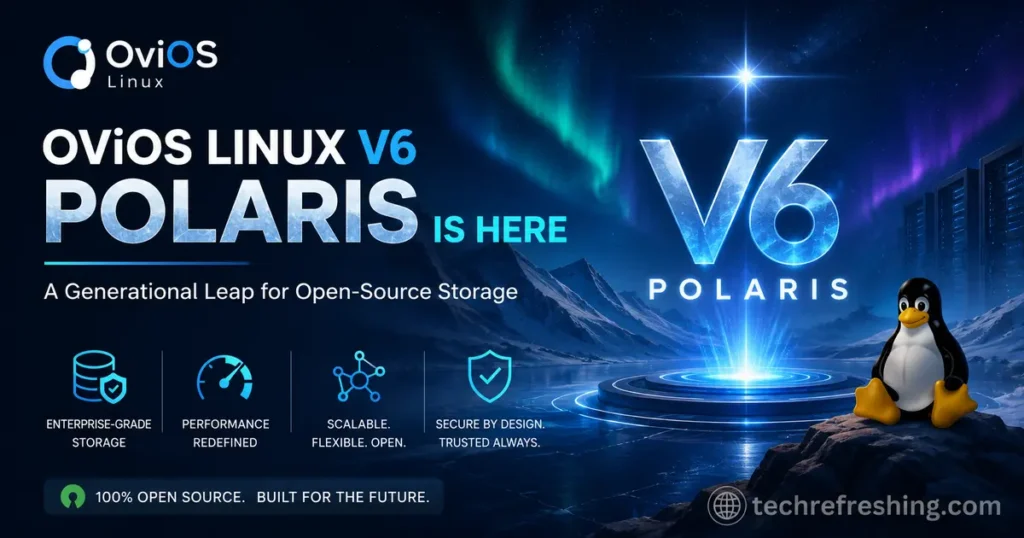
If you’ve been keeping an eye on the open-source storage space, you already know how hard it is to find a purpose-built OS that doesn’t drown you in complexity. Most storage solutions either demand a DevOps team to operate or compromise on features the moment your workload gets serious. That’s exactly why the news that OviOS Linux V6 POLARIS Is Here is such a significant moment — not just an incremental update, but a genuine generational overhaul of one of the most focused storage operating systems in the Linux ecosystem.
Released on May 29, 2026, OviOS V6 POLARIS brings a redesigned init architecture, a Kernel 7.0 foundation, OpenZFS 2.4.2, NVMe over Fabrics support, S3-compatible object storage, a browser-based monitoring dashboard, and much more. This post breaks down everything that’s new, what it means for real-world deployments, and why this release matters beyond the usual version-bump fanfare.
What Is OviOS Linux, and Why Does It Matter?
Before diving into V6, it helps to understand what OviOS actually is. At its core, OviOS Linux is an infrastructure-grade, open-source storage operating system built on the Linux kernel. It’s designed with a single purpose: to turn commodity hardware into a high-performance, enterprise-capable storage appliance — without requiring a storage engineer to manage it day to day.
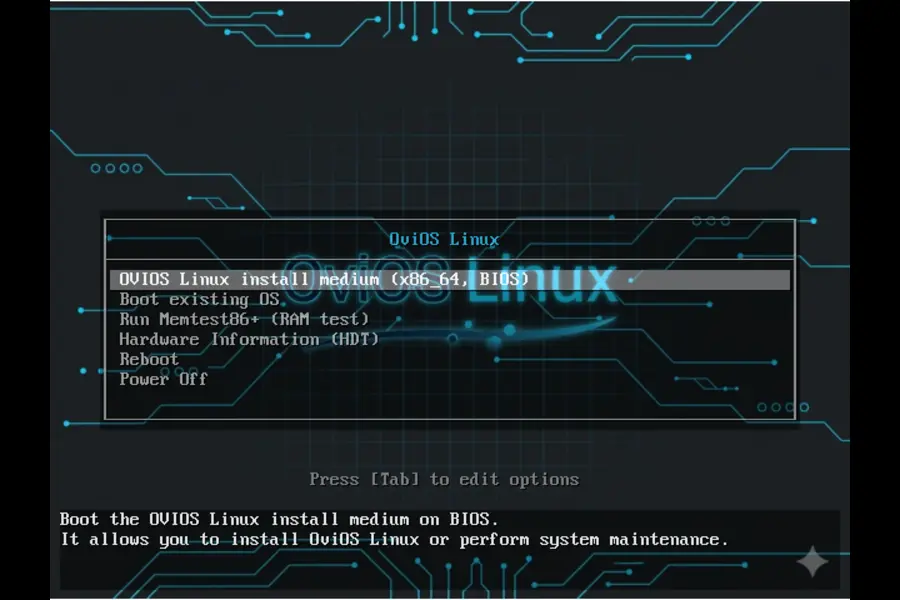
It supports iSCSI, NFS, SMB, and now S3 and NVMe over Fabrics (NVMe-oF), all from one unified stack. A menu-driven CLI makes pool creation, LUN management, and share configuration accessible without memorising long command strings. The OS can even run entirely from RAM, leaving every bit of disk bandwidth free for actual data workloads.
That’s a compelling pitch for small and mid-size IT teams, homelabbers, MSPs, and anyone who needs reliable storage infrastructure without the commercial licensing cost of enterprise alternatives.
OviOS V6 POLARIS is the biggest version jump the project has seen. Let’s get into why.
The Big Architectural Shift: From SysVinit to systemd
The headline change under the hood in OviOS V6 POLARIS is the migration of the init system from SysVinit to systemd. This might sound like an internal plumbing decision, but its impact runs deep across the entire platform.
Why the Change Was Necessary
SysVinit has been in maintenance-only mode for years. Major upstream projects — Samba, NFS utilities, iSCSI daemons, security tools — have progressively dropped SysVinit support and now ship only with systemd unit files. For the OviOS team, staying on SysVinit in v5 meant maintaining a growing pile of compatibility shims for every new upstream release, which added fragility and delayed security patches reaching users.
The move to systemd wasn’t a trend-chasing decision. It was a pragmatic call to stay aligned with where the Linux ecosystem actually is.
What systemd Brings to the Table
The practical benefits for administrators are real and immediate:
| Area | SysVinit (v5) | systemd (v6) |
|---|---|---|
| Service startup | Sequential shell scripts | Parallel, dependency-aware activation |
| Log management | Scattered text logs, manual rotation | Structured journald — queryable with journalctl |
| Boot time | Longer, sequential init | Noticeably faster across all hardware |
| Socket activation | Not available | Services start on first connection |
| Service recovery | Manual restart scripts | Built-in restart policies and watchdog timers |
| Cockpit integration | Not possible | Native — Cockpit requires systemd |
Despite this substantial change, the OviOS team has kept the user-facing experience identical to v5. The service command, all interactive wizards, and every management tool work exactly as before. You interact with storage workflows — not systemd unit files — unless you actively choose to.
Kernel 7.0 and OpenZFS 2.4.2: The Foundation
OviOS V6 POLARIS ships with Linux Kernel 7.0 Stable, up from 6.8 LTS in v5. This brings meaningful improvements to NVMe-oF TCP support, io_uring performance, and tighter ZFS integration at the kernel level — all directly relevant to storage workloads.
Alongside it, OpenZFS 2.4.2 delivers:
- Block cloning — avoids physically copying data for identical blocks, dramatically reducing I/O for deduplication-friendly workloads
- Faster scrub operations — better parallelism means health checks complete faster with less impact on production I/O
- Improved ARC eviction — more intelligent memory management under mixed read/write load
Administrators also gain more granular ZFS control through the options command. Per-pool sync mode, AutoTRIM, and ARC size limits are all adjustable live, without reboots. That’s exactly the kind of operational flexibility production environments demand.
New Features in OviOS V6 POLARIS
OviOS Web Monitor
This is one of the most visible additions for daily operations. V6 introduces a browser-based monitoring dashboard that displays live pool health, ARC statistics, iSCSI session tracking, and network utilisation in real time. A one-click PDF report generator is built right in — useful for periodic storage audits or sharing status reports with stakeholders who don’t live in the CLI.
Cockpit Integration
The full Cockpit web console is now available alongside the OviOS interface. Cockpit gives OS-level visibility into processes, storage devices, networking, and logs through a polished browser UI. For teams that prefer graphical management or need to hand off some monitoring duties to less CLI-focused colleagues, this is a welcome addition. It’s worth noting that Cockpit requires systemd — which is precisely why the init migration was a prerequisite for this feature.
S3-Compatible Object Storage via MinIO
V6 introduces the ability to deploy a MinIO S3 endpoint on top of OviOS. This is a genuinely powerful addition. Any application or tool that speaks AWS S3 — rclone, AWS SDK clients, Velero, object-aware backup tools — can now interact directly with your OviOS-backed storage without routing through external cloud services.
This opens the door to on-premises object storage at a fraction of the cost of commercial alternatives, while keeping data under your control.
NVMe over Fabrics (NVMe-oF)
For latency-sensitive environments, this is the feature that changes the conversation. OviOS V6 can now present ZFS volumes as NVMe namespaces over TCP or RDMA fabrics, delivering sub-100µs latency — a significant step beyond what iSCSI can offer for workloads that genuinely need it.
This matters for database clusters, high-frequency analytics, and any scenario where storage latency is a meaningful performance constraint. Having NVMe-oF available in an open-source, single-node or clustered storage OS at zero licensing cost is notable.
SMB3 Multichannel
Windows environments benefit from automatic bandwidth aggregation across multiple NICs via SMB3 Multichannel. Enabling it is a single command: options smb.multichannel on. Clients running Windows 8 or later get the benefits automatically — no client-side configuration required.
Security Auditing with auditd
The Linux Audit daemon (auditd) is now integrated into the v6 service stack. This logs and monitors file access, configuration changes, and administrative actions, providing the audit trail that compliance frameworks (PCI-DSS, HIPAA, ISO 27001) typically require. For environments that weren’t able to deploy OviOS in regulated contexts before, this closes a meaningful gap.
Cloud OS — PXE Network Boot
V6 introduces the ability to run OviOS entirely from RAM via PXE network boot, with no local system disk required. This is ideal for diskless rack deployments, cloud-adjacent infrastructure, or rapid provisioning scenarios where booting from disk adds unnecessary complexity. The OS loads into memory, and all storage activity goes directly to the data disks — nothing wasted on a system partition.
Linux Standard Base Compliance
OviOS V6 achieves full Linux Standard Base (LSB) conformance. This might not generate the same excitement as NVMe-oF or S3 support, but for administrators integrating OviOS into broader infrastructure, it matters a great deal.
Monitoring agents, backup clients, and automation tools built to LSB standards now install and run without modification. No custom shims, no workarounds. Compliance covers:
- Filesystem Hierarchy Standard (FHS)
- systemd-based init interface
- POSIX-compatible shell environment
- Standard PAM authentication stack
- journald / syslog integration
- NSS / LDAP / Kerberos conformance
- Predictable device naming via udev
Package Upgrades Worth Noting
Beyond the headline features, V6 brings across-the-board package updates that matter for security and performance:
| Package | v5 | v6 | What Changed |
|---|---|---|---|
| Linux Kernel | 6.8 LTS | 7.0 Stable | io_uring, NVMe-oF TCP, ZFS integration |
| OpenZFS | 2.4.0 | 2.4.2 | Block cloning, faster scrub |
| Samba | 4.19.5 | 4.23.6 | SMB3 multichannel, AD fixes |
| NFS-utils | 2.6.4 | 2.8.7 | NFSv4.2 xattr & copy_file_range |
| tgt (iSCSI) | 1.0.82 | 1.0.97 | iSER transport, multi-session handling |
| OpenSSL | 3.2.1 | 3.6.2 | TLS 1.3 default, post-quantum readiness |
| OpenSSH | 9.7p1 | 10.3p1 | FIDO2 key support |
| Cockpit | — | 362+ | New in v6 |
| auditd | — | 4.1.4 | New in v6 |
The OpenSSL jump to 3.6.2 is particularly worth flagging — TLS 1.3 is now the default, and the post-quantum cryptography groundwork is laid for future algorithm support. With data-in-transit security concerns growing, this isn’t a trivial update.
Upgrading from V5: What You Need to Know
One important practical note: in-place upgrade from v5 to v6 is not supported. The init system change requires a clean OS installation. However — and this is key — your ZFS pool data is fully preserved.
The recommended path is to reinstall OviOS V6 on the system disk and run the restore command, which reads OviOS metadata stored alongside your pool data and automatically rebuilds all iSCSI targets, LUN mappings, share configurations, and network settings.
The OviOS team notes that a complete recovery from a fresh OS install to a fully operational storage system typically takes under five minutes. Configurations that migrate automatically include:
- ZFS pool data and datasets
- iSCSI target and LUN mappings
- NFS and SMB share definitions
- Active Directory domain join
- Network interface, bonding, and VLAN configuration
- Custom ARC, TRIM, and ZIL options
- Snapshot schedules and replication tasks
System Requirements
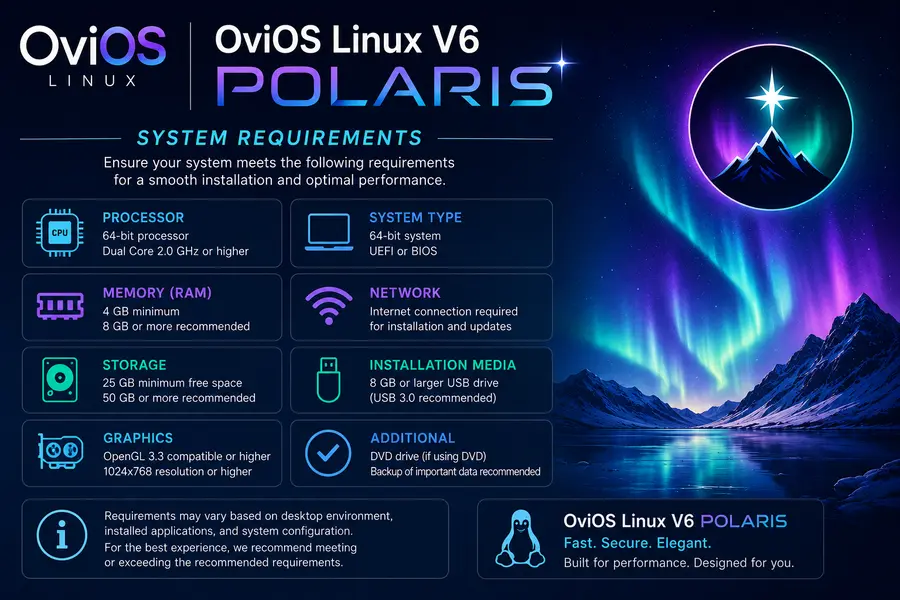
For anyone planning a fresh deployment or upgrade evaluation:
- CPU: x86_64, 2+ cores (4+ recommended)
- RAM: 4 GB minimum
- ISO size: 1.4 GB
- Architecture: x86_64 only
The ISO is SHA256 verified and GPG signed by the OviOS maintainer, with verification instructions published on the downloads page.
The Design Philosophy That Makes OviOS Different
What’s easy to miss in a feature breakdown like this is the underlying philosophy that makes OviOS worth paying attention to: storage made simple, without sacrificing capability.
Every major operation in OviOS has an interactive wizard. You follow prompts. You don’t memorise commands, edit config files by hand, or fight YAML indentation. The pool, lun, target, vol, service, and options commands work identically to v5. ovios hc gives an instant health overview. ? lists everything available.
V6 doesn’t change any of this. NVMe-oF, S3 support, Cockpit, and the web monitor are additional layers available when you need them — not complexity forced onto workflows that were already working. That’s a harder design constraint to maintain than it sounds, and the v6 release largely honours it.
Who Should Be Looking at OviOS V6 POLARIS
If you’re evaluating whether this release is relevant to your environment, here’s a practical read:
- Homelabbers and self-hosters who want ZFS-backed iSCSI or NFS without managing a full Linux server configuration will find v6 just as approachable as v5, with more headroom for growth.
- SMBs and MSPs running Windows environments benefit directly from SMB3 Multichannel and AD integration improvements.
- Teams adopting S3-native workflows can now add on-premises object storage without a separate solution.
- Compliance-driven environments get the auditd integration and LSB conformance they need to satisfy audit requirements.
- High-performance compute environments with latency-sensitive storage workloads now have NVMe-oF as a real option in an open-source stack.
Final Thoughts
OviOS Linux V6 POLARIS is a release that earns the “generational leap” description. It’s not a collection of minor fixes dressed up in marketing language. The init system migration, Kernel 7.0, OpenZFS 2.4.2, NVMe-oF, S3 support, the web monitor, Cockpit integration, auditd, PXE boot, SMB3 Multichannel, and full LSB compliance — taken together, this is a platform that has genuinely moved forward.
More importantly, it’s done so without abandoning the guided simplicity that made OviOS worth choosing in the first place. That balance is difficult to maintain through a major version transition, and this release pulls it off.
If you’ve been running v5 or have been evaluating open-source storage options, now is a good time to take a close look at what OviOS V6 POLARIS brings to the table. The ISO is available now at ovios.org, verified and ready for deployment.
Disclaimer
This article is written for informational purposes based on official OviOS Linux V6 POLARIS release notes and documentation published in May 2026. All product names, version details, and technical specifications referenced belong to their respective owners. While every effort has been made to ensure accuracy, readers are encouraged to verify details directly at ovios.org before making deployment decisions.