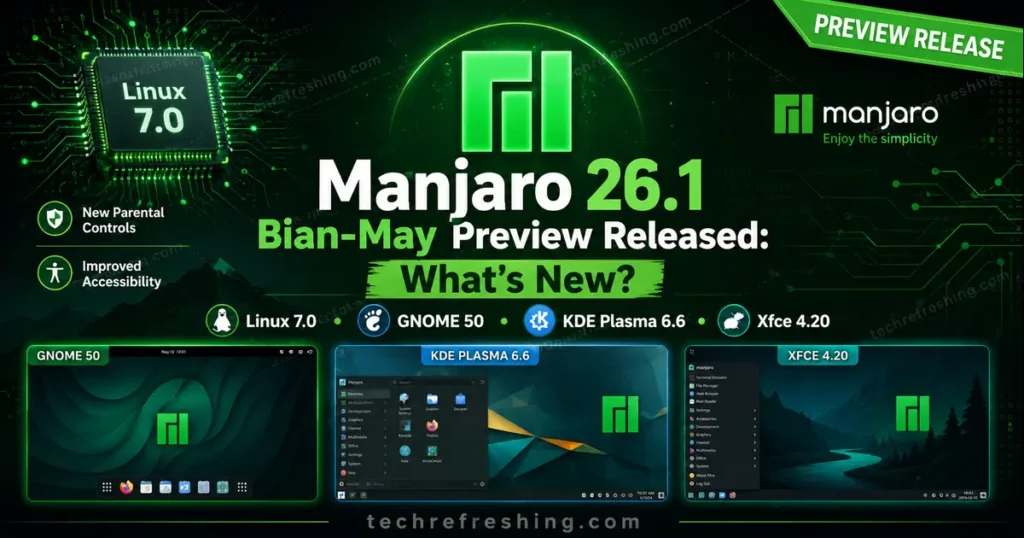
The Manjaro team dropped an exciting announcement on May 5, 2026 — Manjaro 26.1 Bian-May Preview Released is now available for download and public testing. Coming just a few months after the Anh-Linh (26.0) release in January 2026, this preview build brings some genuinely impressive upgrades across all three official desktop editions — GNOME, KDE Plasma, and Xfce. Whether you’re a long-time Manjaro user or just curious about what’s cooking in the Arch-based Linux world, there’s a lot to unpack here.
Let’s go through everything that’s new, what’s changed, and whether you should try it out right now.
What Is Manjaro 26.1 Bian-May?
First, a quick note: this is a preview release, not the final stable version. The Manjaro team is actively seeking community feedback on the install media before pushing it to a wider audience. That said, it’s built on solid upstream components and is more than capable of daily use for enthusiasts willing to report issues.
The name “Bian-May” continues Manjaro’s tradition of giving each release a unique name. Following Anh-Linh, this release represents roughly four to five months of work improving stability, updating the desktop stack, and folding in the latest upstream kernel and software versions.
The headline features include GNOME 50, KDE Plasma 6.6, Xfce 4.20, and Linux Kernel 7.0 — and each of those deserves a closer look.
GNOME 50: A Significant Generational Leap
The GNOME edition in Bian-May ships with the GNOME 50 series, which was originally released upstream in March 2026. This is one of the most feature-rich GNOME releases in recent memory, and Manjaro has included several rounds of fixes and polish on top of the base release.
Parental Controls Finally Grow Up
One of the most talked-about additions in GNOME 50 is the overhauled parental controls system. For the first time, parents and guardians can do things that were previously only possible through third-party tools:
- Monitor and set screen time limits for child accounts
- Set bedtime schedules that automatically lock the screen when reached
- Extend screen time manually when needed, giving parents flexibility
On top of that, Manjaro ships Big Parental Controls 1.0 from their sister project Big Linux, a Brazilian distribution. This was added specifically to comply with recent legislation in Brazil around child digital safety, but it’s available to everyone.
Remote Desktop Gets Hardware Acceleration
If you’ve ever struggled with sluggish GNOME remote desktop sessions, version 50 addresses this head-on. The new implementation introduces hardware-accelerated video streaming using Vulkan and VA-API — essentially letting your GPU handle the heavy lifting instead of your CPU. The results are noticeably smoother remote sessions with less lag and lower power draw.
Compatibility has also improved, particularly for NVIDIA users, through the integration of explicit sync support.
Display Tech: VRR, Fractional Scaling, and HDR
GNOME 50 makes meaningful progress on the display side of things, which has historically been an area of criticism for the desktop:
- Variable Refresh Rate (VRR) improvements bring a tear-free experience where your monitor’s refresh rate dynamically matches the application’s frame rate — great for gaming or video.
- Fractional Scaling now lets users natively pick values like 125% or 150% in Display Settings, which is a big deal for HiDPI monitors that don’t fit neatly into 100% or 200%.
- Low-Latency Cursor in VRR mode — the mouse cursor now moves independently of the application’s frame rate while VRR is active, staying fluid at the monitor’s maximum refresh rate even if a game is running slower.
- NVIDIA Performance Fixes — workarounds for GPU driver quirks have been implemented, targeting stuttering and frame-timing problems that affected many users.
- HDR Screen Sharing — it’s now possible to share or record a monitor displaying HDR content while preserving the vivid color range.
- Wayland Color Management Protocol v2 — the foundation for professional-grade color accuracy across apps and hardware is now in place.
KDE Plasma 6.6: Versatility Gets Even Better
The KDE edition ships with Plasma 6.6, KDE Frameworks 6.25, and KDE Gear 26.04 — a thoroughly modern and up-to-date software stack.
Customize Your Global Theme From Scratch
A popular request finally lands: you can now turn your current desktop setup into a custom global theme. Whatever combination of colors, widgets, and styles you’ve built up, it can be saved as a theme and used for day/night switching — a clean workflow improvement for users who like a different look in the evening.
Accessibility Improvements
KDE has made some notable strides in accessibility with Plasma 6.6:
- Color Blindness Correction filters now include a new grayscale option, bringing the total filter count to four covering different types of color vision deficiency. You’ll find these under System Settings → Accessibility → Color Blindness Correction.
- Spectacle screen capture tool can now recognize and extract text from screenshots — handy for generating alt text for visually impaired users, or simply copying text from images without retyping it.
Plasma Setup for Smoother OS Installation
A more technically interesting addition is Plasma Setup, which separates the technical steps of OS installation (disk partitioning, bootloader configuration) from the user-facing steps (account creation, network setup). This is particularly useful for OEM deployments and scenarios where different people handle different parts of the setup process.
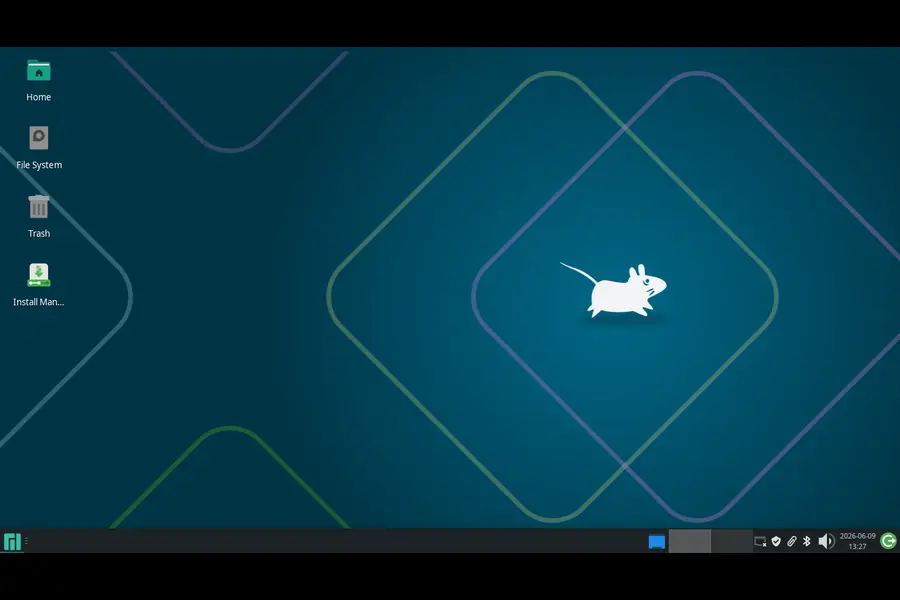
Xfce 4.20: Lightweight Gets Smarter
The Xfce edition ships with Xfce 4.20, which brings a handful of thoughtful quality-of-life improvements without sacrificing the desktop’s signature lightweight footprint.
Thunar File Manager Updates
The Thunar file manager gets two practical additions:
- File highlighting — right-click any file, go to properties, and you can now set a custom background colour and foreground text colour for that file. This sounds minor, but when you’re working in a directory with dozens of similar-looking files, being able to visually flag specific ones is surprisingly useful.
- Recursive search — Thunar can now search within subfolders, which fills a longstanding gap in its feature set.
Panel Improvements
The Xfce panel picks up two new configuration options:
- Panel length in pixels rather than percentages, giving you more precise control over sizing.
- “Keep panel above windows” toggle — this lets maximized application windows fill the space behind the panel instead of being pushed up against its edge. Useful for specific multi-monitor setups or anyone who prefers a more immersive workspace.
Control Centre Gets New Options
The Xfce Control Centre now includes additional settings spread across several modules:
- Disable header bars in dialogs (via the Appearance module)
- Show or hide the “Delete” option in file context menus
- Set a default multi-monitor behaviour before physically attaching a second screen
Linux Kernel 7.0 — With a Caveat Worth Knowing
Manjaro 26.1 Bian-May ships with Linux Kernel 7.0 as the default, which brings the latest driver support and performance improvements available at this point in time. For users on supported hardware, this means better compatibility and up-to-date kernel features.
However, there’s something worth flagging if you use NTFS drives. A community member on the Manjaro forum noted multiple reports of NTFS driver issues under kernel 7.0, with the recommendation to wait for kernel 7.1 before finalizing the release. Those issues are expected to be resolved in the 7.1 release candidate cycle.
For users who need NTFS support or prefer a more conservative kernel, the ISOs are also available with:
- Linux 6.18 LTS — for stable, long-term-supported hardware
- Linux 6.12 LTS — for even older hardware compatibility
This kernel flexibility is one of the things Manjaro consistently does well — you’re not locked into one version, and switching kernels post-install is straightforward through the Manjaro Settings Manager.
Download Options
All three editions are available in Full and Minimal variants, across the three kernel versions mentioned above:
XFCE Edition
- Full and Minimal ISOs with Kernel 7.0
- Minimal ISOs with Kernel 6.18 LTS
- Minimal ISOs with Kernel 6.12 LTS
GNOME Edition
- Full and Minimal ISOs with Kernel 7.0
- Minimal ISOs with Kernel 6.18 and 6.12 LTS
KDE Plasma Edition
- Full and Minimal ISOs with Kernel 7.0
- Minimal ISOs with Kernel 6.18 and 6.12 LTS
All ISOs are signed and come with SHA1/SHA256 checksums for verification. Torrent downloads are available alongside direct HTTP links from Manjaro’s official download server.
Should You Try the Preview?
If you’re an existing Manjaro user or an experienced Linux user comfortable with testing pre-release software, absolutely — give it a go. The team is specifically asking for feedback on these install images before the final release drops.
A few things to keep in mind:
- Don’t use this as your only OS on production hardware — it’s a preview, and things can break.
- If you rely on NTFS drives, consider using the 6.18 or 6.12 LTS kernel variants until the NTFS issue is resolved in kernel 7.1.
- Report issues on the Manjaro forum — the developers are actively monitoring the thread and community feedback directly shapes the final release.
If you’re newer to Linux or prefer to wait for the stable release, there’s no harm in sitting this one out. The final Bian-May release should follow soon, incorporating fixes based on preview feedback.
What Sets Bian-May Apart From Anh-Linh?
Just to put the upgrade scope in perspective — Anh-Linh (26.0) was released in January 2026, and in roughly four months the team has shipped:
- A full generational jump in GNOME (from GNOME 48/49 territory to GNOME 50)
- KDE Plasma updated to 6.6 with Frameworks 6.25 and Gear 26.04
- Xfce 4.20 with Thunar improvements and panel refinements
- A kernel bump from 6.x to 7.0
- Significant Wayland improvements across both GNOME and KDE
- HDR screen sharing and hardware-accelerated remote desktop in GNOME
- New parental controls with Brazilian legal compliance
That’s a meaningful set of changes across the board — not just a version number bump.
Final Thoughts
The Manjaro 26.1 Bian-May Preview Released announcement is one of the more exciting Manjaro previews in a while, largely because several of its components — GNOME 50, Plasma 6.6, Kernel 7.0 — represent real generational jumps rather than incremental patches. The display and rendering improvements in GNOME alone (VRR, HDR, hardware-accelerated remote desktop, fractional scaling fixes) make this release worth paying attention to for anyone who runs Manjaro as a daily driver.
The NTFS kernel 7.0 caveat is worth watching, but the alternative kernel options mean there’s a path forward for everyone regardless of hardware requirements. Once the final stable build ships — hopefully with kernel 7.1 under the hood — Bian-May looks set to be one of the strongest Manjaro releases in the 26.x series.
Keep an eye on the official Manjaro forum thread for the latest updates, community feedback, and the eventual stable release announcement.
Disclaimer
This blog post is based on the official preview release notes published by the Manjaro team on May 5, 2026. Manjaro 26.1 Bian-May is a preview (pre-release) build and is not yet the final stable version. Features, kernel versions, and included software may change before the official stable release. We recommend testing in a non-production environment. Always verify downloads using the provided checksums and signatures from the official Manjaro forum.
Explore the latest Linux distribution releases, performance improvements, and new features across Armbian, T2 Linux, and Linux Lite.